

How to Back Up & Restore Your Spotify Library
Tidabie takes your account data security seriously. That's why we've developed a brand‑new feature that lets you back up and restore your entire Spotify library with just one click. Whether you want to switch between different Spotify accounts or simply keep a copy of your music collection, Tidabie gives you complete peace of mind.
How to Back Up Your Spotify Music Library
Here's what you need to do to save your Spotify music library with Tidabie:
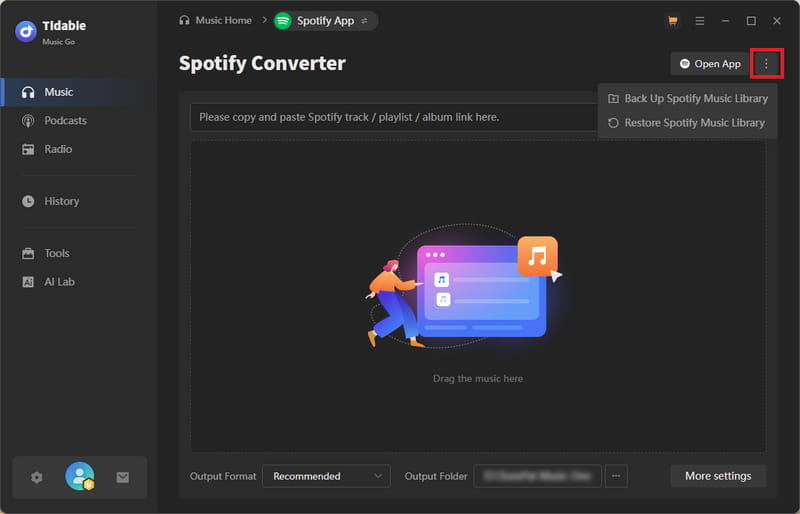
STEP 1 Start Tidabie Music Go on your computer and select "Spotify" from the available list of music streaming services. Double‑check that you're logged into your Spotify account. On the right‑hand side of the main window, you'll find a three‑dot button. Click it, and two functions will appear: "Back Up Spotify Music Library" and "Restore Spotify Music Library". Pick "Back Up Spotify Music Library".
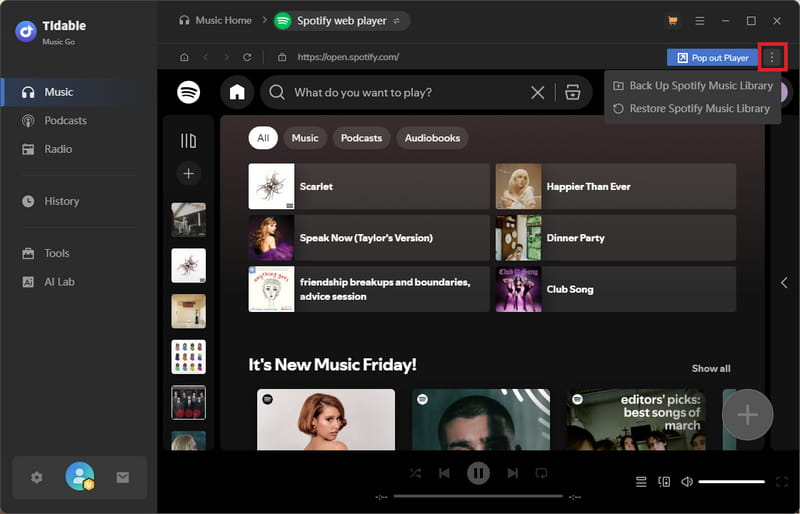
If you prefer using the built‑in Spotify web player inside Tidabie for downloading, the backup and restore options live in the same place, just look for the three dots at the top right corner of the web player.
STEP 2 Before the process kicks off, you can take a moment to confirm which Spotify account is being backed up, decide what needs to be saved, choose where the backup file will be stored, and turn on an auto‑backup feature if you want Tidabie to do this every time it opens. Hit "Back Up Now" to begin.
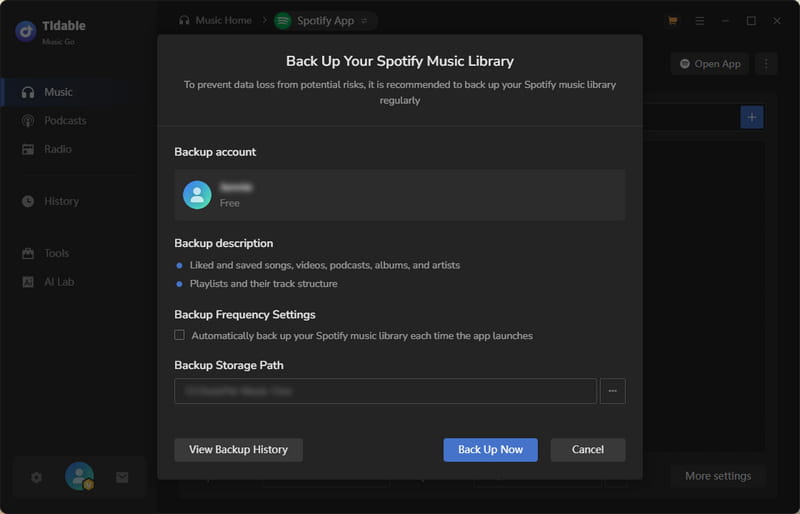
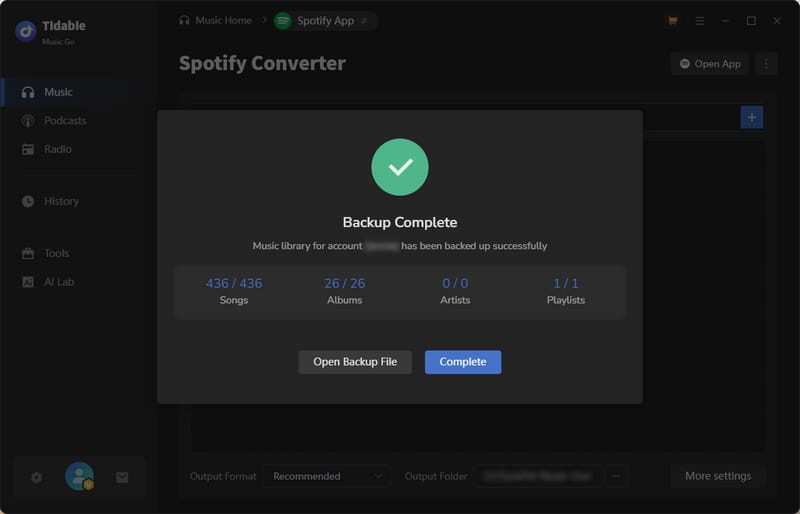
STEP 3 The whole process finishes in just a few seconds. Once it's done, a complete copy of your Spotify library will be sitting safely as a backup file on your hard drive.
How to Restore Your Spotify Music Library
Whenever you need to recover your Spotify library, just follow these steps:
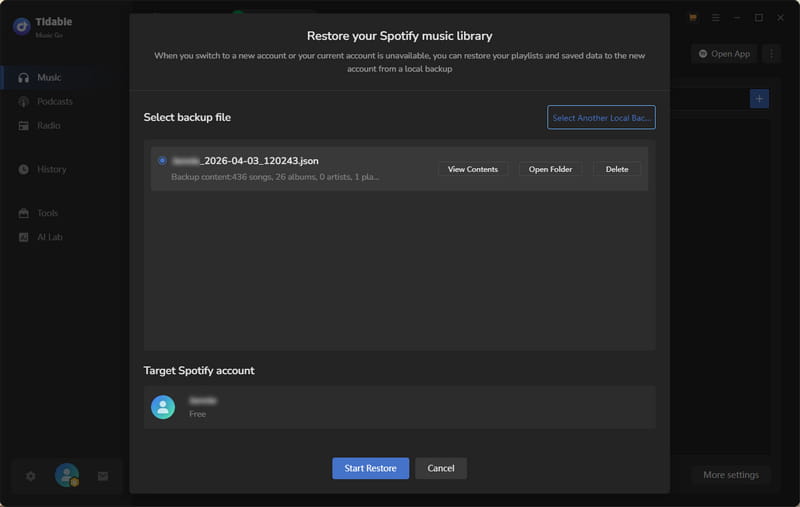
STEP 1 If you already have a local backup file and need to push it back into your Spotify account, go ahead and click "Restore Spotify Music Library".
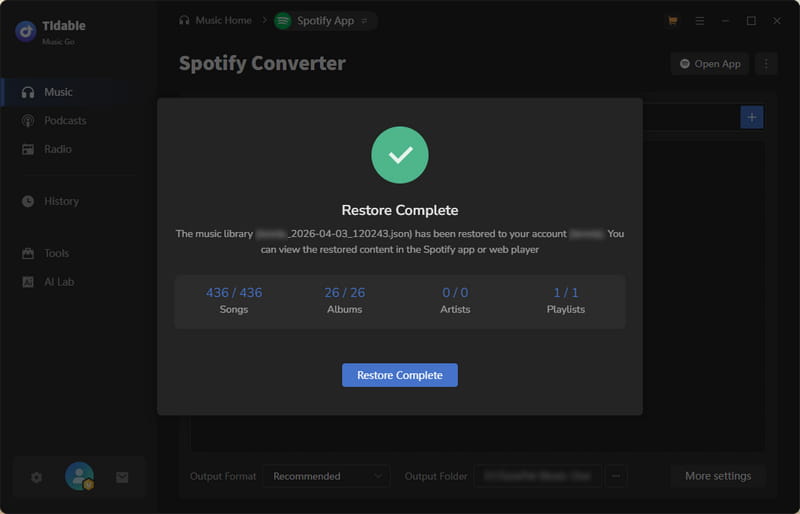
STEP 2 Make sure you're restoring to the right Spotify account, then tick off exactly which content you want to bring back. After that, click "Start Restore" to run the recovery. Your playlists and saved songs will be back in your Spotify account in no time.