


Top 8 Free Apple Music to MP3 Converters (Tested)
Like many streaming services, Apple Music is accessible on iOS, Android, macOS, and Windows devices with an Apple Music subscription. The large music collection and high audio quality are undoubtedly attractive for most users. However, with DRM protection for digital music, users are only allowed to stream music within the Apple Music app under the subscription period, which restrains the users' listening time and space. Now, more and more Apple Music users are seeking a solution to break through the limitations so as to listen to their favorite Apple Music collections on any device, at any time and anywhere.
Some of them find it a good choice to convert songs from Apple Music to MP3 format, as it is supported on most devices. If you are looking for a free Apple Music to MP3 converter, then you are at the right place. Here we have the top 8 free options for you to choose from. Just read on and find the most suitable tool for yourself.
Part 1. Best Apple Music to MP3 Converter: Tidabie Music Go
While free online Apple Music to MP3 converters can be tempting for quick, occasional downloads, they often come with hidden trade‑offs, such as unstable performance, misleading audio quality claims, intrusive ads, or even privacy risks. Therefore, before introducing free online Apple Music converters, we'd like to recommend a tool for users seeking a more reliable and professional solution: Tidabie Music Go.
| Tidabie Music Go | Free Online Apple Music Converters | |
|---|---|---|
| Audio Quality | Lossless Hi-Res | Typically 128‑256 kbps |
| Batch Download | ✔️ | Varies |
| ID3 Tags & Metadata | ✔️ | Basic or missing |
| Output Format | MP3, AAC, WAV, FLAC, AIFF, ALAC | MP3 only (rarely M4A) |
| Supported Music Services | 15+ popular platforms | Apple Music only |
| Ad‑free | ✔️ | ❌ |
| Download Speed | 10x | Unstable |
| Security | ⭐⭐⭐⭐⭐ | ⭐⭐ |
| Free Tools | AI Audio Splitter, Format Converter, CD Burner, Tag Editor, Audio Editor | ❌ |
Tidabie Music Go is a professional Apple Music to MP3 converter for Windows and Mac that also supports Spotify, YouTube Music, Tidal, SoundCloud, and Pandora. It allows you to download and convert music to multiple formats, including MP3, AAC, WAV, FLAC, AIFF, and ALAC. More advanced features are listed as follows:
Tidabie Music Go
- Download tracks, playlists, podcasts, or audiobooks from music platforms like Apple Music, Spotify, Amazon Music, and more in one bulk.
- Free access to handy tools like AI Audio Splitter, Tag Editor, Burn CD, AA/AAX Converter, and Format Converter.
- Save downloaded music locally for perpetual offline playback.
- Enjoy podcasts online and download podcasts at no cost.
- Listen to radio shows and record radio freely.
- Keep full ID3 tags after conversion.
If you haven't downloaded this tool for a trial, just download and install it on your computer, and keep up with the steps below to convert songs from Apple Music to MP3 format with the help of Tidabie Music Go!
STEP 1 Launch Tidabie Music Go and select "Apple Music" from the "Music" module. If you have iTunes (Windows) or the Music app (Mac) installed, it will open for track selection. Otherwise, the built‑in web player will appear. Log in with your Apple ID.
STEP 2 Click the "Settings" button. Choose "MP3" as the output format. You can also adjust bit rate, sample rate, and output folder as needed.
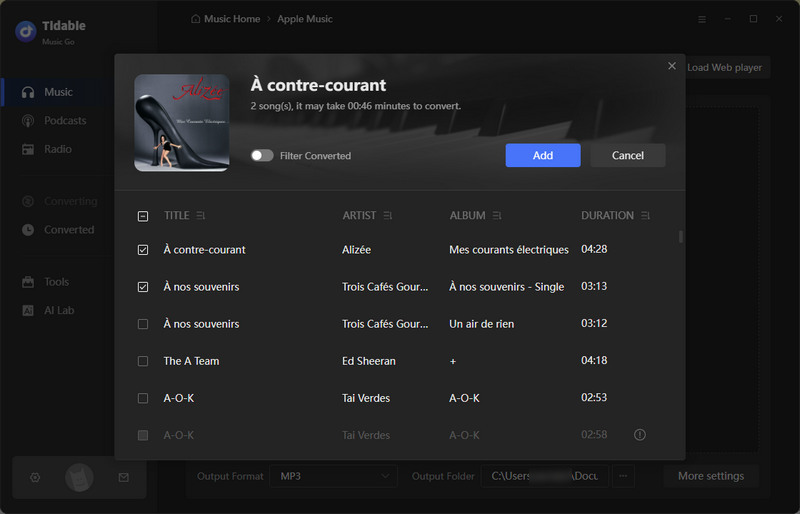
STEP 3 In the Apple Music web player, find the songs or playlists you want and click the "+" button. A window will list all tracks. Tick the ones you need and click "Add". To add more, click "Add More" and repeat.
STEP 4 Click "Convert" to start downloading. Tidabie will convert Apple Music tracks to MP3 at up to 10x speed. Once finished, go to "History" on the left menu and click the folder icon next to any song to locate your MP3 files. All have retained full ID3 tags.
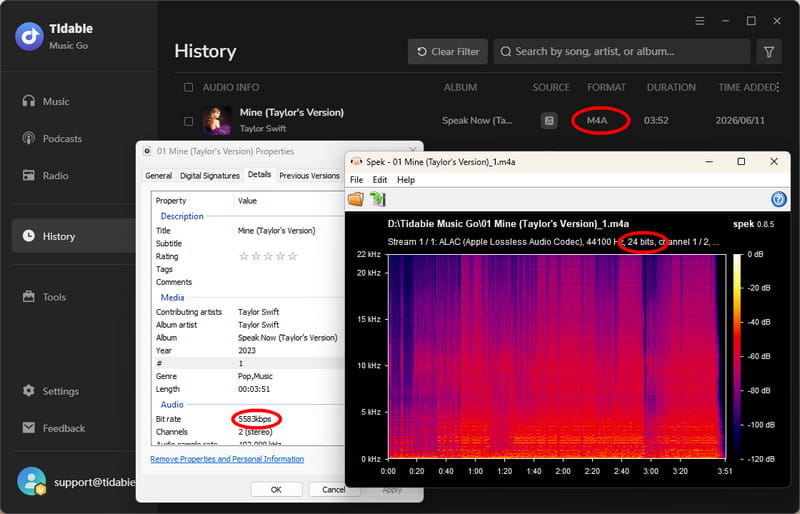
While the steps above show you how to convert Apple Music to MP3, it's worth noting that Tidabie Music Go supports true Apple Music lossless download, including FLAC, WAV, and ALAC (M4A).
Part 2. Top 8 Free Apple Music to MP3 Converter
🔒 Privacy & Security Advisory: Our testing detected aggressive ads and fake download buttons on some online tools. Use an ad-blocker and avoid suspicious clicks. For a safe, ad‑free experience, try Tidabie.
#1 APLMate
APLMate is a popular free Apple Music downloader online that enables users to get tracks from Apple Music with just a few clicks. This tool is easy to use and free to access. Simply by copying and pasting the URL links, you can get your favorite music downloaded to your device.
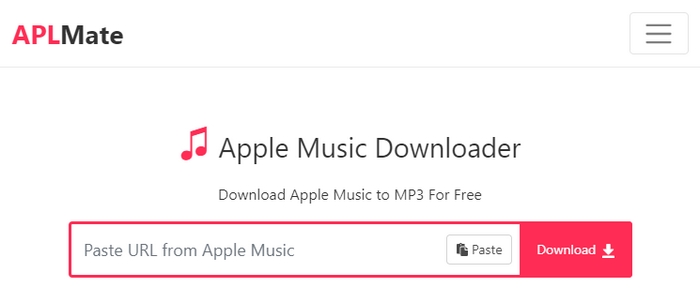
STEP 1 Copy the URL of the song or the playlist from the Apple Music web player or the Apple Music app. Go to the APLMate website, paste the link to the designated column, and click the red "Download" button.
STEP 2 The URL will be analyzed in a few seconds. Just select the tracks you want to download and click "Download" again.
STEP 3 You will be led to another page where you can decide which file to download, the music file in MP3 format or the HD cover. Simply tap on "Download MP3" to get the MP3 music file downloaded to your device.
🌞 Real User Review:
#2 applemusicmp3
applemusicmp3 is a dedicated Apple Music to MP3 converter online that is available on Windows, macOS, Android, and Linux. It is said on its official website that this tool supports downloading original music files from Apple Music in M4A format.
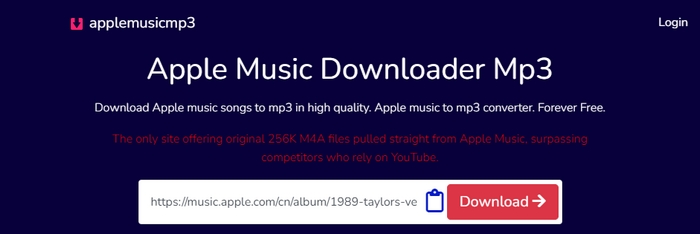
STEP 1 Copy the URL from the Apple Music app or web player.
STEP 2 Go to the applemusicmp3 website and paste the link to the designated column. The website will analyze the URL automatically. All the downloadable files will be listed on the page once the link is parsed. You can download the entire playlist by downloading the ZIP file, or download the specific track that you want to download within the playlist one by one.
STEP 3 Click on "Generate Download Links". Then you can choose the output quality from the "Select Audio Quality" column. After that, the browser will start downloading the designated music file to your device.
🌞 Real User Review:
#3 Apple Music Downloader
Apple Music Downloader is a popular online free Apple Music downloader, which offers a free service for downloading your favorite tracks from Apple Music. It is an economic choice for those who have a low budget or low requirements for sound quality.
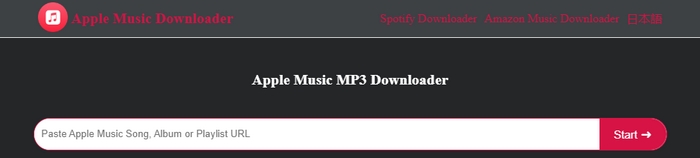
STEP 1 Copy and paste the Apple Music song, album, or playlist URL to the parsing bar and click "Start→".
STEP 2 After the URL is analyzed, tap on the "Get Download" button next to each item. Then the download link will be generated.
STEP 3 Click "Download MP3" to start downloading the MP3 music files to your device.
🌞 Real User Review:
#4 APL MUSIC DOWNLOADER
APL MUSIC DOWNLOADER is a free online tool that claims to convert Apple Music to MP3 directly in your browser. You can paste album or playlist links and have all tracks parsed at once, although each song should be downloaded individually. The site also retains full ID3 tags and gives an ad‑free experience. However, as our hands‑on test reveals, the actual output format is M4A rather than MP3.
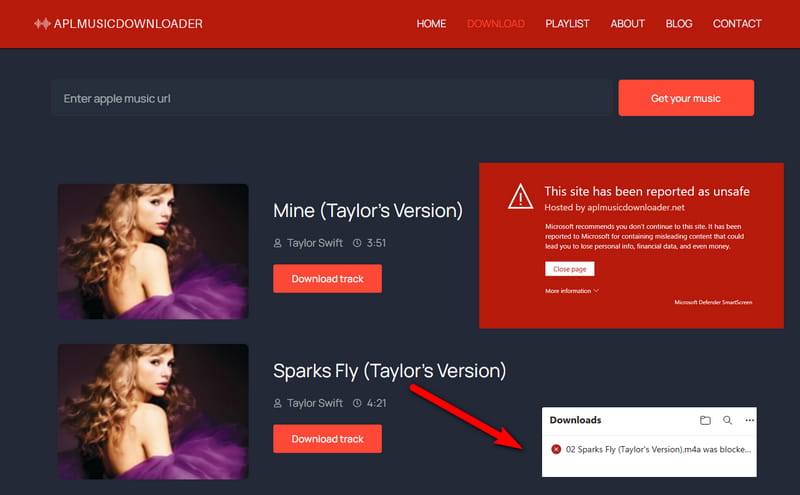
STEP 1 Find the song, album, or playlist you want to download in Apple Music. Click the three dots, then click "Copy Link".
STEP 2 Go to the APL MUSIC DOWNLOADER website, paste the URL into the input field, and click the "Get your music" button. The tool will analyze your link and display the available tracks.
STEP 3 Once the analysis is complete, locate your desired track and click "Download track" to save the file to your device.
🌞 Real User Review:
#5 KeepVid Apple Music Downloader
KeepVid is an online tool that allows you to convert Apple Music links to MP3 for free. This site also offers other audio sources like YouTube, TikTok, Twitter, Facebook, Amazon Music, and Spotify. Generally, it is convenient for most devices.
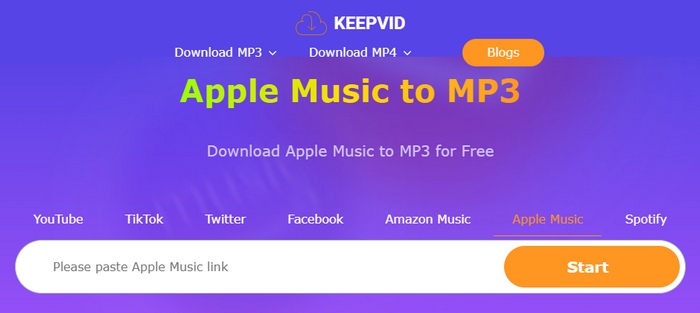
STEP 1 Get the URL of your favorite Apple Music song by clicking the share button within the Apple Music app or the web player.
STEP 2 Paste the link to the parsing column and hit "Start".
STEP 3 When the link is analyzed, click the "Audio(.mp3) button to start downloading. You will get the music files after waiting for a while.
🌞 Real User Review:
#6 ACETHINKER
ACETHINKER is a free online Apple Music to MP3 converter that downloads Apple Music directly to your device. It delivers MP3 files at a high 320 kbps bitrate. The tool also preserves ID3 tags, including title, artist, album, year, genre, and artwork, helping you maintain a well-organized music library without manual editing. However, the tool suffers from a significant reliability issue: it frequently downloads incorrect songs that do not match the Apple Music link you provided.
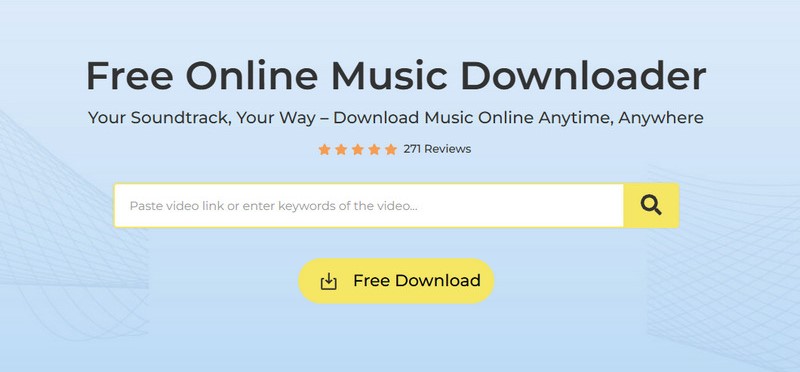
STEP 1 Open Apple Music, find the song you want, then "Copy Link".
STEP 2 Go to the ACETHINKER website, paste the URL into the search box, and click the search icon.
STEP 3 Once the analysis is complete, click "Download MP3" to save the file to your device.
🌞 Real User Review:
#7 Apple Music Downloader Bot
Apple Music Downloader Bot is a Telegram bot that allows you to convert Apple Music to MP3 directly within the Telegram app. Unlike browser-based converters that require you to copy and paste links each time, Apple Music Downloader Bot offers a conversational interface that remembers your requests and delivers files instantly as downloadable audio messages. The bot is entirely free to use and requires no registration.
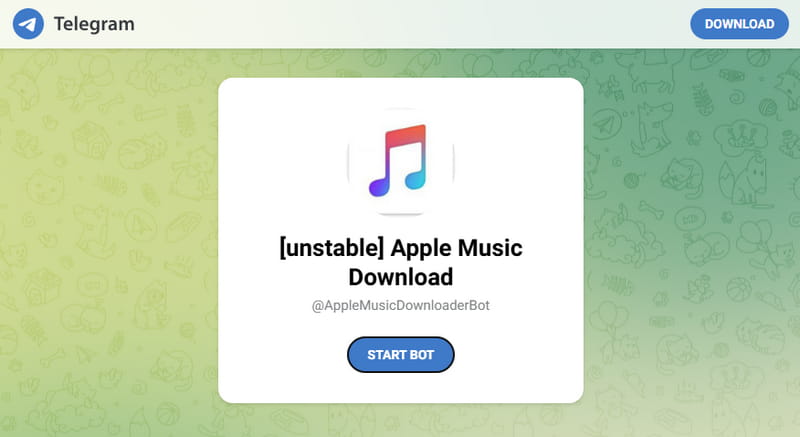
STEP 1 Navigate to Apple Music. Locate the track, album, or playlist you wish to save, then tap the ellipsis and select "Copy Link" to grab its URL.
STEP 2 Open the Telegram app on your device, search for Apple Music Downloader Bot in the search bar, and start a conversation with the bot.
STEP 3 Paste the copied Apple Music URL into the chat and send the message. The bot will automatically detect your link and begin processing the request. Then tap the download link to save the file.
🌞 Real User Review:
#8 Audacity
Audacity is a free and cross-platform audio recording and editing software. With this handy tool, you can record music easily and export it as WAV, MP3, FLAC, OGG, and more formats.
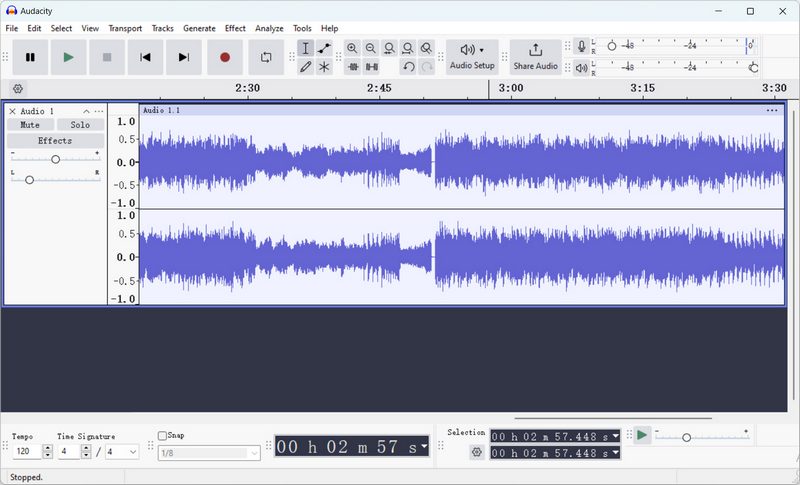
STEP 1 Download and install Audacity and launch it on your computer (with operating systems like Windows, macOS, or Linux).
STEP 2 Connect your playback/recording device to your computer. (Normally, headphones are enough)
STEP 3 Tap on "Audio Setup" on the main interface. Click "Host" > "Windows WASAPI". Click "Playback Device" and "Recording Device" > Choose the same option(eg. Both the playback device and recording device is headphones-WH-1000XM4). Click "Recording Channels" > "2 (Stereo) Recording Channels".
STEP 4 Tap on "R" or click on the red point icon to start recording. Then play the song you like on the Apple Music app or the Apple Music web player. The Audacity app will record the music immediately. When the song ends, just tap on the black point icon to stop recording music.
STEP 5 Choose "File" > "Export Audio" > "Export to computer". Then name your audio file and select MP3 as the exported format. Finally, hit "Export" to save the music file to your computer.
🌞 Real User Review:
Part 3. Comparison Among Top Apple Music to MP3 Converters
| Output Format | Quality | ID3 Tags | Advanced Features | Batch Download | Ad-free | |
|---|---|---|---|---|---|---|
| Tidabie Music Go | MP3, FLAC, WAV, AAC, AIFF, ALAC | Hi-Res | Title, Artist, Artwork, Genre, Album, Year, Track Number | Download radio & podcasts, Burn CDs, Edit tags, Convert Audiobooks, Save lyrics, Download instrumental | ✔️ | ✔️ |
| APLMate | MP3 | 128 kbps | Title, Artist, Artwork | ❌ | ❌ | ❌ |
| applemusicmp3 | MP3, M4A | 320 kbps | Title, Artist, Artwork, Album, Year, Track Number | ❌ | ✔️(Need to sign in) | ✔️ |
| Apple Music Downloader | MP3 | <320 kbps | Title, Artist, Artwork | ❌ | ❌ | ✔️ |
| APL MUSIC DOWNLOADER | M4A | 265 kbps | Title, Artist, Album, Artwork, Genre, Year, Track Number | ❌ | ❌ | ✔️ |
| KeepVid | MP3 | <320 kbps | Title, Artist, Artwork | ❌ | ❌ | ✔️ |
| ACETHINKER | MP3 | 320 kbps | Title, Artist, Album, Artwork, Genre, Year | ❌ | ❌ | ✔️ |
| Apple Music Downloader Bot | MP3 | <320 kbps | Title, Artist, Album | ❌ | ❌ | ✔️ |
| Audacity (App) | OGG, MP3, FLAC, WAV, AAC, etc. | Variable | ❌ | Record and edit audio | ❌ | ✔️ |
Conclusion:
In this article, we listed 9 Apple Music to MP3 converters, including 7 online tools and 2 apps. With the comparison table above, we can see that Tidabie Music Go is the overall best Apple Music Converter for its reliability, fast conversion speed, various output formats, high output audio quality, multiple downloading sources, and a wide range of advanced features. Don't miss out on this powerful converter. Just hit the download button below to give it a try!

Jacqueline Swift | Senior Writer
Related posts
