


6 Free Apple Music Song Downloaders
Looking to download Apple Music songs for offline enjoyment without a subscription? Many music lovers seek ways to access tracks across devices or keep them after canceling their plan. While default downloads are locked to the Apple ecosystem with limited flexibility, free Apple Music song downloaders step in. These tools convert tracks into general formats for offline playback across any device. This guide will break down 6 reliable free Apple Music downloaders to learn how to download Apple Music songs and enjoy them freely.
Part 1. Save Apple Music Songs Offline [Safe & Professional]
Before exploring free downloaders, it's worth considering a professional alternative for users who need consistent quality, batch processing, and reliable metadata handling. While free tools have their place, they often involve trade‑offs in audio fidelity, safety, or tag preservation. Based on our hands‑on testing, Tidabie Music Go performs steadily for large downloads and cross‑platform streaming.
Tidabie Music Go is a conversion tool that downloads music, download podcasts, audiobooks, and radio from Apple Music, Spotify, Amazon Music, YouTube Music, TIDAL, Deezer, and several other services. It supports batch downloads into MP3, AAC, WAV, FLAC, ALAC, and AIFF at up to 10× speed, while retaining the original audio quality and essential ID3 tags. It runs on both Windows and macOS with a clean, ad‑free interface.
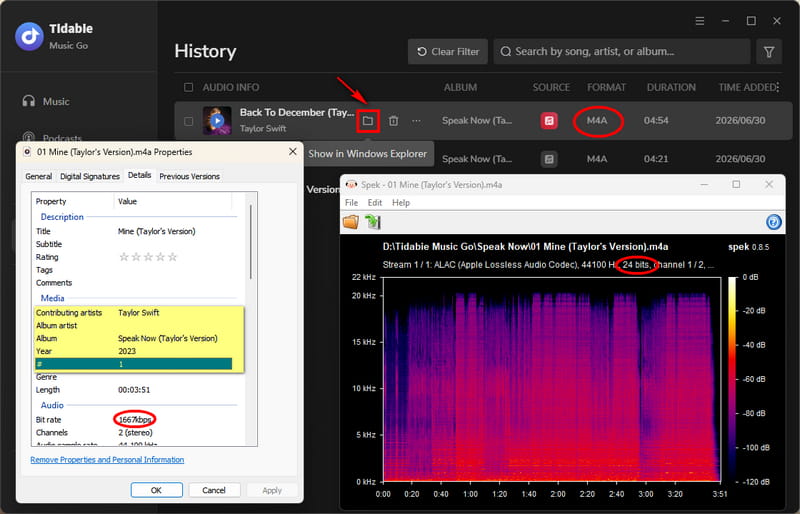
Note: For users who care about audio quality, Tidabie Music Go offers lossless Apple Music downloads, such as ALAC, to help preserve the original quality of Apple Music tracks in offline files.
| Security | Ad‑free, 100% safe for personal use |
| Output Format | MP3, AAC, WAV, FLAC, AIFF, ALAC |
| Batch Download | ✔️ |
| Download Speed | Up to 10x faster with the Apple Music web player. 1x~5x with the iTunes/Music app. |
| Quality | Apple Music Hi-Res |
| ID3 Tags | Title, Artist, Album, Artwork, Year, Track#, Disc#. |
| File Name | Customizable with title, artist, and more options. |
- Preserves Apple Music Hi-Res sound quality.
- Support multiple formats (MP3, AAC, WAV, FLAC, ALAC, AIFF).
- Keeps full metadata for easy library organisation.
- One‑click batch downloading for albums and playlists.
- Fast conversion speed (up to 10×).
- No mobile apps for Android or iOS.
How to download Apple Music with Tidabie Music Go?
Check this section and learn how to download Apple Music via Tidabie Music Go. Click the button below to download and install Tidabie first.
STEP 1 Launch Tidabie Music Go. Select "Apple Music". Then click "Add" and log in to your account via the pop-up app or web player.
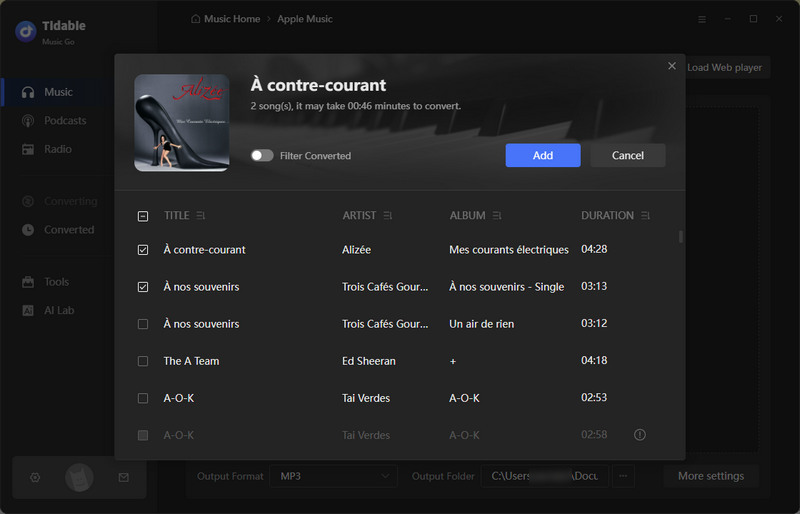
STEP 2 Click "Music" in the left navigation bar to check out the songs in your Apple Music/iTunes library. Click the "+" button in the bottom right and wait for the URL to be parsed. Select the songs that you want to download and click "Add" to add them to the download list.
STEP 3 Go to "Settings" in the lower left corner to adjust your preferences. Customize your conversion mode, output format, bit rate, output folder, etc.
STEP 4 When everything is set, click "Convert" to start downloading the songs you selected. After a few seconds, you will be reminded that the download is finished successfully. Go to "History" and click the folder icon next to any song title if you want to access the downloaded files.
Part 2. 6 Free Music Song Downloaders
⚠️ Security Note: Online tools for downloading Apple Music songs always generate intrusive ads and pop‑ups. Please activate an ad‑blocker and avoid downloading unverified files. For a safer, ad‑free experience, we recommend a professional desktop app like Tidabie.
This section will explore 6 free Apple Music song downloaders that allow users to download tracks from Apple Music.
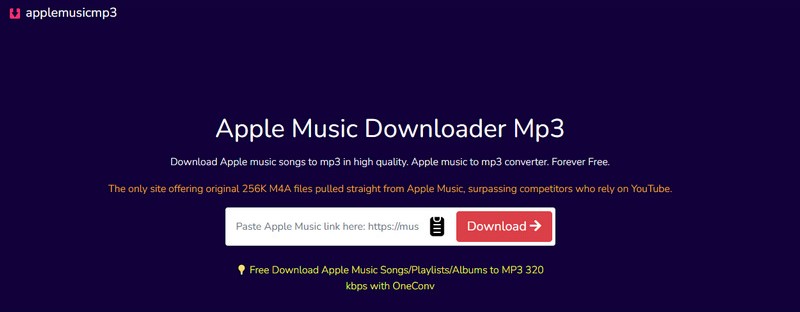
1. AAPLmusicDownloader – Flexible Apple Music MP3/M4A Download Tool
: https://aaplmusicdownloader.com/
: https://aaplmusictomp3.com/ (It will redirect to the above website to complete the download.)
Hands‑on testing of AAPLmusicDownloader reveals a largely smooth, ad‑free experience with flexible output options (MP3 64‑320kbps or M4A) and genuine audio quality. It parses album/playlist links and supports one‑click batch ZIP downloads, but free users are limited to the first two tracks per playlist/album. Full access requires login. Download speeds are consistent at 5‑10 seconds per track. However, metadata handling is inconsistent: while Title, Artist, Album, Year, and Track# are usually present, Genre is sporadic, and album art is never embedded. Filenames occasionally include irrelevant strings. It's a capable tool for quick, quality grabs, but the login gate and metadata flaws hold it back from being a top‑tier solution.
| Security | Ad‑free during testing |
| Output Format | MP3, M4A |
| Batch Download | Yes, but free tier limits to first 2 tracks. Full batch requires login. |
| Download Speed | About 5~10 seconds per track |
| Quality | Up to 320kbps MP3 / M4A |
| ID3 Tags | Typically Title, Artist, Album, Year, Track#. Genre is hit‑or‑miss. Album cover not preserved. |
| File Name | Occasionally includes irrelevant extra text. |
- No pop‑ups during testing.
- Supports batch download with ZIP packaging.
- Flexible bitrate and format selection.
- Fast and stable speed.
- Delivers audio quality that genuinely meets advertised 320kbps/M4A standards.
- Batch download limited to only the first 2 tracks without a login.
- No album cover art is embedded.
- ID3 tags are inconsistent.
- Filenames sometimes contain irrelevant extra characters.
2. APLMate - Apple Music to MP3 320kbps Downloader
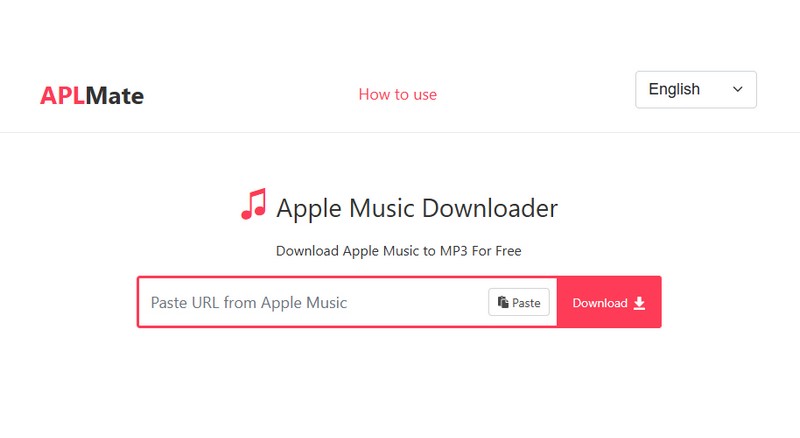
Based on hands-on testing, APLMate is a web-based Apple Music converter that delivers 320kbps MP3 output with basic ID3 tags. It parses album and playlist links and processes each track in roughly 10 seconds, though the speed is unstable. However, the user experience is significantly undermined by frequent pop-up ads. It lacks a one-click batch download function, requires manual per-track processing, and appends the website domain to output filenames. Album artwork must be sourced separately. While SSL encryption and a long-standing domain lend some credibility, these security merits are overshadowed by persistent ad interruptions and missing batch functionality, making it a less efficient choice for users seeking streamlined, high-volume downloads.
| Security | Frequent pop-ups |
| Output Format | MP3 |
| Batch Download | Album / playlist links can be parsed, but there is no one-click batch download function. |
| Download Speed | ~10 seconds per track |
| Quality | Up to 320 kbps |
| ID3 Tags | Title, Artist, Album |
| File Name | Including the website domain name. |
- Free and easy to use.
- Parses album/playlist links.
- Delivers MP3 at up to 320 kbps.
- Preserves core ID3 tags (title, artist, album).
- Frequent pop‑up ads.
- Output filename includes the website domain.
- Album cover art must be downloaded separately.
- Supports only MP3 format.
- No one‑click batch download. Each track must be processed manually.
3. AM-DL - Free Apple Music AAC Downloader with Batch Support
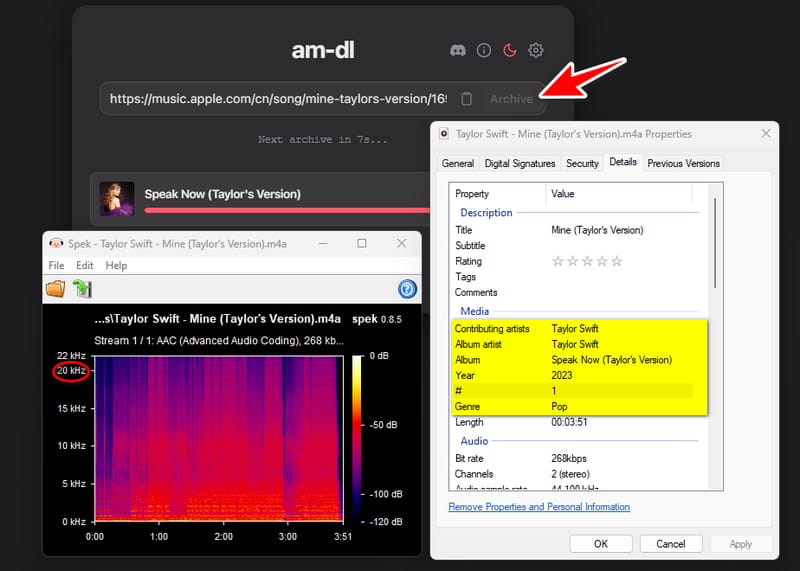
Hands-on testing shows AM-DL is an Apple Music downloader that outputs AAC audio. It supports batch downloading and processed each track in about 5–7 seconds during the test. No ads appeared, and the tested quality was 268kbps. It preserved complete ID3 tags, including title, artist, album, artwork, year, track number, and genre, while output filenames remained clean.
| Security | No ads during the test |
| Output Format | AAC |
| Batch Download | ✔️ |
| Download Speed | 5-7s per track |
| Quality | 268 kbps |
| ID3 Tags | Title, Artist, Album, Artwork, Year, Track#, Genre |
| File Name | Clean |
- Supports batch download.
- The conversion speed is fast.
- Outputs AAC audio at around 268kbps.
- Preserves complete ID3 tags.
- Supports only AAC output.
- Tested quality is only 268kbps.
4. FREEMP3Cloud - Free Apple Music to 320kbps MP3 Downloader with Full ID3 Tags
: https://a2.freemp3cloud.com/
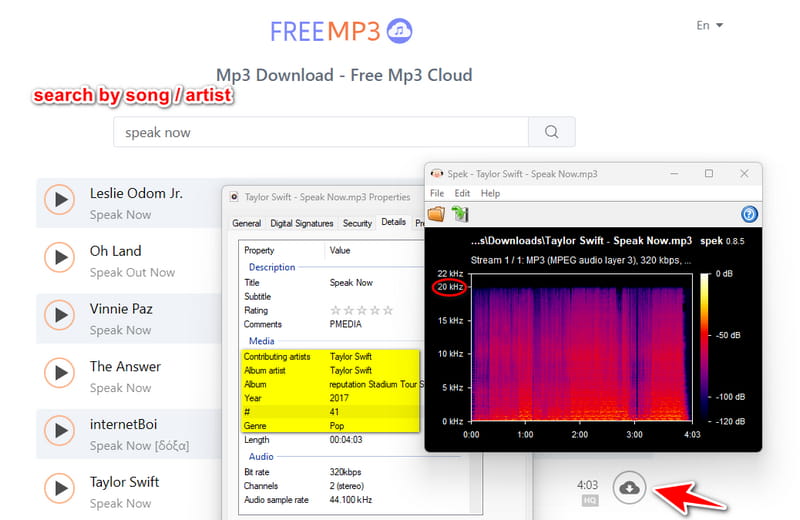
Hands-on testing shows FREEMP3Cloud is a simple web-based Apple Music to MP3 downloader. It cannot parse direct Apple Music links. Instead, users must search by song or artist name. During the test, it produced clean 320kbps MP3 files with no ads. Each track took about 10–15 seconds, and the output kept complete ID3 tags, including title, artist, album, artwork, year, track number, and genre. Filenames were also clean. The main limits are MP3-only output, no batch download, and search-only input, so tracks must be processed one by one.
| Security | No ads during the test |
| Output Format | MP3 |
| Batch Download | ❌ |
| Download Speed | 10‑15s per track |
| Quality | 320kbps |
| ID3 Tags | Title, Artist, Album, Artwork, Year, Track#, Genre |
| File Name | Clean |
- Completely free to use.
- Delivers MP3 audio at up to 320kbps.
- Preserves complete ID3 tags.
- Output filenames are clean and free of irrelevant extra text.
- Cannot parse direct Apple Music links.
- Supports only MP3 output.
- No one-click batch download function.
5. Mp3 Juice - Free Apple Music to MP3 Downloader by Search
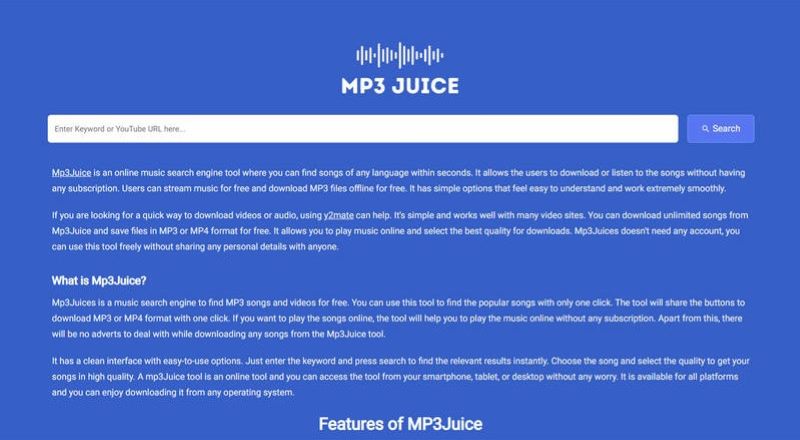
We put Mp3 Juice through hands‑on testing and found it not that reliable. The service cannot parse direct links at all, returning a persistent “Unable to fetch data” error. Instead, users must search by song or artist name, but some tracks are not found. The download process is plagued by intrusive pop‑up ads, and clicking the download button often redirects to unrelated pages. Output is limited to MP3 at a low 128kbps, with no ID3 tags preserved. File names become excessively long as they include attributes like bitrate. Batch downloads are not supported, and speed is average at 10‑15 seconds per track. From our experience, only a portion of attempted downloads actually work, making this tool unreliable and frustrating for regular use.
| Security | Frequent pop‑up ads and redirects |
| Output Format | MP3, MP4 |
| Batch Download | ❌ |
| Download Speed | 10‑15s per track |
| Quality | low 128kbps |
| ID3 Tags | None |
| File Name | Long with extra details such as bitrate |
- Completely free to use.
- Offers an extra option to download MP4 video files.
- Link parsing always fails, and only title/artist search works with limited results.
- Intrusive pop‑up ads and redirects disrupt the experience.
- Audio quality is only 128kbps which is subpar.
- No ID3 tags are saved at all.
- Batch processing is unavailable for playlists or albums.
6. Audacity - Open-source Apple Music audio recorder
: https://www.audacityteam.org/download/
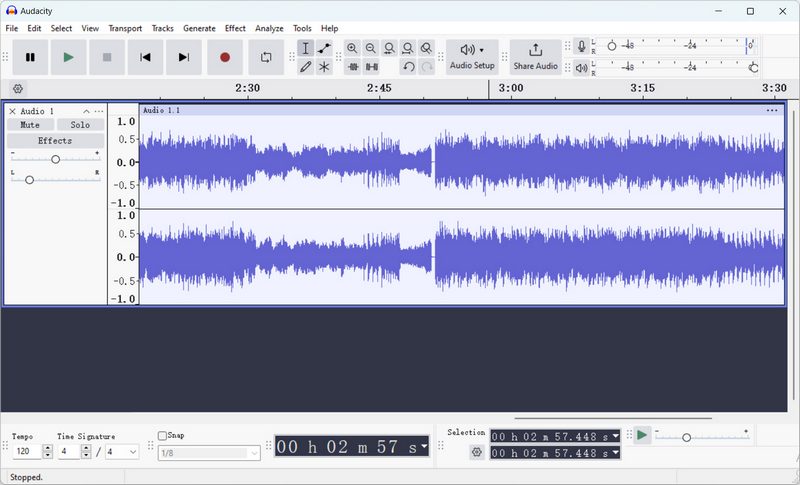
Based on our testing of Audacity, we can confirm it is a powerful open‑source editor with exceptional format support and professional‑grade trimming and mixing capabilities. However, our hands‑on experience reveals serious drawbacks for music downloading: every recording must be triggered manually at 1x speed, batch processing is non‑existent, and audio quality fluctuates noticeably with system sound drivers. We verified that no ID3 tags are retained and file names require manual entry each time. From an audio engineering standpoint, Audacity is best suited for editing, not acquisition. We advise users seeking efficient library extraction to consider dedicated converters, as Audacity's time cost and quality inconsistency make it a poor choice for bulk tasks.
| Security | No ads |
| Output Format | MP3, FLAC, WAV, OGG, etc. |
| Batch Download | Not supported because recording is purely manual. |
| Download Speed | 1x |
| Quality | Quality can be customized but stability varies with system audio. |
| ID3 Tags | None |
| File Name | File names must be edited manually when exporting. |
- Free and open source with no ads.
- Supports a wide range of audio formats.
- Advanced editing features are available for trimming, cutting, and mixing audio tracks.
- Full control over sample rate and bitrate.
- Works entirely offline without an internet connection.
- Manual 1x real‑time recording is time-consuming.
- No support for batch downloading.
- Audio quality varies with system driver performance.
- No metadata or ID3 tags are preserved.
- File names must be typed manually each time.
🔍 Defunct Tools to Avoid [Latest Update]
In our latest testing, several previously listed tools failed to work reliably. The table below summarizes the specific errors we encountered and why these tools were removed.
| Note / Error Message | |
|---|---|
| Apple Music Downloader | Not available. / An error has occurred. Please try again later. |
| Apple Music Playlist Downloader | NOT FOUND ! |
| KEEPVID | Please paste a valid link! |
| ACETHINKER | Failed to get download URL |
Part 3. Comparison: Which Apple Music Downloader Should You Choose?
With so many options on the table, choosing the right downloader can feel overwhelming. To help you make an informed decision, we've compiled a side‑by‑side comparison of all the Apple Music song downloaders covered in this guide. The table below highlights key factors, so you can quickly see which solution best fits your needs.
| Compatibility | Ad-Free | Output Format | Tested Quality | Batch Download | ID3 Tags | |
|---|---|---|---|---|---|---|
| Tidabie Music Go | Windows, Mac | ✔️ | MP3, AAC, WAV, FLAC, AIFF, and ALAC | HiRes | ✔️ | Title, Album, Artist, Artwork, Track Number, Disc Number, Year |
| AAPLMusicDownloader | Web | ✔️ | M4A, MP3 | 320 kbps | ✔️ | Title, Artist, Album, Year, Track# |
| APLMate | Web | ❌ | MP3 | 320 kbps | ❌ | Title, Artist, Album |
| AM-DL | Web | ✔️ | AAC | 268 kbps | ✔️ | Title, Artist, Album, Artwork, Year, Track#, Genre |
| FREEMP3Cloud | Web | ✔️ | MP3 | 320 kbps | ❌ | Title, Artist, Album, Artwork, Year, Track#, Genre |
| Mp3 Juice | Web | ❌ | MP3, MP4 | 128 kbps | ❌ | ❌ |
| Audacity | Windows, Mac | ✔️ | MP3, FLAC, WAV, OGG, etc. | Variable | ❌ | ❌ |
FAQs about Apple Music Downloaders
Q1: Why can't I directly download Apple Music as MP3?
Apple Music uses DRM protection to prevent unauthorized copying and distribution. This ensures content is only accessible within the Apple Music ecosystem during an active subscription.
Q2: Are Apple Music downloaders safe to use?
Safety varies by tool. Some software, like Tidabie, is safe for personal use, while others may include ads or pose privacy risks.
Q3: Will downloaded Apple Music songs still play after canceling my subscription?
It depends. Official Apple Music downloads stop working once your subscription ends. To bypass this limitation, find a reliable tool like Tidabie Music Go.
Q4: What audio quality can I get when converting Apple Music tracks?
Most Apple Music downloaders can export up to AAC or MP3 quality, and some claim lossless output. However, the final quality depends on the original source file and the conversion process, and may not always match true lossless audio.
Q5: What is the difference between recording and converting Apple Music?
Recording captures audio in real time as it plays, while converting extracts or processes the original audio stream. Conversion is generally faster and higher quality, but may require specialized tools.
Conclusion
By reading this article, you get 6 free Apple Music song downloaders. While they are free to use, most of them come with numerous problems, like unstable speed, frequent ads, and relatively lower audio quality. Therefore, more professional and secure tools like Tidabie Music Go are recommended, which stands out with an ad-free interface, rigorous security protocols, and original audio quality. Try it now!

Jacqueline Swift | Senior Writer
