


Top 12 Spotify Playlist Downloaders Online FREE
As a Spotify user, do you ever wish you could download your favorite playlists for offline listening? While Spotify Premium offers offline mode, it still limits playback within the app. Thankfully, free online tools can help you download Spotify playlists without a subscription. In this guide, we introduce some of the most reliable free online Spotify playlist downloaders. Read on to explore our top picks and find the perfect Spotify downloader according to your preferences.
Part 1. Best Spotify Playlist Downloader - Tidabie Spotify Downloader
While free online Spotify downloaders can be convenient for quick downloads, they often come with limitations such as low audio quality (rarely true 320 kbps), lack of batch ZIP downloads, or intrusive ads. Therefore, before introducing free online Spotify playlist downloaders, we'd like to recommend a tool for users seeking a more reliable and professional solution: Tidabie Spotify Downloader.
| Tidabie Spotify Downloader | Free Online Spotify Playlist Downloaders | |
|---|---|---|
| Audio Quality | Lossless | Typically 128kbps MP3 |
| Batch Download | ✔️ | Varies |
| ID3 Tags & Metadata | ✔️ | Basic or missing |
| Output Formats | MP3, AAC, WAV, FLAC, AIFF, ALAC | Often MP3 only |
| Supported Music Services | 15+ popular platforms | Spotify only |
| Ad-free | ✔️ | ❌ |
| Download Speed | 10x | Unstable |
| Security | ⭐⭐⭐⭐⭐ | ⭐⭐ |
| Free Tools | AI Audio Splitter, Format Converter, CD Burner, Tag Editor, Audio Editor | ❌ |
Tidabie Spotify Downloader is a powerful and versatile music download tool that enables users to batch download Spotify playlists as ZIP files into universal formats, including MP3, AAC, WAV, FLAC, AIFF, and ALAC. Tidabie allows users to download music from Spotify at up to 10x speed while preserving lossless HD quality and full ID3 tags. With its user-friendly interface and additional features like an AI Audio Splitter, Tidabie stands out as a robust Spotify music downloader for building a high-quality offline music library.
Tidabie Music Go
- Download songs, albums, and playlists from Spotify, Apple Music, SoundCloud, Amazon Music, TIDAL, YouTube Music, Qobuz, etc.
- Convert music to MP3, AAC, WAV, FLAC, AIFF, and ALAC.
- Batch download music at up to 10x speed with original quality.
- Keep full ID3 tags such as title, album, and artist.
- Freely enjoy podcasts online and download podcasts.
- Listen to radio shows and record radio freely.
How to download Spotify playlists with Tidabie?
To download Spotify playlists using Tidabie Spotify Downloader, follow these steps:
STEP 1 First, launch Tidabie and choose "Spotify" from the music services listed in the "Music" section. Log in to your Spotify account when prompted.
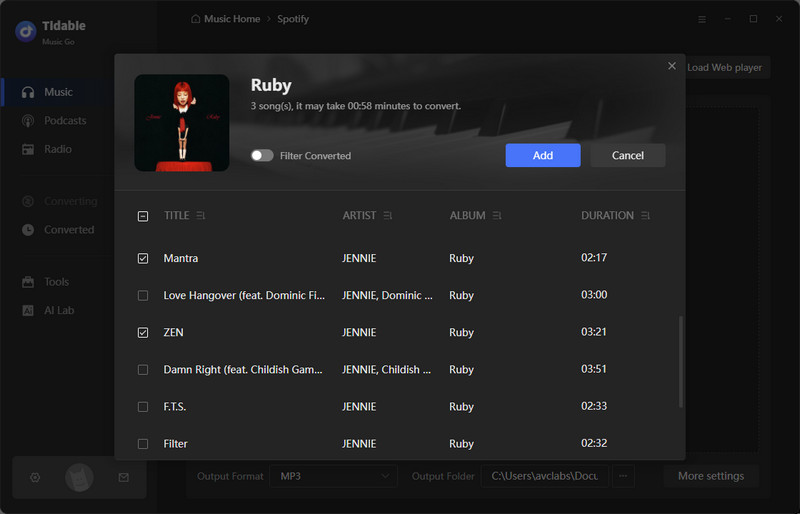
STEP 2 Next, find the playlist you want to download within Tidabie's built-in Spotify web player. Click on its cover art, then press the purple "+" button at the bottom right. A window will appear showing all tracks in the playlist. Select the songs you wish to download and click "Add".
STEP 3 Before converting, go to "Settings" and choose "Music" to adjust preferences. Customize your output format, bit rate, and output folder, etc, as needed.
STEP 4 Finally, click "Convert" to start the download. Once completed, the output folder will open automatically with your downloaded Spotify files ready for offline use.
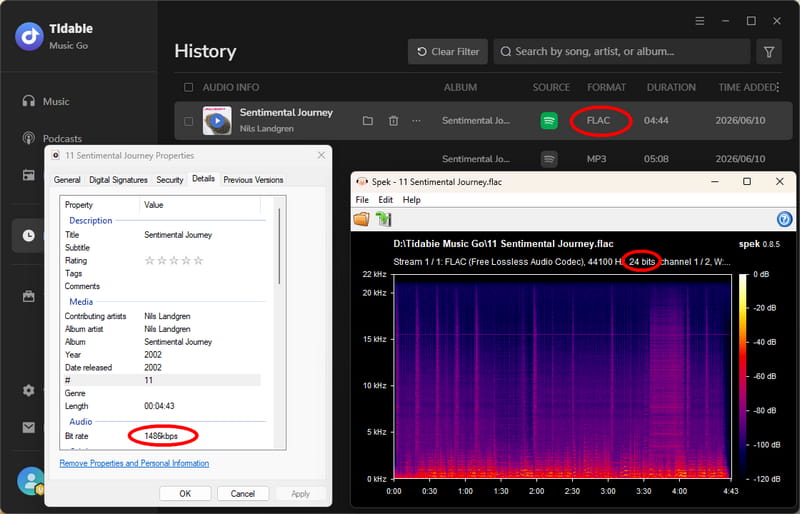
For audiophiles who demand superior sound quality, Tidabie Spotify Downloader allows you to download lossless audio from Spotify.
- Ad-free and user-friendly interface.
- Downloads Spotify with lossless HD audio quality.
- Preserves full ID3 tags like title, artist, and album.
- Batch downloads albums and playlists in one click.
- Fast download speed up to 10x.
- Supports multiple output formats, including MP3, AAC, WAV, FLAC, etc.
- Free tools are provided to use, such as Format Converter, Burn CD, Tag Editor, and Audio Editor.
😊 Pros
- No mobile apps for Android or iOS.
😞 Cons
Part 2. Top 12 Spotify Playlist Downloaders Online FREE
If you prefer using web-based tools for quick and occasional downloads, finding a reliable free Spotify playlist downloader online can save you time. The following options are great if you want to download Spotify playlists online without software across different devices.
⚠️ Hands-on Security Note: During our testing of these 12 online tools, our browser flagged aggressive ad redirects and deceptive pop-ups. To protect your privacy and device, please enable a reliable ad-blocker before using them, and avoid downloading any unverified files. For a secure alternative, we highly recommend using a professional desktop solution like Tidabie instead.
1. spotimate.io
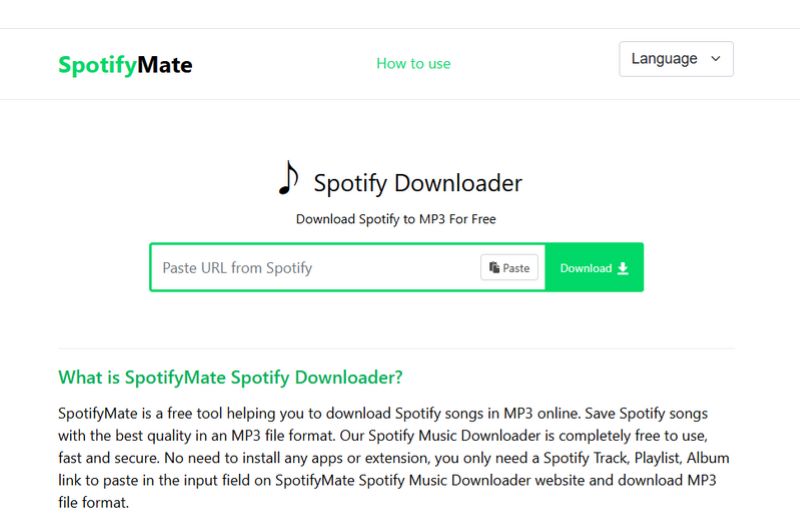
spotimate.io is a free online Spotify playlist downloader that allows users to download music from Spotify as MP3 files. The audio quality of the output file is 128 kbps. It retains some of the metadata, including title, artist, album, year, and album art. However, it does not support batch downloading entire playlists at once. When we tested, the playlist parsed successfully, but we had to download each song one by one. While there is a button to batch download playlists as ZIP files, clicking it immediately redirects to a suspicious third-party website.
How to download Spotify playlists with spotimate.io?
STEP 1 Copy the playlist URL from Spotify and then go to the SpotifyMate website.
STEP 2 Paste the link into the input box on SpotifyMate and click the "Download" button next to the song you want to download.
STEP 3 Select the "Download MP3" option. Wait for the conversion to finish and save the MP3 file to your device.
- Web-based with no installation required.
- Downloads high-definition album covers.
- Preserves basic ID3 metadata.
- Works across devices and browsers.
😊 Pros
- Only supports 128 kbps output quality.
- No batch download functionality.
- Requires manual downloading per track.
- Does not support downloads of podcasts or audiobooks.
😞 Cons
2. spotidown.com
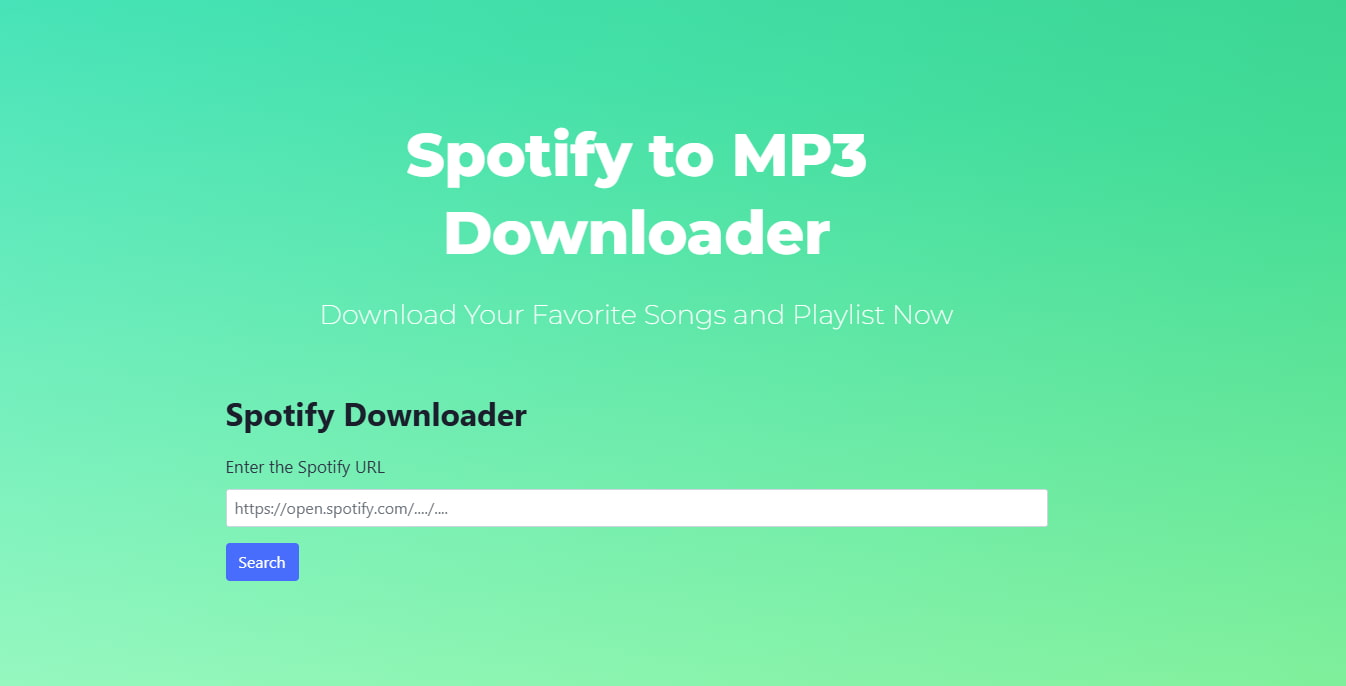
spotidown.com is a free online tool designed as a Spotify playlist downloader, allowing users to download individual tracks from Spotify playlists as MP3 files. However, the output quality is limited to 128 kbps. For playlists, each track must be downloaded individually. During our practical test, the tool frequently threw conversion timeout errors and failed to process requests.
How to download Spotify playlists with spotidown.com?
STEP 1 Copy the playlist URL from Spotify and visit the SpotiDown website to paste the link into the input box.
STEP 2 Click "Search" to process the URL.
STEP 3 Click the "Get Download Link" button under the track you want to save as an MP3 file to your device. Then click "Download".
- Completely free with no ads.
- Preserves basic metadata.
- Works on any device via web browsers.
- Fast conversion speed for single tracks.
😊 Pros
- Limited to 128 kbps output quality.
- Does not support batch download.
- Unstable and sometimes unresponsive.
😞 Cons
3. spotisongdownloader.com
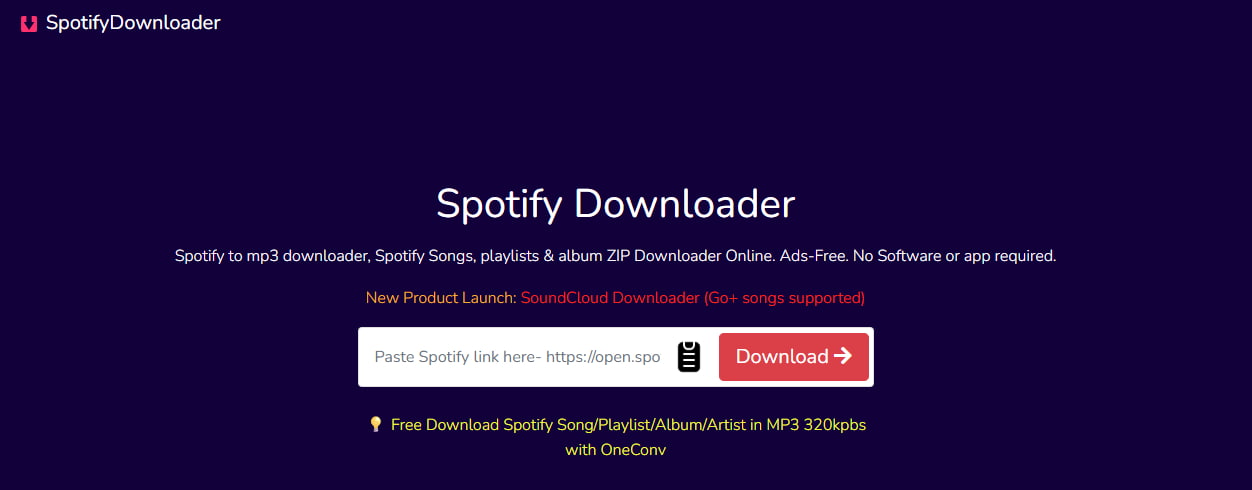
spotisongdownloader.com is a free online Spotify playlist downloader that enables users to download songs, albums, and playlists from Spotify as MP3 files. It supports batch downloads and allows quality customization up to 320 kbps, making it a versatile free Spotify music downloader for users seeking offline access to their favorite songs. However, we found a major catch that free users face strict limitations, allowing only two track downloads per playlist before being prompted to pay.
How to download Spotify playlists with spotisongdownloader.com?
STEP 1 Copy the Spotify playlist URL from Spotify. Visit SpotiSongDownloader's website and paste the link into the input box.
STEP 2 Click "Download" to process the URL.
STEP 3 Select desired audio quality ranging from 128 kbps to 320 kbps.
STEP 4 Choose "Download ZIP" for full playlists or "Generate Download Link" for individual tracks.
- Supports batch downloads for playlists and albums.
- Offers customizable audio quality.
- Clean, ad-free interface.
- Retains basic ID3 metadata.
😊 Pros
- Noticeably slower download speeds when selecting the 320 kbps option.
- Free users are limited to two downloads per playlist. There's no free batch ZIP export for the whole playlist unless you purchase a premium account.
- Sometimes leads to fake downloads.
😞 Cons
4. spodownloader.com
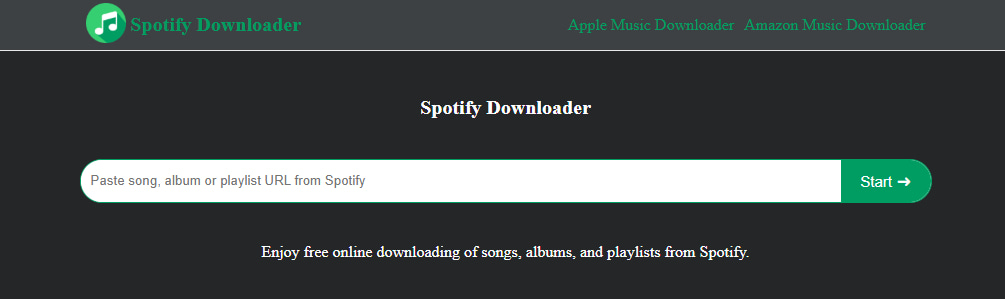
spodownloader.com is a free online Spotify music downloader that allows users to download music from Spotify as MP3 files without installation or a premium account. It supports batch downloads for playlists and retains basic ID3 metadata. However, it may exhibit limitations in output quality and stability compared to premium tools. During our hands-on review, we encountered multiple conversion failures, which requires to refresh the page and re-paste the URL repeatedly.
How to download Spotify playlists with spodownloader.com?
STEP 1 Copy the Spotify playlist URL from the Spotify app or web player.
STEP 2 Visit spodownloader.com and paste the URL into the input box.
STEP 3 Click "Start" to process the link, then select "Get Download."
STEP 4 Choose the desired track and click "Download MP3" to save the file to your device.
- Completely free with no download restrictions.
- Retains ID3 metadata and album art.
- No software installation required.
- Works across devices and browsers.
😊 Pros
- Output quality is limited to 128 kbps.
- Potential stability issues during processing.
- Contains ads or pop-ups.
- Occasional server errors.
😞 Cons
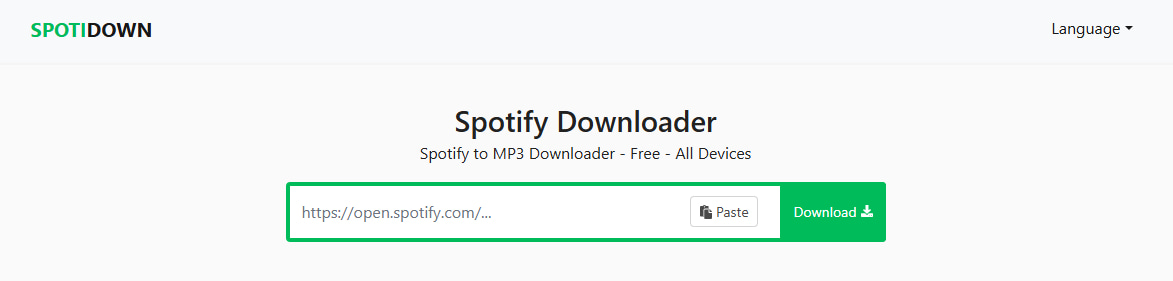
5. spotidown.app
spotidown.app is a free online Spotify music downloader that enables users to download individual tracks from Spotify as MP3 files. It supports direct downloading via song links and delivers output at 128 kbps MP3 quality. Although it claims to be a free Spotify playlist URL extractor, our test showed it only processes the link to list the tracks. You still have to click and download every single track individually.
How to download Spotify playlists with spotidown.app?
STEP 1 Copy the playlist URL from Spotify.
STEP 2 Visit the SPOTIDOWN website and paste the link into the input box.
STEP 3 Click the "Download MP3" button next to the song to process the request.
- No registration or Spotify Premium required.
- Preserves basic ID3 tags.
- Works across browsers like Chrome, Edge, and Firefox.
😊 Pros
- Output quality is only 128 kbps.
- Batch download limited to 5 songs for free users.
- Output filename includes website link.
😞 Cons
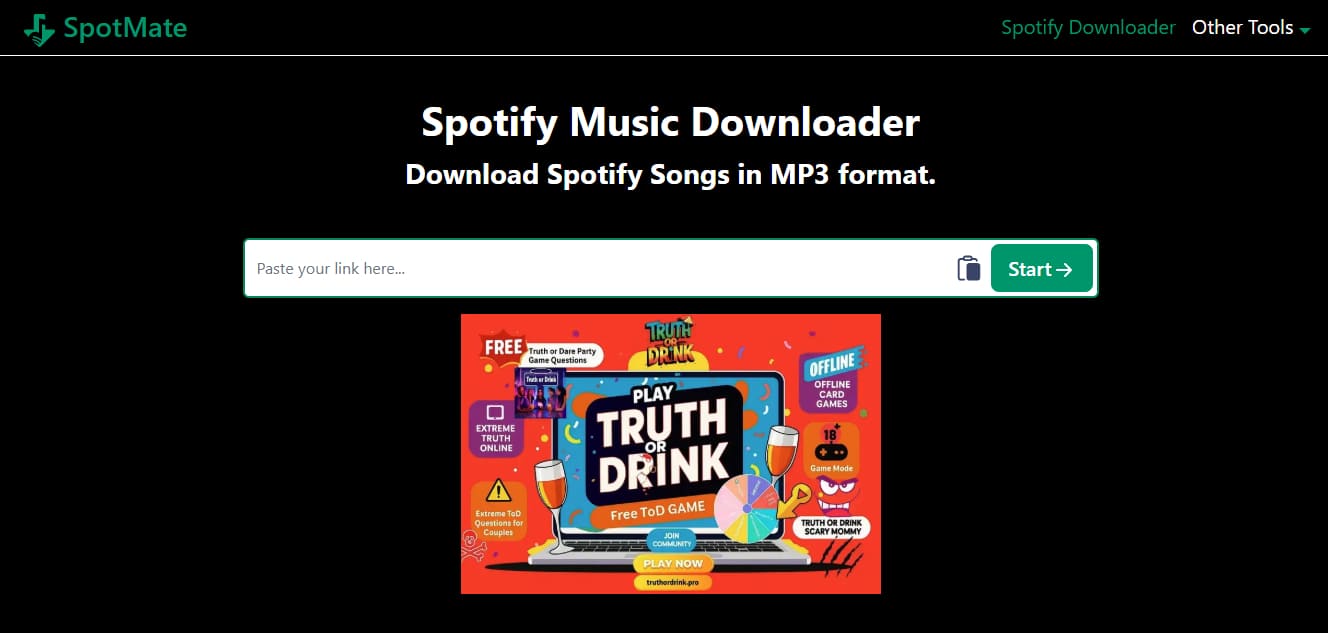
6. spotmate.online
spotmate.online is a free Spotify music downloader that allows users to convert and download music from Spotify to MP3 format. However, it does not support batch downloading for full albums or playlists, and free users may experience ads and quality limitations. Also, the link parsing speed was frustratingly slow, often ending in a total failure. Furthermore, despite its claims of 320 kbps output, the downloaded MP3 files clearly lacked high-frequency details, indicating it only delivers compressed 128 kbps audio.
How to download Spotify playlists with spotmate.online?
STEP 1 Copy the Spotify playlist URL from the Spotify app or web player.
STEP 2 Visit the spotmate.online website and paste the URL into the input box.
STEP 3 Click "Start" to process the link.
STEP 4 Click "Convert" next to your desired track and then click "Download" to save the MP3 file to your device.
- No software installation or account required.
- Provides an Android app for mobile users.
😊 Pros
- Intrusive ads and pop-ups during use.
- Output quality is limited to 128 kbps.
- Only 3 songs per batch for free users.
😞 Cons
7. spotidown.co
spotidown.co is a free web-based Spotify playlist downloader that enables users to download tracks, albums, and playlists from Spotify as MP3 files. It supports batch downloads in ZIP format and retains ID3 metadata. However, when we checked the properties of the downloaded ZIP files, we discovered the actual audio quality was only 128 kbps, contrary to the advertised 320 kbps. We were also interrupted by several aggressive pop-up ads during the process.
How to download Spotify playlists with spotidown.co?
STEP 1 Copy the Spotify playlist URL from Spotify.
STEP 2 Visit the spotidown.co website and paste the URL into the input box. Click "Search" to process the link.
STEP 3 For full playlists or albums, choose "Download ZIP."
STEP 4 Complete any verification steps if prompted.

- Supports batch downloads for playlists and albums.
- Keeps basic ID3 tags.
- Free to use.
😊 Pros
- Audio quality varies from 128~320 kbps.
- Frequent ads and pop-ups.
- Inconsistent success rates.
😞 Cons
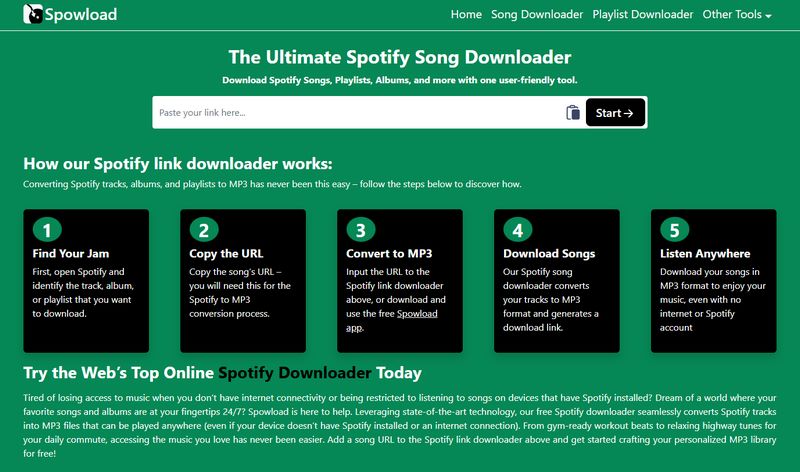
8. spowload.cc
spowload.cc is a free online Spotify music downloader that enables users to download tracks, albums, artists, and playlists from Spotify as MP3 files without requiring installation or a premium account. However, it operates at a limited 128 kbps output quality and includes advertisements, which may affect user experience. During the test, we had to close intrusive overlay ads before the download button became clickable, and we found it tedious that each track within the playlist required a separate manual conversion step.
How to download Spotify playlists with spowload.cc?
STEP 1 Copy the Spotify URL from the Spotify app or web player.
STEP 2 Visit the Spowload website and paste the URL into the input box.
STEP 3 Click "Start" to process the link, then select "Convert" to initiate conversion.
STEP 4 Click "Download" to save the MP3 file to your device.
- No installation or registration required.
- Works on all devices and browsers.
- Completely free to use.
😊 Pros
- Output quality is limited to 128 kbps.
- Frequent ads and pop-ups during use.
- Requires manual downloads per track.
- Unstable performance with occasional failures.
😞 Cons
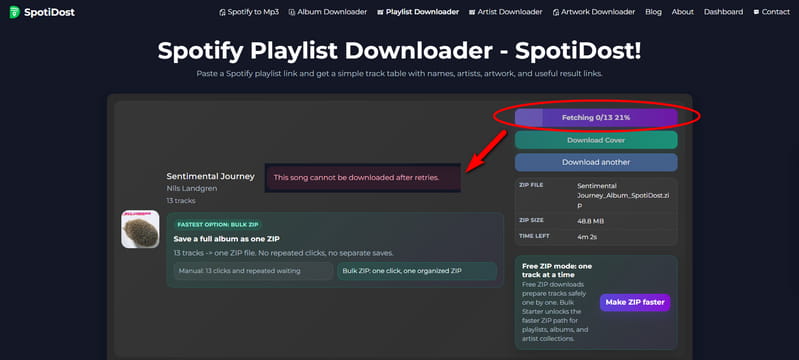
9. spotidost.com
spotidost.com is a free online Spotify playlist downloader that accepts a public playlist link and returns downloadable MP3 files. It requires no account and no software installation. This tool serves as a great free Spotify playlist downloader online. After testing the ZIP export, we verified that every downloaded track indeed retained ID3 tags: Title, Album, Artist, Album Art, Year, and Genre.
How to use spotidost.com to download Spotify playlist?
STEP 1 Copy the link of a public Spotify playlist from the Spotify app or website.
STEP 2 Paste the link into the input box on spotidost.com/playlist-downloader and click the "Download" button.
STEP 3 Wait for the parsing to complete, then click "Download All ZIP".
STEP 4 After fetching finishes, the ZIP file downloads automatically, and the button changes to "ZIP Download Completed".
- Works on both mobile and desktop.
- Each MP3 includes ID3 tags: title, album, artist, album art, year, and genre.
- One‑click ZIP download for entire playlists.
- Ad‑friendly layout without annoying pop‑ups.
😊 Pros
- Audio quality is 128 kbps MP3.
- Login required.
- Occasional download failures.
😞 Cons
10. spotisaver.net
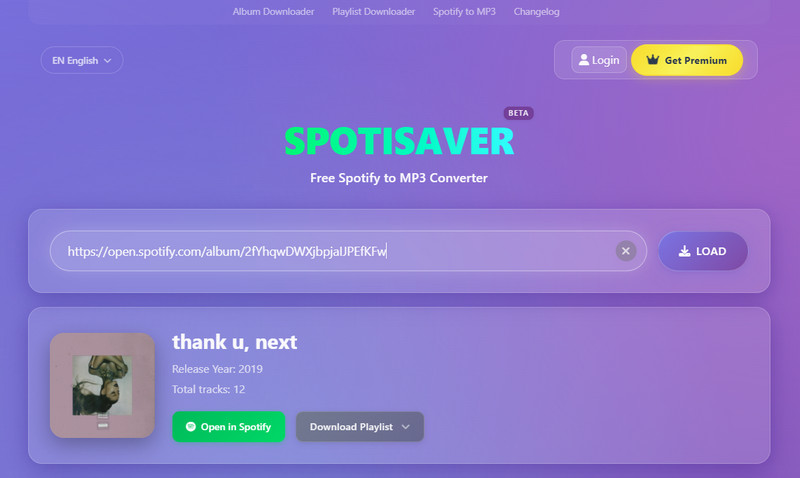
spotisaver.net is a free online Spotify playlist downloader that converts Spotify playlists, albums, and individual tracks to 320 kbps MP3. It runs entirely in your browser and requires no software installation. Downloaded files include full ID3 tags, such as cover art and artist names. Free users can convert up to 100 tracks per playlist.
How to download Spotify playlists with spotisaver.net?
STEP 1 Copy the link of a Spotify playlist from the Spotify app or website.
STEP 2 Paste the link into the input box on spotisaver.net and click "Submit".
STEP 3 Once the page loads and shows the list of songs you can download, simply click the "Download" button next to each track. If you're downloading a playlist or an album, click the "Download Playlist" button, which will lead you to the "DOWNLOAD ENTIRE PLAYLIST" option. Click that, and all the MP3 files will be saved directly to your computer's default download folder.
- Guaranteed 320 kbps MP3 quality.
- ID3 tags included, such as cover art and artist.
- No software or extension required.
- Bulk ZIP download for entire playlists.
- Works on mobile and desktop.
😊 Pros
- Free plan limited to 100 tracks per playlist.
- Filenames include a spotisaver.net tag with no custom naming option.
- Does not support podcasts or artist pages.
😞 Cons
11. spomp3.com
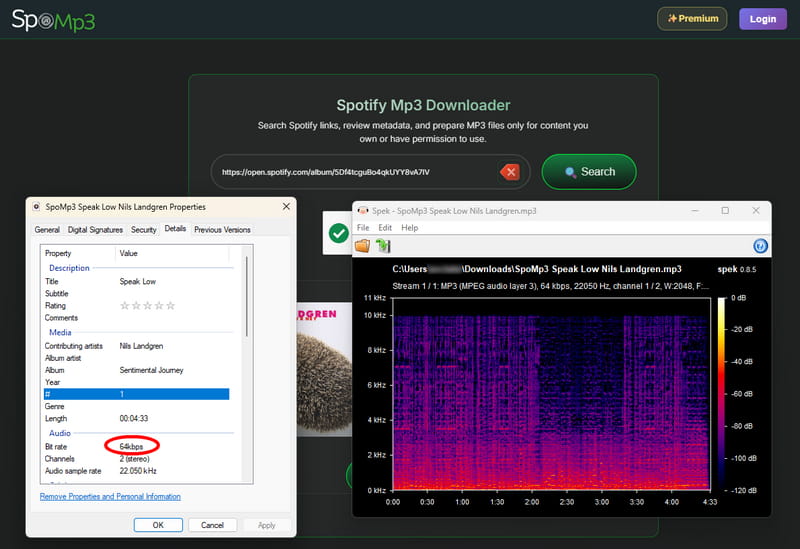
spomp3.com is a web-based Spotify playlist downloader that supports downloading individual songs, playlists, and albums as MP3 files. It also lets you search by song name without needing a Spotify link. No signup or software installation is required.
How to download Spotify playlists with spomp3.com?
STEP 1 Copy the link of a Spotify playlist.
STEP 2 Paste the link into the search bar on spomp3.com and click the "Search" button. Wait for the tool to load the playlist tracks.
STEP 3 Click "Download All as ZIP" to save the entire playlist.
- Up to 320 kbps MP3 quality.
- Includes album art, artist, and track metadata.
- Search by song name if you don't have a Spotify link.
- No signup or software required.
- Works on mobile, tablet, and desktop.
😊 Pros
- No batch download option for free users.
- Download process may involve redirects.
😞 Cons
12. spotilab.com
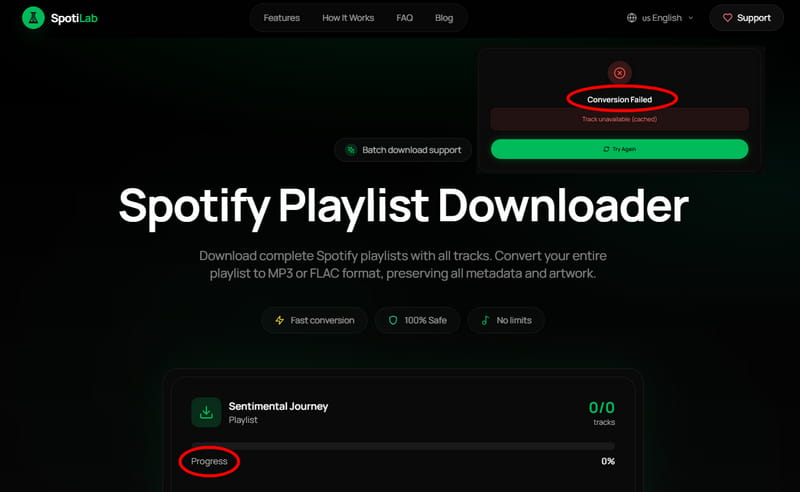
spotilab.com is a free online Spotify playlist downloader that converts Spotify playlists to MP3, FLAC, or WAV format. It runs entirely in your browser with no registration required. All formats are free, though FLAC has a daily limit of 20 tracks. Downloaded files retain full metadata, including title, artist, album, and cover art.
How to download Spotify playlists with spotilab.com?
STEP 1 Copy the Spotify playlist URL you want to download.
STEP 2 Paste the link into the input box on spotilab.com and click the "Download" button.
STEP 3 On the right, select your preferred format and bitrate. Then click "Download" again.
- Multiple free format options: MP3, FLAC, and WAV.
- Preserves song metadata: title, artist, album, cover art.
- No registration or software installation required.
- No ads during the download process.
😊 Pros
- Download speed is noticeably slow.
- Downloads frequently fail and need to be retried.
- FLAC is limited to 20 tracks per day.
😞 Cons
Part 3. Comparison between Spotify Playlist Downloaders
To help you compare these tools more effectively, here is a summary table highlighting key features of each free online Spotify music downloader.
| Ad-Free | Supported Platforms | Output Format | Audio Quality | Batch Download | ID3 Tags | |
|---|---|---|---|---|---|---|
| Tidabie Music Go | ✔️ | 15+ music services | MP3, AAC, WAV, FLAC, AIFF, ALAC | Lossless | ✔️ | Title, Album, Artist, Artwork, Track Number, Disc Number, Year |
| spotimate.io | ❌ | Spotify | MP3 | 320 kbps | ❌ | Title, Album, Artist, Artwork, Year |
| spotidown.com | ✔️ | Spotify | MP3 | Lossy | ❌ | Title, Artist, Artwork |
| spotisongdownloader.com | ✔️ | Spotify | MP3, M4A | 320 kbps | ✔️ | Title, Album, Artist, Artwork, Year, Track Number |
| spodownloader.com | ❌ | Spotify | MP3 | 128 kbps | ❌ | Title, Artist, Artwork |
| spotidown.app | ❌ | Spotify | MP3 | 119 kbps | Limited | Title, Album, Artist, Artwork, Year |
| spotmate.online | ❌ | Spotify | MP3 | 320 kbps | Limited | Title, Album, Artist, Artwork, Year |
| spotidown.co | ❌ | Spotify | MP3 | 113 kbps | ✔️ | Title, Artist, Album, Year, Artwork |
| spowload.cc | ❌ | Spotify | MP3 | 320 kbps | ❌ | Title, Album, Artist, Artwork, Year |
| spotidost.com | ✔️ | Spotify | MP3 | 128 kbps | ✔️ | Title, Album, Artist, Artwork, Year |
| spotisaver.net | ✔️ | Spotify | MP3 | 320 kbps | ✔️ | Title, Artist, Album, Track Number, Artwork, Year |
| spomp3.com | ❌ | Spotify | MP3 | 64 kbps | Paid | Title, Artist, Album, Artwork |
| spotilab.com | ✔️ | Spotify | MP3, FLAC, WAV | 320 kbps | ✔️ | Title, Artist, Album, Artwork |
Conclusion
This guide has introduced the most popular free online Spotify playlist downloaders, but note that most lack true 320 kbps quality and reliable batch ZIP downloads. However, if you seek a more powerful, stable, and efficient solution with high audio quality and batch-download support, Tidabie Spotify Downloader is the top choice. With its ability to download Spotify playlists at 10x speed, preserve original audio quality, and support multiple formats, it is highly recommended for users who value reliability and convenience. Try Tidabie Spotify Downloader to enjoy a seamless offline music experience!

Jacqueline Swift | Senior Writer
