


Top 5 Spotify Music Downloaders for Android
While Spotify offers millions of songs to Android users, all downloaded tracks are encrypted and locked within the app. To truly enjoy your favorite music offline, especially without a Spotify Premium subscription, you need a more flexible solution on how to download Spotify songs without Premium on Android.
That's where a reliable Spotify music downloader for Android comes in. It allows you to download Spotify music for Android devices in a universal format, giving you permanent offline access. This guide covers the top Spotify playlist downloader for Android to save your favorite tracks permanently.
Part 1. Download Spotify Songs to Android Phone via USB
Before we dive into the best Spotify music downloaders designed specifically for Android, it's worth noting that there's another reliable method to get your favorite tracks onto your Android phone. You first download Spotify songs on your computer, then transfer the downloaded Spotify files to your Android device via a USB cable.
This method can leverage powerful desktop software that often delivers superior audio quality and faster processing speeds compared to mobile apps. Plus, once the files are on your computer, you have a permanent backup that you can manage, organize, and transfer to any device whenever you need. To make this work, you'll need a professional tool.
Tidabie Spotify Downloader is a professional music downloader for Windows and Mac. It supports converting songs, playlists, podcasts, audiobooks, and radio to MP3, FLAC, WAV, AAC, AIFF, or ALAC. Tidabie enables batch downloading at up to 10x speed while preserving original quality and complete ID3 tags. Built-in features include AI Audio Splitter, Format Converter, Tag Editor, Burn CD, etc. It helps you effectively download music from Spotify for permanent offline listening on any device without Spotify Premium.
Tidabie Music Go
- Download songs, albums, and playlists from Spotify, Amazon Music, Apple Music, TIDAL, YouTube Music, SoundCloud, Qobuz, etc.
- Convert Spotify music to MP3, AAC, WAV, FLAC, AIFF, and ALAC.
- Batch download Spotify songs at up to 10x speed with lossless quality.
- Keep full ID3 tags, such as title, album, and artist.
- Freely enjoy podcasts online and download podcasts.
- Listen to radio shows and record radio freely.
How to download Spotify songs without premium to Android Phone with Tidabie Spotify Downloader?
Follow these steps to use Tidabie Spotify Downloader to download Spotify songs without a premium and then transfer them to your Android phone by USB cable.
STEP 1 Launch Tidabie and Log In to Spotify
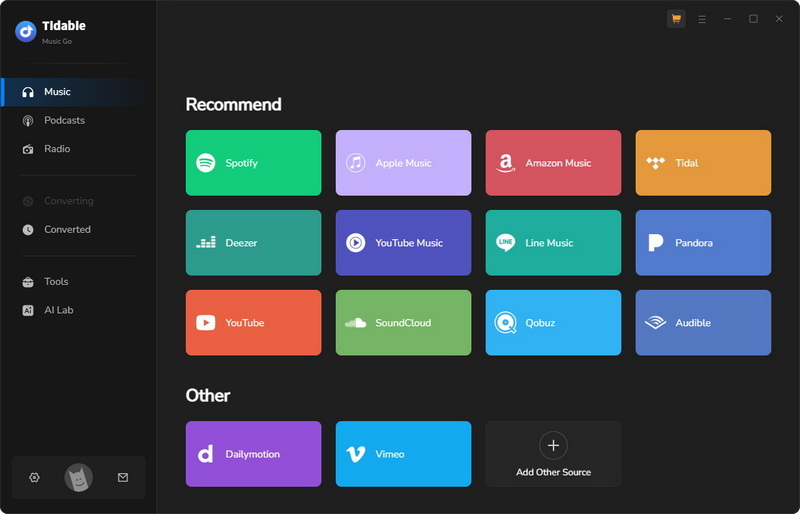
Open Tidabie on your computer and select the "Spotify" option. You can access Spotify through the built-in Spotify web player or the desktop Spotify app. Then log in to your Spotify account to proceed. Tidabie also works for Spotify free accounts.
STEP 2 Add Spotify Songs to Convert
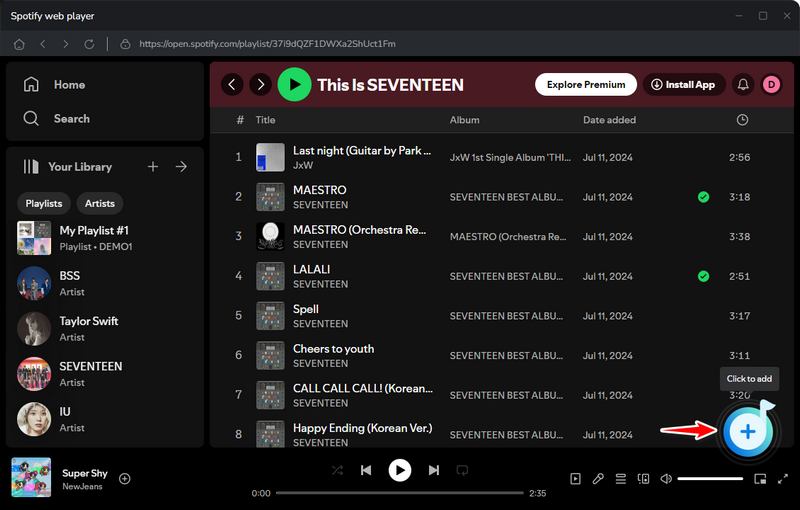
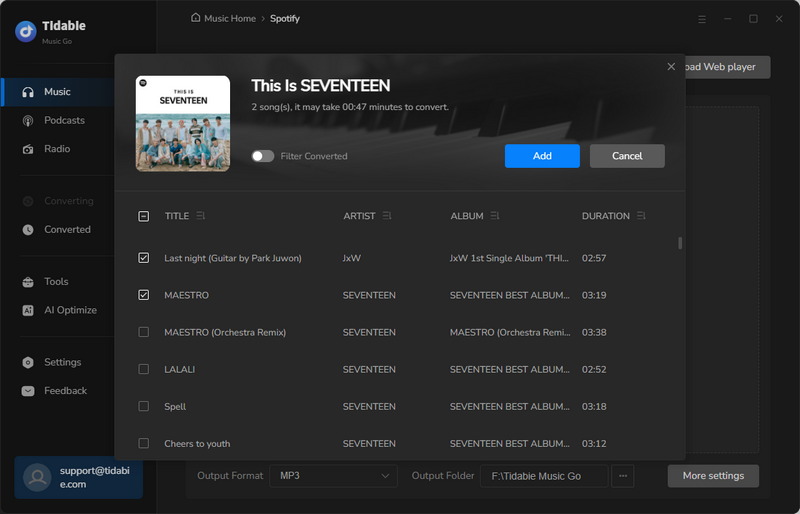
Browse Spotify to find the songs, playlists, or albums you want to download. Click the "+" button. Tidabie will analyze the content and display all tracks in a list. You can uncheck any tracks you do not wish to include before clicking "Add" to confirm.
STEP 3 Customize Spotify Output Settings
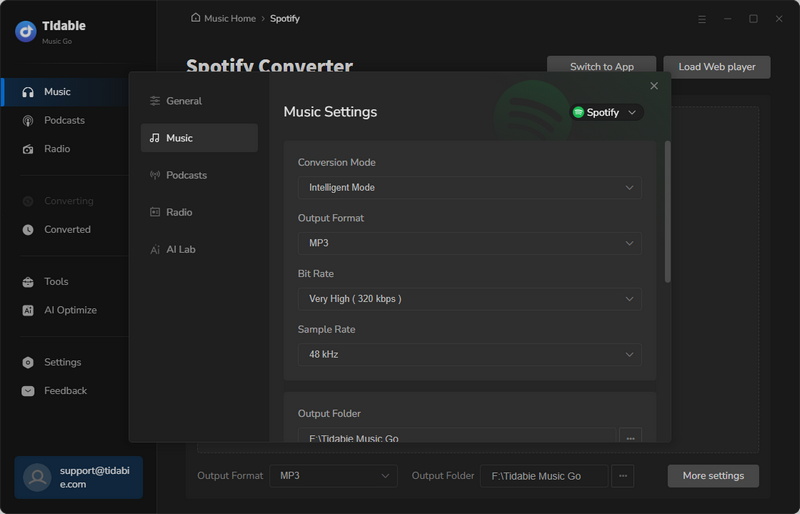
Click the "Settings" button or the gear icon in the lower left corner to access the settings panel. Here, you can adjust the conversion mode, choose your preferred output format, set the audio quality, and designate a folder on your computer where the downloaded files will be saved.
STEP 4 Convert Spotify Music for Transfer
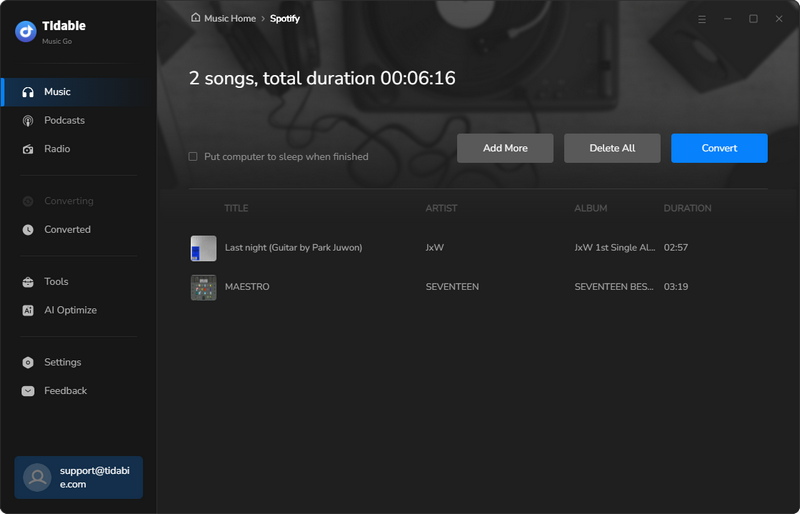
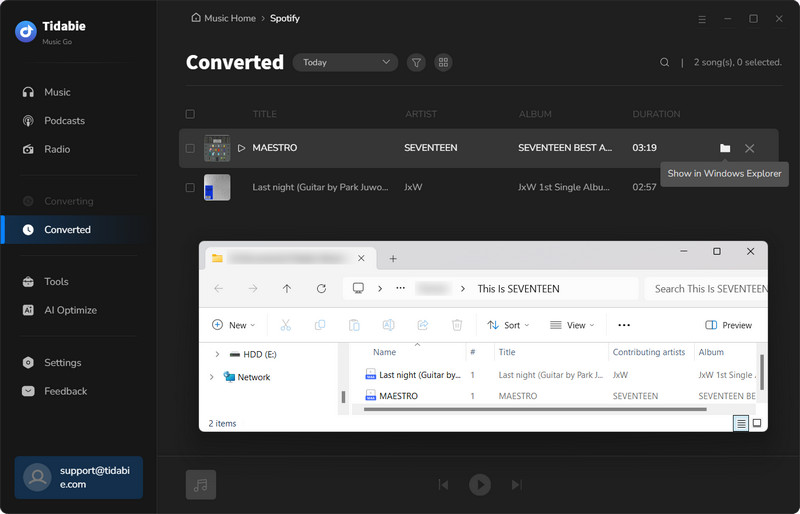
Start the conversion by clicking the "Convert" button. Tidabie will process the files quickly. Once finished, the converted tracks will be saved to your specified output folder. These permanent local files can be played offline on any device without requiring the Spotify app or an internet connection.
STEP 5 Transfer Spotify Music to Android Phone
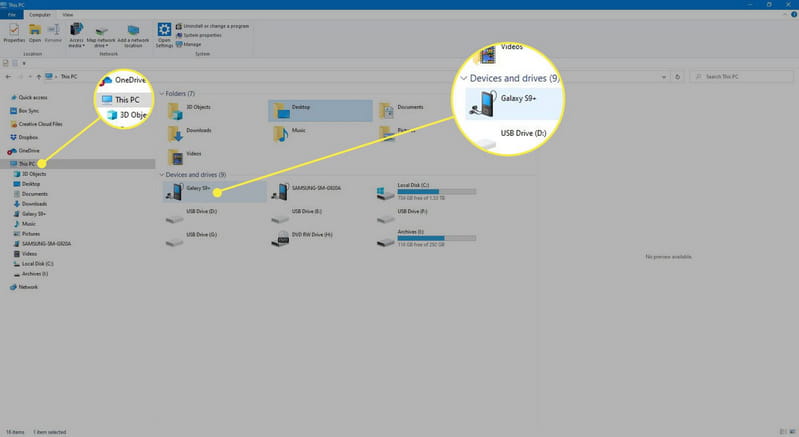
Connect your Android phone to your computer using a USB cable. Tap the USB notification on your phone and select "File Transfer" to grant your computer access to the phone's storage. On your computer, open File Explorer or Finder and navigate to the output folder where Tidabie saved your converted music. Select the tracks you want, copy them, and paste the files into your Android device in the same window.
- Ad-free and clean interface.
- Download music from Spotify, Apple Music, Tidal, Amazon Music, YouTube Music, and more.
- Downloads Spotify music with lossless audio quality.
- Preserves complete ID3 tags.
- Batch downloads entire albums and playlists with a single click.
- Fast download speed up to 10x faster than real-time playback.
- Supports multiple output formats, including MP3, AAC, WAV, FLAC, AIFF, and ALAC.
- Comes with free tools like Format Converter, Burn CD, Tag Editor, and AI Audio Splitter.
😊 Pros
- No mobile apps for Android or iOS.
😞 Cons
Part 2. Best Spotify Music Downloaders for Android
While the USB transfer method is a powerful and reliable option, many users prefer a more direct approach. If you're looking for a solution that downloads Spotify music directly to your Android phone, you may want a dedicated mobile app. In the next section, we'll explore the best Spotify music downloaders for Android.
1. TuneCable – Professional Spotify Music Downloader for Android
TuneCable Spotify Downloader for Android is a dedicated application that downloads Spotify songs, albums, playlists, podcasts, radio, and audiobooks to popular audio formats for permanent offline playback. It preserves 100% original sound quality and complete ID3 metadata tags. Unlike many free Spotify music downloaders that source audio from YouTube, TuneCable works directly with Spotify content and supports both Free and Premium accounts. It supports batch downloading and multiple output formats, including MP3, AAC, WAV, and FLAC.
How to download Spotify songs without premium on Android with TuneCable?
Now that you're familiar with TuneCable, let's walk through how to download Spotify songs without premium on your Android device.
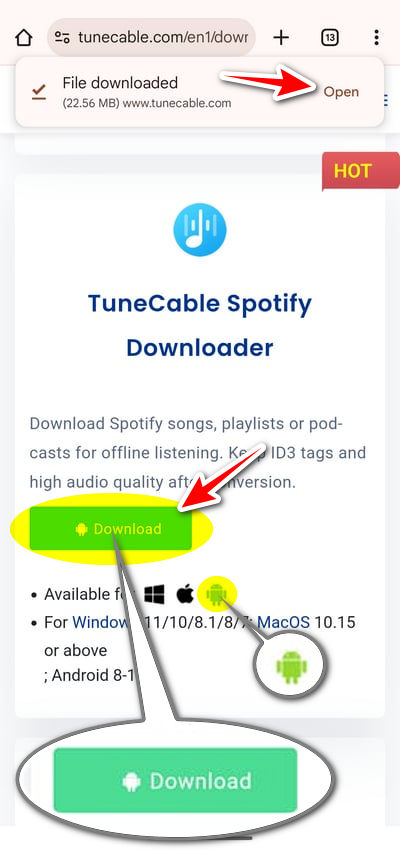
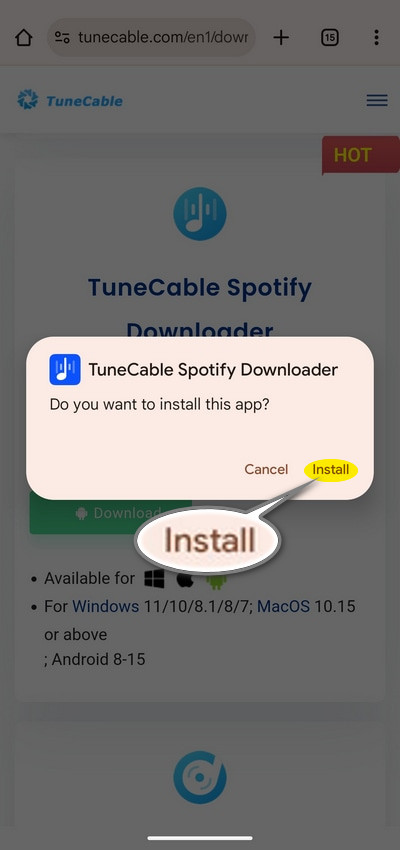
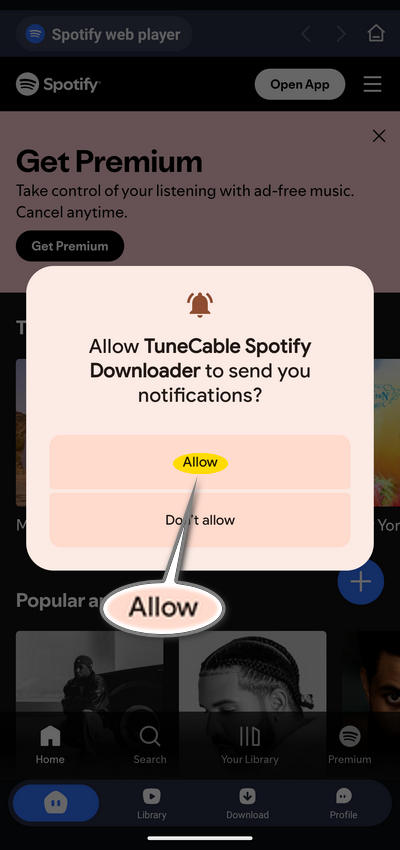
STEP 1 Click the download button above to get the installation package. Open the file and tap "Install" when prompted. After installation, open the app and tap "Allow" to receive updates when downloads finish in the background.
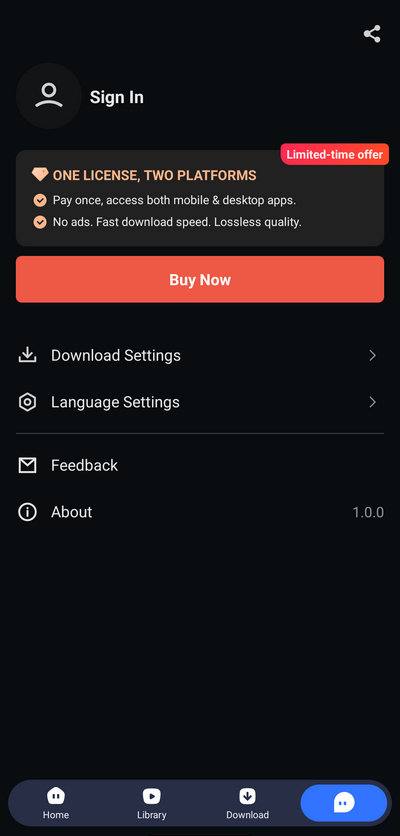
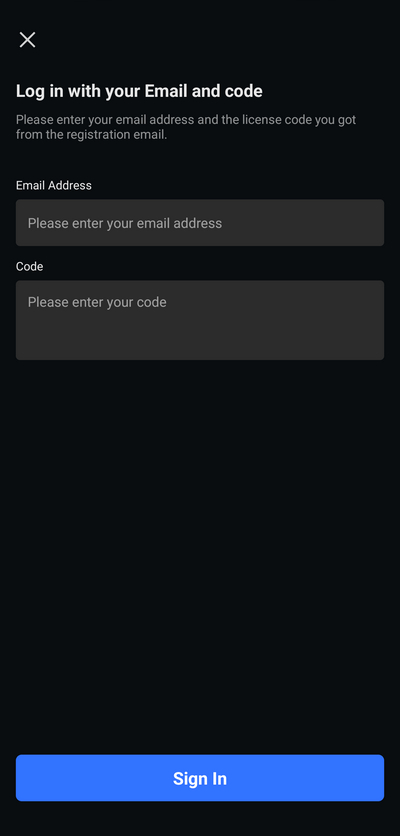
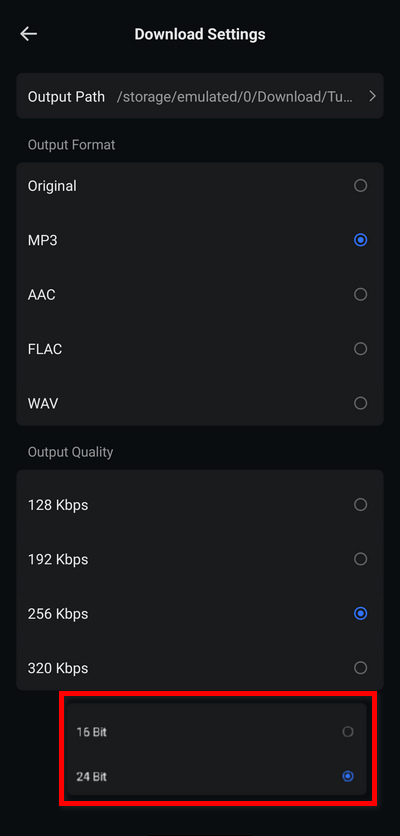
STEP 2 Go to "Profile" and tap "Sign In". Enter your registration email and code. Then select "Login Spotify" to connect your account. TuneCable works with both Free and Premium accounts. Tap "Download Settings" to configure your Spotify output parameters.
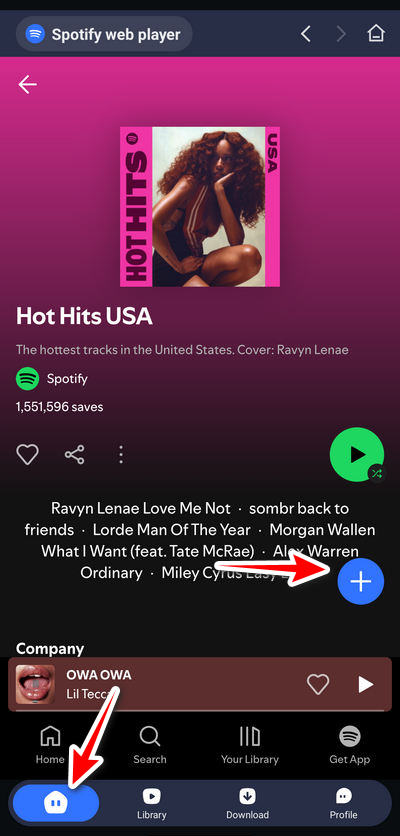
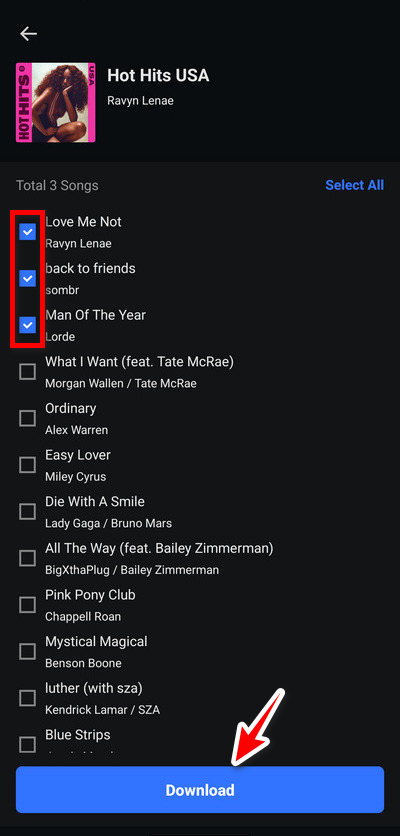
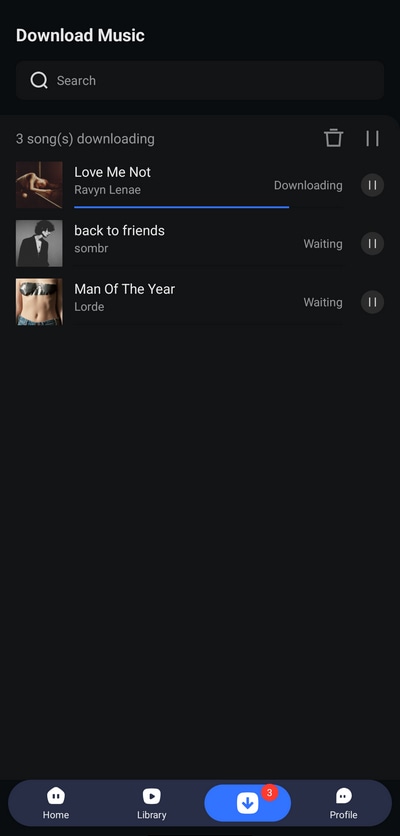
STEP 3 Return to "Home" and find the playlist, album, or podcast you want. Tap the "+" button to parse tracks. Uncheck any you don't want, then tap "Download". Review settings and tap "Confirm" to start batch download.
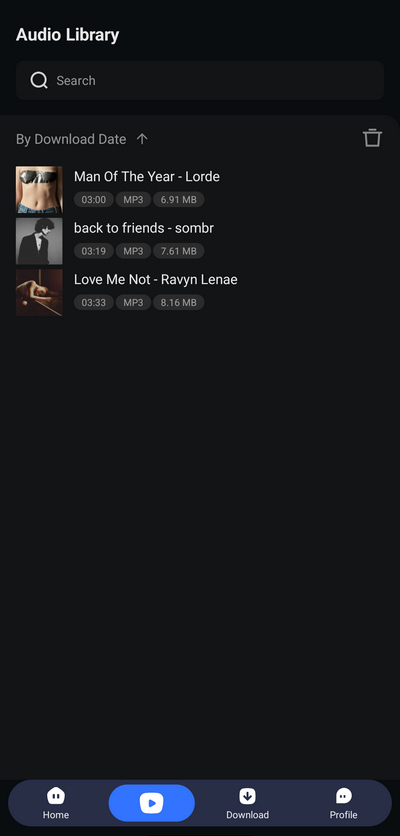
STEP 4 Go to "Library" to view your download history. All converted tracks are accessible here and through any standard music player on your Android device for permanent offline playback.
- Works with both Free and Premium Spotify accounts.
- Batch downloads Spotify playlists, albums, and podcasts.
- Supported output formats include MP3, AAC, WAV, and FLAC.
- Preserves Spotify music with a bitrate up to 320kbps.
- Keeps full ID3 tags and metadata.
- The file name and organization are customizable.
😊 Pros
- Requires registration and sign-in.
😞 Cons
2. Spowlo – Open-Source Spotify Playlist Downloader for Android
🔗: https://spowlo.com/en/
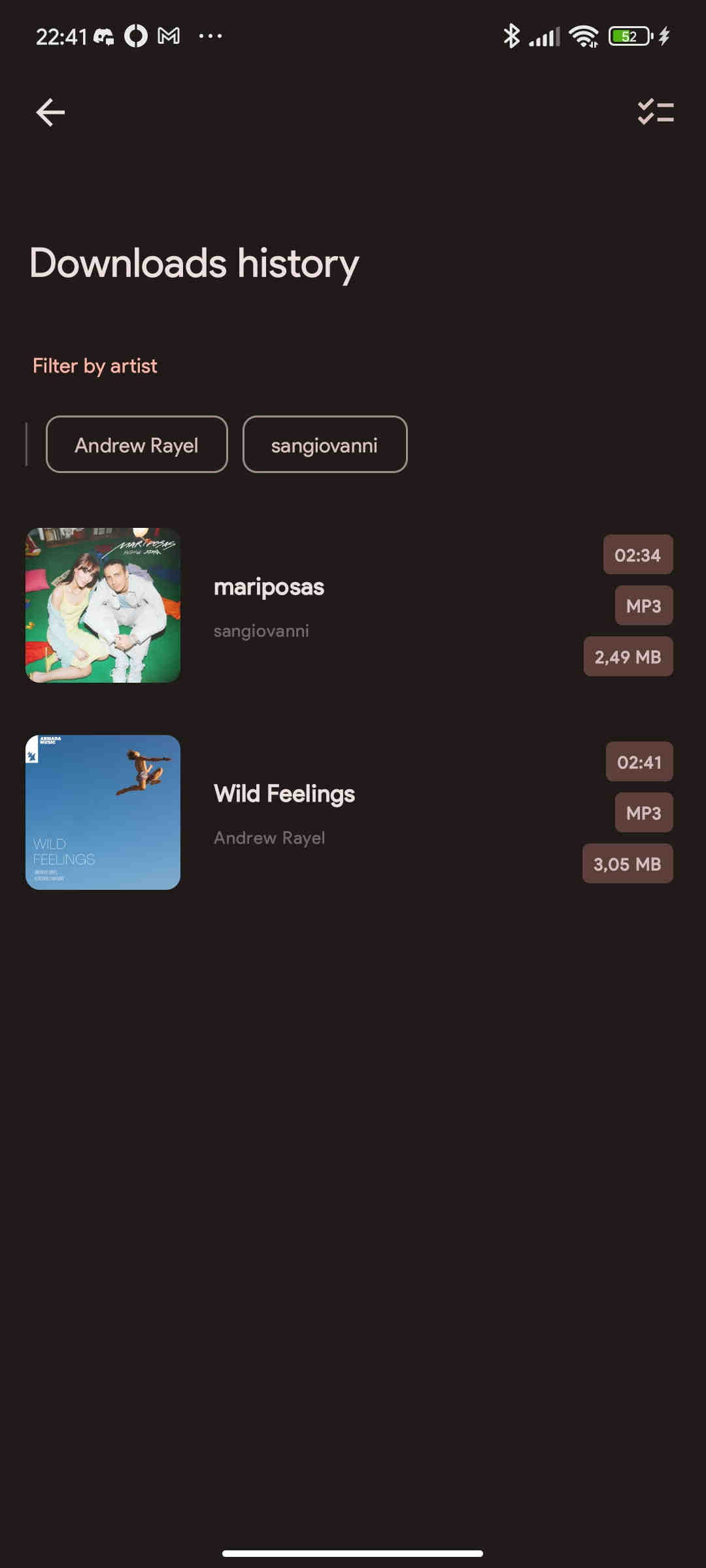
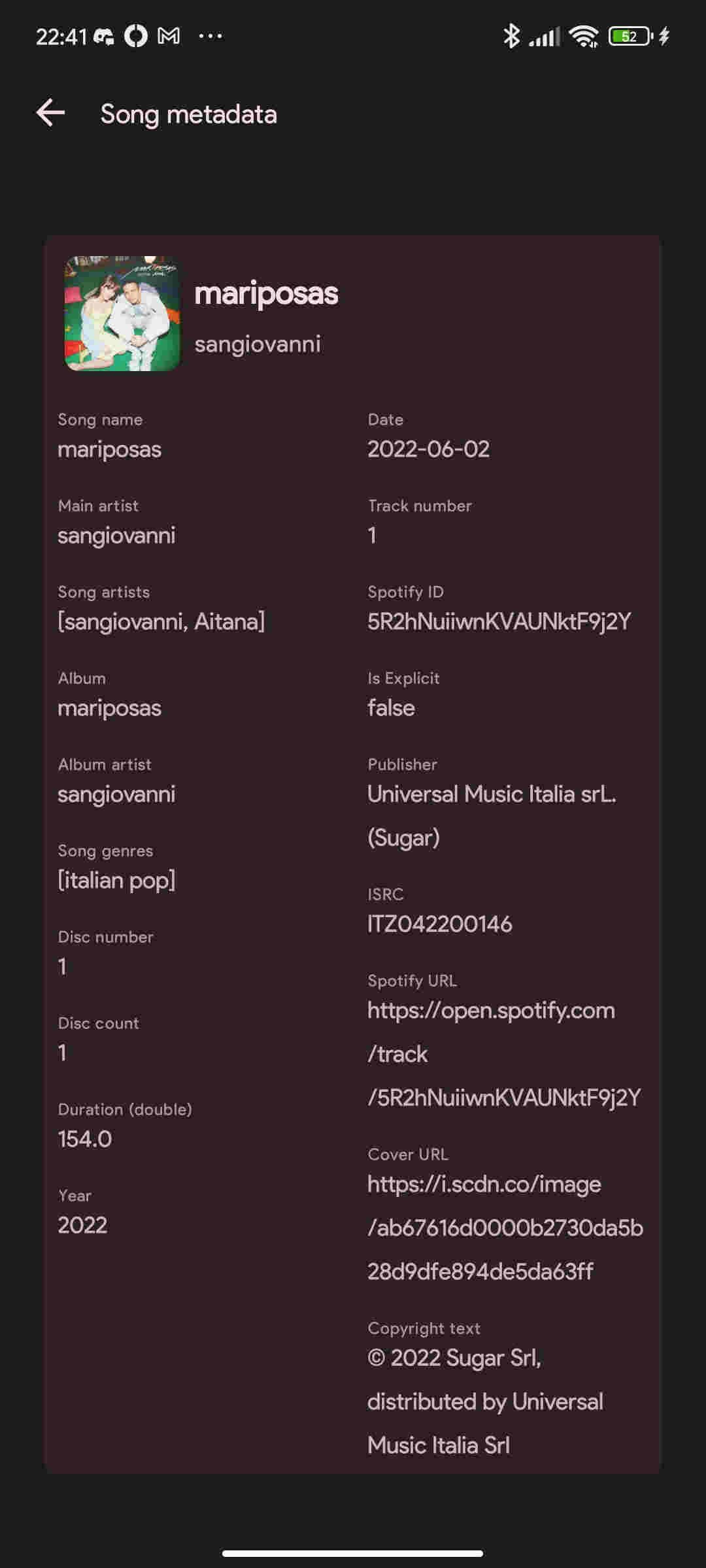
Spowlo is an open-source Spotify downloader for Android that downloads Spotify songs, playlists, and albums to your device by sourcing matching audio from YouTube and YouTube Music. It does not require a Premium subscription. The app relies on the spotDL Python library to match Spotify metadata with YouTube content, then saves files locally with album art, lyrics, and ID3 tags. It supports multiple output formats, including MP3, FLAC, OGG, OPUS, and M4A.
How to download Spotify music for Android with Spowlo?
STEP 1 Visit the Spowlo website and download the APK file. Enable "Install from unknown sources" in your Android settings, then open the downloaded file and complete the installation.
STEP 2 Open the Spotify app, find the song, album, or playlist you want. Tap the three-dot menu and select "Share", then choose "Copy Link" to save the Spotify URL to your clipboard.
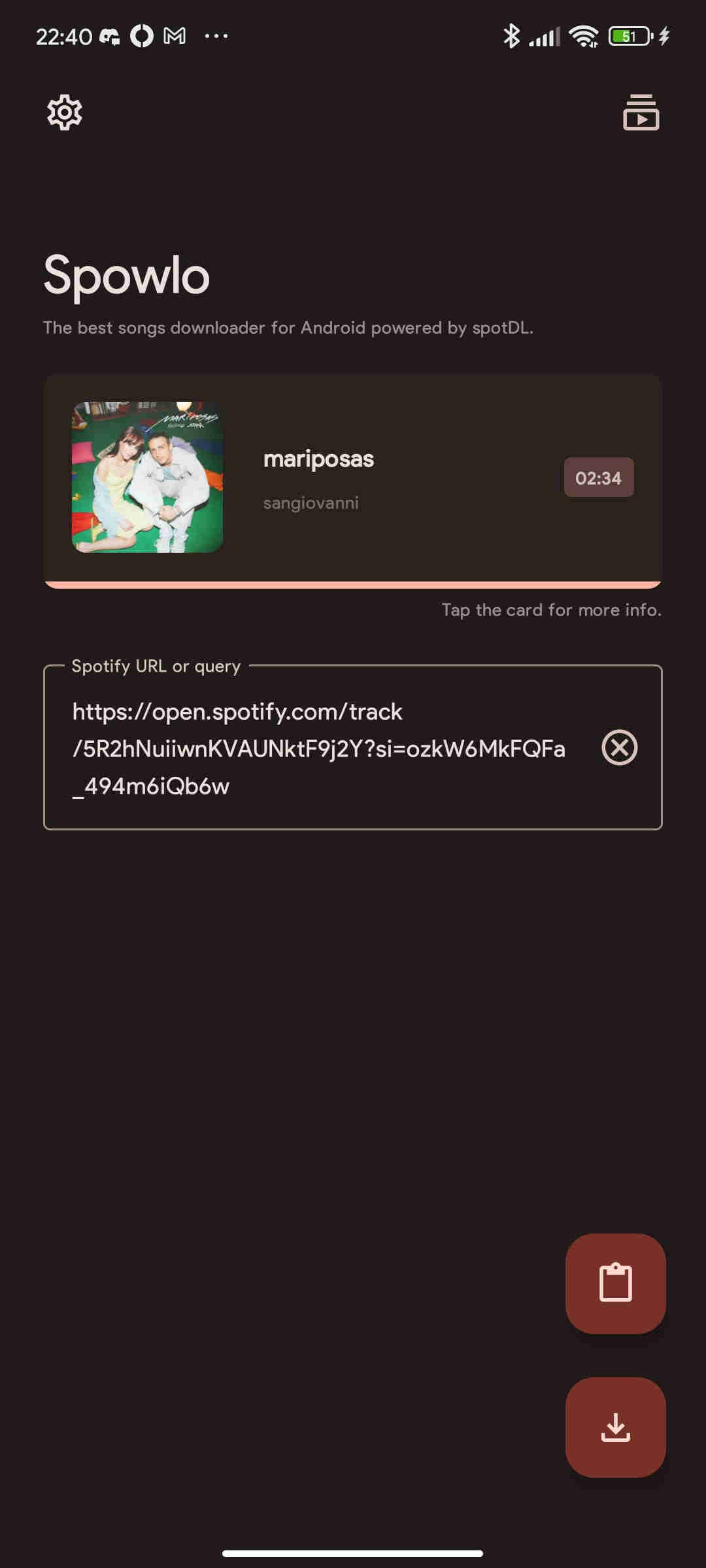
STEP 3 Open Spowlo and paste the Spotify URL, or use the Search tab to find tracks by keyword. Once your content appears in the list, select the items you want to download.
STEP 4 Access the app settings to customize your download preferences. Choose your desired audio format. Note that native quality is 128 kbps for M4A and 160 kbps for OPUS. Other formats are conversions.
STEP 5 Tap the download button. Once processed, the files are saved to your specified folder on your device.
- Completely free and open-source.
- No Spotify Premium account needed.
- Downloads entire playlists and albums in bulk.
- Preserves album art, lyrics, and essential metadata.
- Multiple format options for flexible playback.
😊 Pros
- Android-only.
- Audio sourced from YouTube, not Spotify directly.
- Limited audio quality.
- Occasional mismatched tracks or wrong version.
- Development updates may be inconsistent.
😞 Cons
3. Fildo – Free Spotify to MP3 Downloader with FLAC Support
🔗: https://fildo.net/android/en/
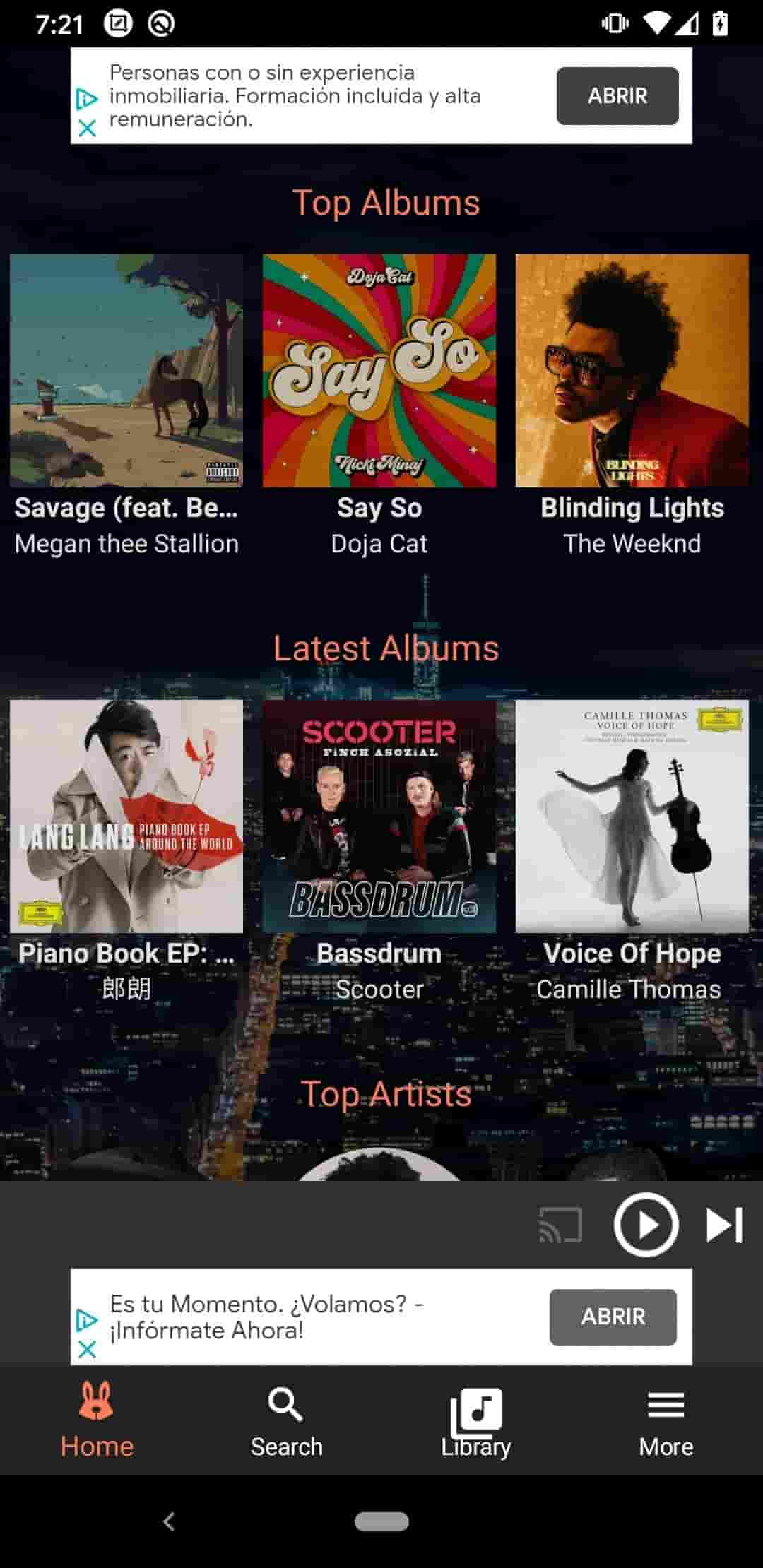
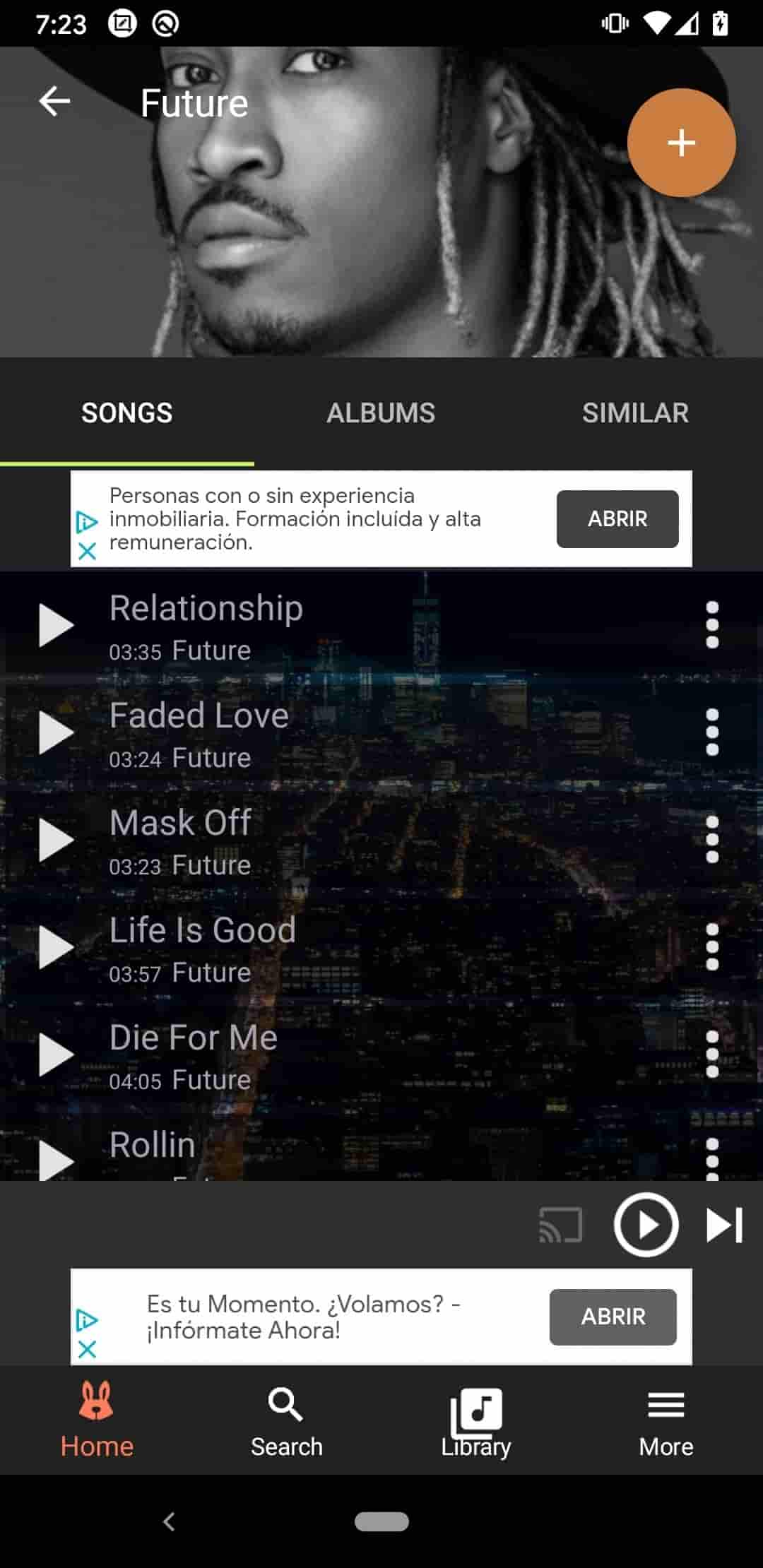
Fildo is an Android application that streams and downloads music by aggregating files from third-party search engines, functioning as a free Spotify music downloader for Android. It does not host audio files directly but serves as an interface to find matching tracks based on song metadata. The app allows users to download Spotify songs to MP3 without a Premium subscription through its Spotify Importer feature or manual search. It effectively downloads music from Spotify to an Android phone by sourcing equivalent high-quality versions from external platforms.
How to download Spotify songs with Fildo on Android?
STEP 1 Go to the official Fildo website to get the latest APK file. In your device settings, enable installation from unknown sources. Open the downloaded APK file and complete the setup.
STEP 2 Open Fildo on your Android device. Go to the "More" section and select "Spotify Importer". Log in to your Spotify account or paste a public playlist link. The app fetches the track list and searches for matching audio files.
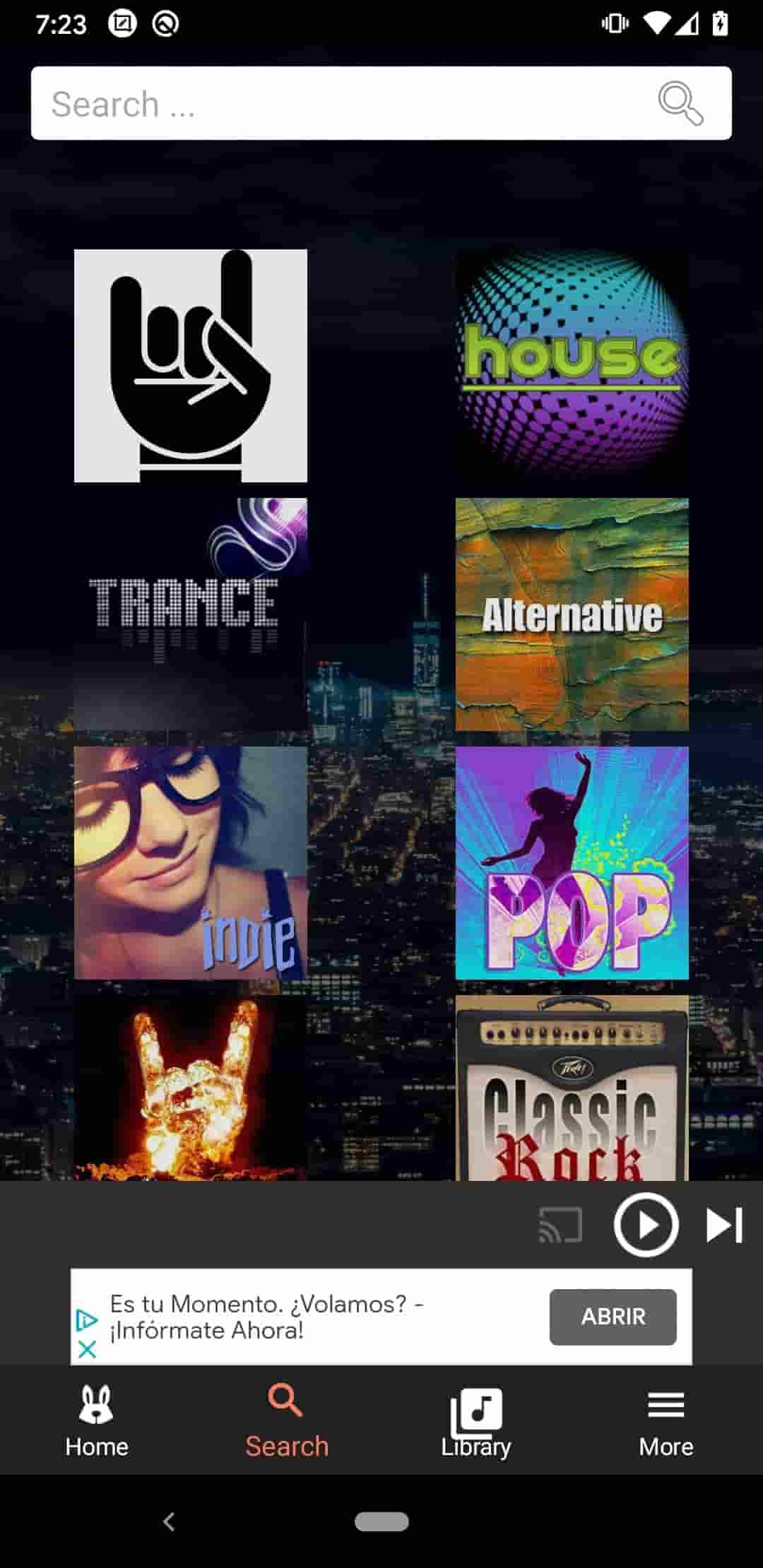
STEP 3 Use the search function to find songs, artists, or albums. Tap the "Search" tab and enter your query. Fildo shows results with bitrate information. Preview tracks by streaming them to verify the correct version.
STEP 4 Tap the three-dot menu next to the song and select "Download." The file will be saved directly to your device. For albums or playlists, batch download multiple tracks.
- Completely free with no subscription costs.
- Downloads MP3 up to 320 kbps and lossless FLAC.
- Supports batch downloads.
😊 Pros
- The free version contains advertisements.
- Audio quality varies by third-party source.
- Not all Spotify tracks match perfectly.
- Relies on external search engines, not Spotify directly.
😞 Cons
4. SpotMate – Cross-Platform Spotify Playlist Downloader for Android and Web
🔗: https://play.google.com/store/apps/details?id=com.spotmate.spotmatesongdownloader
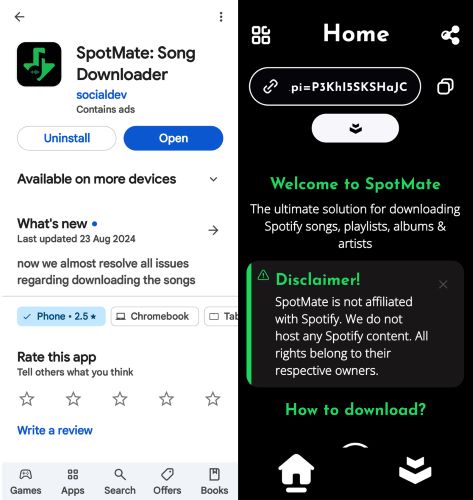
SpotMate is both an Android application and an online tool that converts Spotify songs, playlists, and albums to MP3 for offline playback on mobile devices. It requires no account login or Premium subscription. Users can paste Spotify links into the built-in search box to parse and download tracks directly to local storage. Through its web version, SpotMate also supports Windows, Mac, and iOS platforms. Note that SpotMate typically fetches audio from YouTube or other third-party sources, rather than directly from Spotify.
How to download Spotify songs with SpotMate on Android?
STEP 1 Open the Google Play Store on your Android device, search for SpotMate, and tap Install. Once installed, open the app.
STEP 2 Open the Spotify app, find the song, album, or playlist you want. Tap the three-dot menu, select Share, then Copy Link.
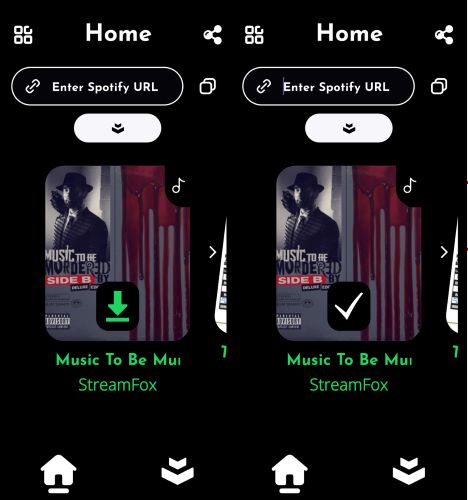
STEP 3 Open SpotMate, paste the copied link into the search box, and tap the search button. The app will display the available tracks.
STEP 4 Tap the download button next to each track you wish to save. The app converts them to MP3 and saves them to your device.
STEP 5 Go to the app's download history or local folder to find your saved MP3 files. Play them directly in SpotMate or any other music player app offline.
- Completely free with no registration required.
- No Spotify Premium account needed.
- Available as both an app and an online version
😊 Pros
- Downloads are limited to MP3 only.
- Audio quality is around 128 kbps, lower than advertised.
- No batch download for entire playlists or albums.
- Missing or watermarked ID3 tags on some files.
- Unstable performance with occasional download errors.
😞 Cons
5. SpotDown – User-Friendly Spotify Downloader for Android
🔗: https://play.google.com/store/apps/details?id=spotdown.spotify.downloader
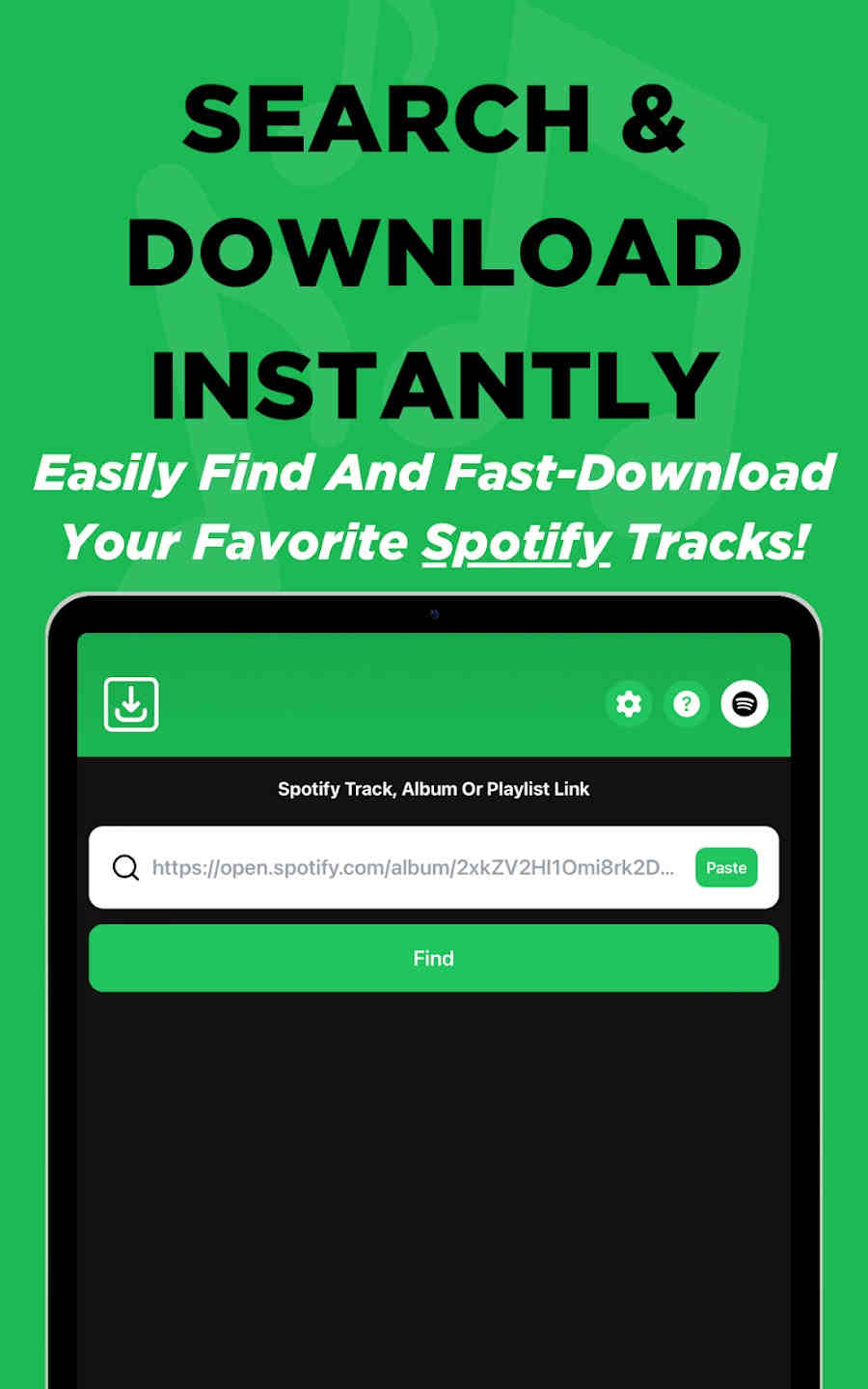
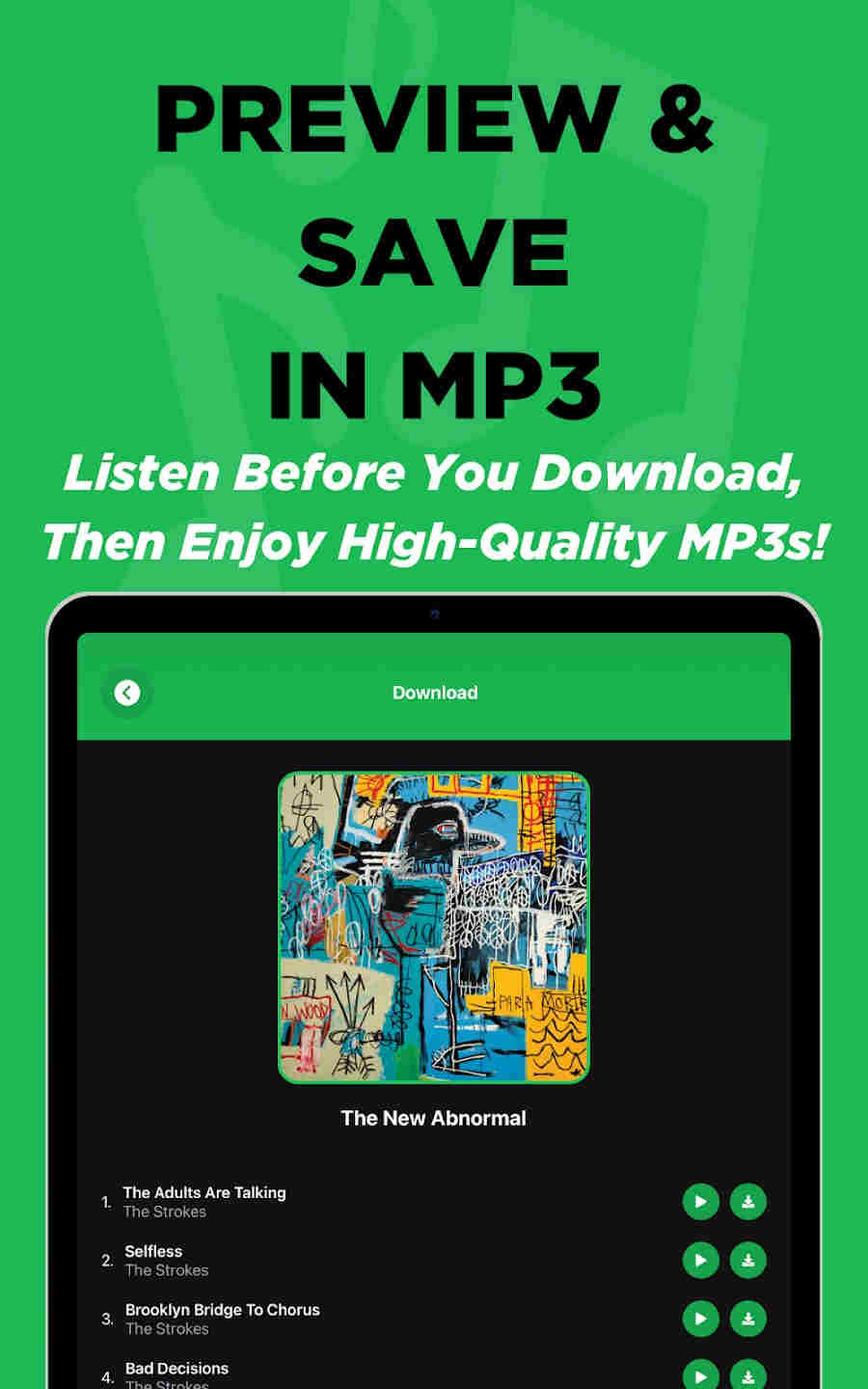
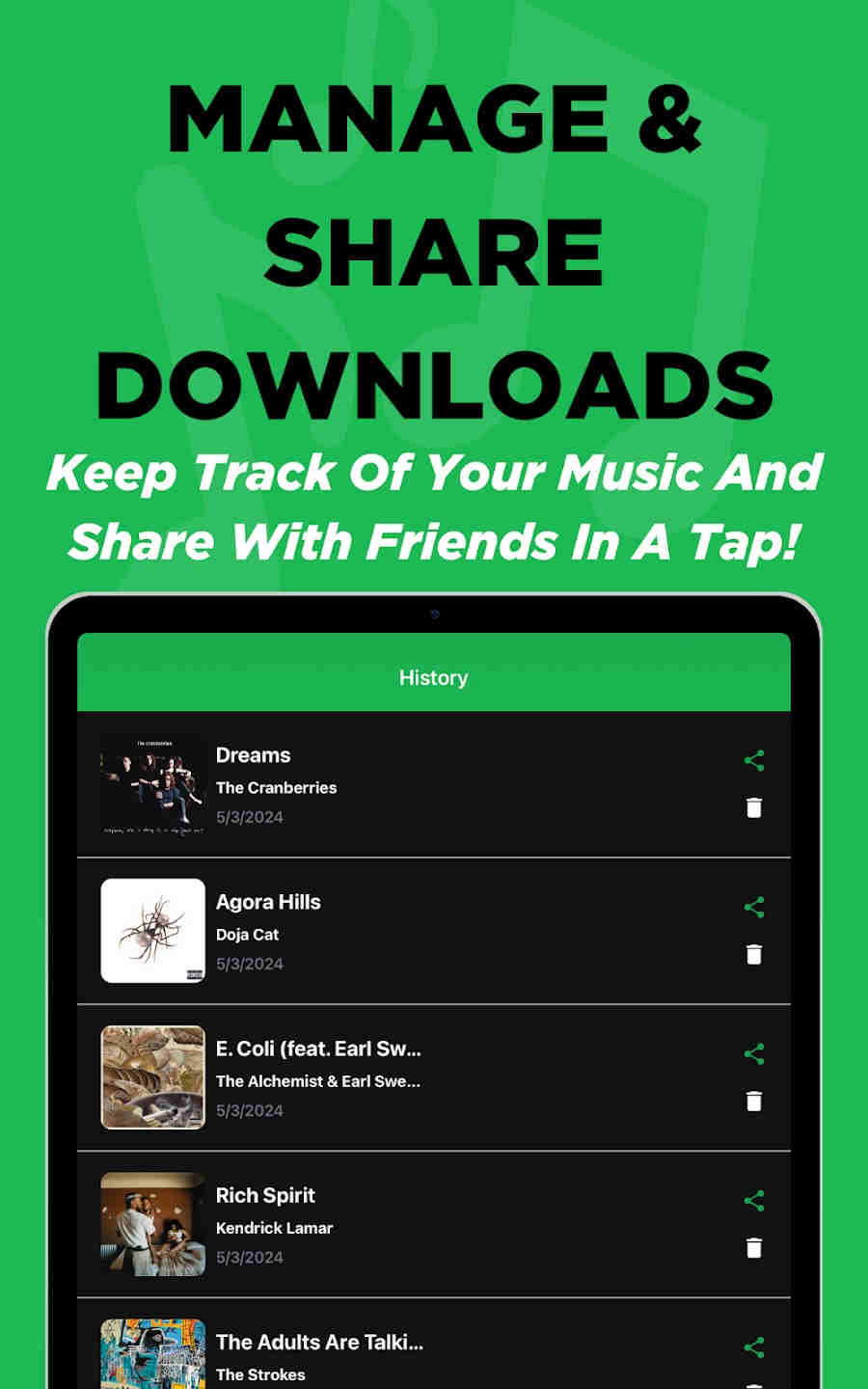
SpotDown is an Android application available on the Google Play Store that allows users to search for Spotify music, preview snippets, and download them as MP3 files for offline listening. It requires no Spotify login or Premium subscription. The app features a clean interface with built-in search and preview functionality, download history management, and direct sharing options.
How to download Spotify songs with SpotDown on Android?
STEP 1 Open the Google Play Store on your Android device, search for SpotDown, and tap Install. Once installed, open the app.
STEP 2 Use the built-in search bar in SpotDown to look for songs, albums, or playlists. Enter track names, artist names, or album titles to find the content you want.
STEP 3 Tap on any track to preview a short snippet and confirm you have the correct version.
STEP 4 Tap the download button next to the song. A 30-second full-screen video ad will play before the download starts. After the ad finishes, the MP3 file saves to your device.
STEP 5 Go to the History section in SpotDown to view and play your downloaded tracks offline. You can also share them through various messaging platforms or access them with any other music player on your phone.
- Free to use with no Spotify Premium required.
- Simple and intuitive interface.
- Direct sharing with friends option.
😊 Pros
- Supports MP3 format only.
- Cannot download full playlists or albums in one go.
- Requires watching a 30-second ad before each download.
- Audio quality is often lower than the advertised bitrates.
- Downloaded files frequently lack metadata.
- Sometimes fails to process Spotify links.
😞 Cons
Part 3. Comparison between Spotify Music Downloaders
To help you make an informed decision, here's a detailed comparison of all the Spotify downloaders covered in this guide, highlighting their key features and differences at a glance.
| Ad-Free | Compatibility | Audio Source | Output Format | Best Quality | Batch Download | ID3 Tags | Free Tools | |
|---|---|---|---|---|---|---|---|---|
| Tidabie Spotify Downloader | ✔️ | Windows, Mac | Direct from Spotify(15+ services) | MP3, AAC, WAV, FLAC, AIFF, ALAC | Lossless | ✔️ | Title, Album, Artist, Album Art, Track Number, Disc Number, Year, Genre | AI Audio Splitter, Format Converter, Tag Editor, Burn CD, etc. |
| TuneCable Spotify Downloader for Android | ✔️ | Android | Direct from Spotify | MP3, AAC, WAV, FLAC | 320kbps | ✔️ | Title, Album, Artist, Album Art, Track Number, Disc Number, Year, Genre | ❌ |
| Spowlo | ✔️ | Android | YouTube / YouTube Music | MP3, FLAC, OGG, OPUS, M4A | 160kbps | ✔️ | Basic | ❌ |
| Fildo | ❌ | Android | Third-party | MP3, FLAC | Up to 320kbps | ✔️ | Basic | ❌ |
| SpotMate | ❌ | Android, Web | YouTube / Third-party | MP3 | 128kbps | ❌ | Often missing or watermarked | ❌ |
| SpotDown | ❌ | Android | Third-party | MP3 | Up to 320kbps | ❌ | Incomplete or missing | ❌ |
FAQs about Spotify Music Downloaders
Q1: Where are Spotify local files on Android?
Spotify downloads on Android are stored in an encrypted, hidden folder typically located in the internal memory under Android/data/com.spotify.music. These files are not meant to be user-accessible and can only be played within the Spotify app itself, as they are protected by digital rights management.
Q2: How to download Spotify songs without Premium on Android?
While downloading songs without a Premium subscription is not officially supported, you can use a third-party app like TuneCable Spotify Downloader for Android. This app allows you to download Spotify music and save it as MP3, AAC, WAV, or FLAC files. It preserves ID3 tags and album art, and supports batch downloads for entire playlists.
Q3: Can you convert an entire Spotify playlist to MP3?
Yes. You can look for a Spotify music downloader that supports batch downloading Spotify playlist to MP3, such as Tidabie. It helps save complete playlists with all metadata intact.
Q4: Are there safe Spotify Music Downloaders for Android?
Most Spotify converters pose safety risks, including malware, phishing attempts, and excessive advertising. For guaranteed safety and stability, it is best to use established applications like TuneCable, which is developed by a professional team that provides regular updates and prioritizes user security.
Conclusion
This guide has explored the top Spotify music downloaders for Android. Whether you prefer downloading directly on your Android device or using a computer, both TuneCable and Tidabie offer excellent solutions for enjoying Spotify music offline. TuneCable Spotify Downloader for Android is perfect for on-the-go downloading without a computer. For users who want support for more music services, Tidabie Spotify Downloader delivers a professional-grade experience on desktop. Both tools are reliable, ad-free, and preserve your favorite music permanently. Choose the one that fits your workflow best and start enjoying Spotify offline today!

Jacqueline Swift | Senior Writer
