


10 Best YouTube to WAV Converters [2026 Updated]
Ever notice how most free audio downloaders turn vibrant YouTube tracks into flat, muffled noise? To cleanly convert YouTube to WAV, you need a dedicated YouTube to WAV converter that extracts the original audio stream into a loss-free WAV container, preserving the highest possible audio clarity for editing or offline playback.
Finding such a YouTube to WAV converter can be surprisingly tricky. Many free YouTube downloaders slow down, show intrusive ads, or ruin audio clarity. To see how today's options perform, we hands-on tested 10 popular YouTube to WAV converters. Here is what we found.

Part 1. Why Do You Need a YouTube to WAV Converter? WAV VS MP3
Unlike common compressed formats like MP3, WAV files preserve every detail of the original audio. Whether you are a music producer sampling sounds or just an audiophile building a high-fidelity collection, learning how to convert YouTube to WAV is crucial. It ensures your audio remains perfect for editing and delivers the best possible listening experience. For these tasks, a reliable YouTube to WAV converter is the ideal solution.
This following table outlines the primary differences between WAV and MP3 formats.
| WAV | MP3 | |
|---|---|---|
| File Size | Larger | Smaller |
| Compression | No secondary loss | Lossy |
| Quality | Higher | Lower |
| Compatibility | Limited | Wide |
| Bit Rate | Often 1,411 kbps | 96~320 kbps |
| Sample Rate | 44.1~96 kHz | 44.1 kHz |
| Editing | More flexible for editing and post-production work. | Less flexible for editing and post-production work. |
Part 2. 10 Tested YouTube to WAV Converters
Now that we understand the importance of WAV quality for professional and high-fidelity use, let's explore the practical tools. To simplify your search, we have tested and compiled a list of 10 YouTube to WAV converters, ranging from professional desktop software to quick online YouTube to WAV downloaders.
1. Tidabie Music Go 🔥🔥🔥
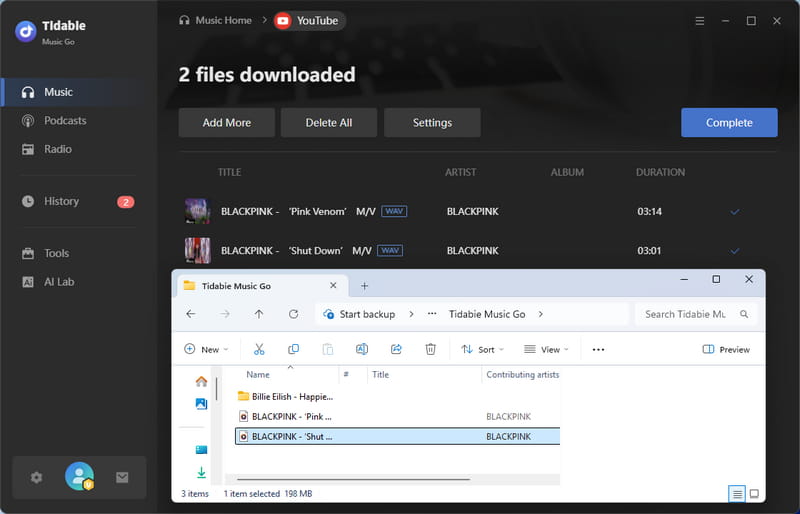
Tidabie Music Go is a professional desktop converter built for high‑fidelity audio extraction from major streaming platforms (YouTube, YouTube Music, Spotify, Apple Music, TIDAL, SoundCloud, Qobuz, etc.) It supports WAV, FLAC, ALAC, MP3, and other formats, with batch downloading and up to 10× real‑time speed. In our hands‑on testing, it consistently preserves original audio quality. Additional integrated tools (AI audio splitter, tag editor, CD burner) make it a versatile, reliable all‑in‑one solution for serious music enthusiasts.
| Security | Ad-free |
| Output Format | WAV, MP3, AAC, FLAC, AIFF, ALAC & MP4 for MVs |
| Batch Download | ✔️ |
| Quality | 15 kHz (Original) |
| ID3 Tags | Title & other original ones. |
How to convert YouTube to WAV with Tidabie Music Go?
STEP 1 Open Tidabie, select the "Music" module, and choose "YouTube" as your source. You can even use this feature without logging into any YouTube account.
📒Note: If you want to download YouTube Music videos with lyrics from the YouTube Music streaming service, select "YouTube Music".
STEP 2 Find your video or playlist, click the "+" button, select tracks, and click "Add".
STEP 3 In "Settings", set output format to "WAV" and adjust other parameters like bit depth or output folder.
STEP 4 Click "Convert", then find the converted WAV files in the "History" section.
- Supports formats including WAV, FLAC, MP3, etc.
- Preserves original audio quality from YouTube.
- Retains essential ID3 tags and lyrics.
- Performs conversions up to 10x faster.
- Offers fast batch conversion.
- Requires installation as a desktop application.
- Lacks a dedicated mobile app version.
2. youtubetowav.io - YouTube to WAV Converter with Audio Preview
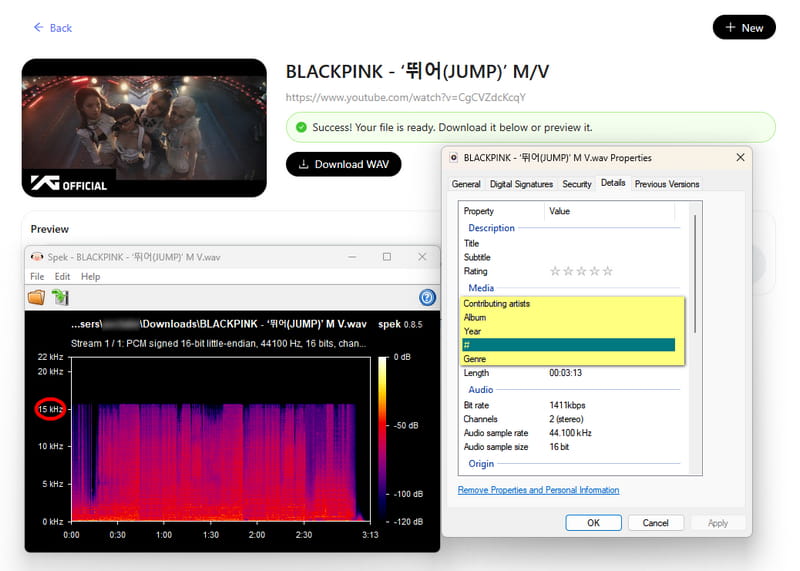
youtubetowav.io supports audio preview before conversion, a helpful feature for verifying content. However, our tests showed slower download speeds and audio quality capped at 15 kHz, with no metadata retention.
| Security | Ad‑free during test |
| Output Format | WAV |
| Batch Download | ❌ |
| Quality | 15 kHz |
| ID3 Tags | None |
- Ad‑free interface.
- Audio preview feature lets you verify content.
- No metadata retention.
- No batch downloads.
3. yttowav.net - Clean YouTube to WAV converter Offering 20kHz Quality
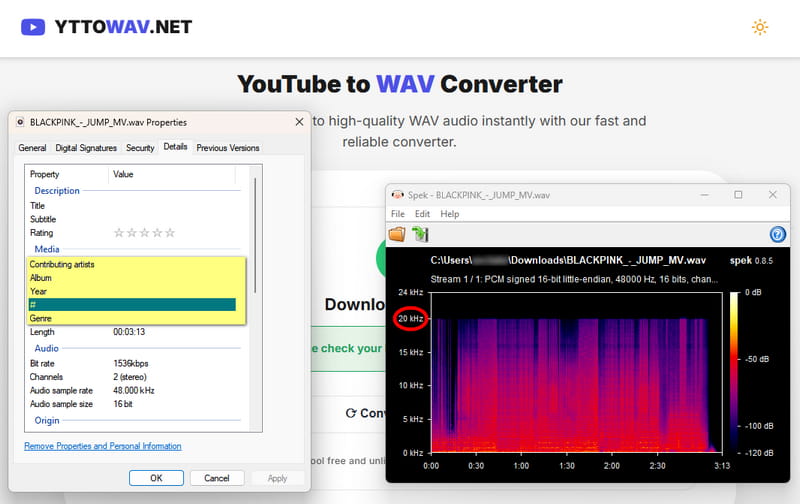
yttowav.net offers a clean, ad‑free experience with average download speeds. In our testing, it delivered 20 kHz audio quality, but does not preserve metadata, which limits its usefulness for professional archiving or library management. The overall user experience is smooth and reliable for casual listening needs.
| Security | Ad‑free during test |
| Output Format | WAV |
| Batch Download | ❌ |
| Quality | 20 kHz |
| ID3 Tags | None |
- Ad‑free and smooth experience.
- 20 kHz audio quality.
- No metadata preservation.
- Average download speed.
- No batch or playlist support.
4. Y2down.cc / 4kdownload.to / downloaderto.com
Free online YouTube to WAV converters often come with intrusive ads. We recommend using an ad‑blocker and exercising caution. For a safer option, a professional desktop app is more reliable.👇🏻👇🏻
There are numerous websites similar to Y2down.cc in both UI and functionality, such as 4kdownload.to and downloaderto.com. Feel free to choose any of them to use.
- 🔗Y2down.cc: https://y2down.cc/enPl/youtube-wav
- 🔗4kdownload.to: https://4kdownload.to/en7W/youtube-wav-downloader
- 🔗downloaderto.com: https://downloaderto.com/enjE/youtube-to-wav
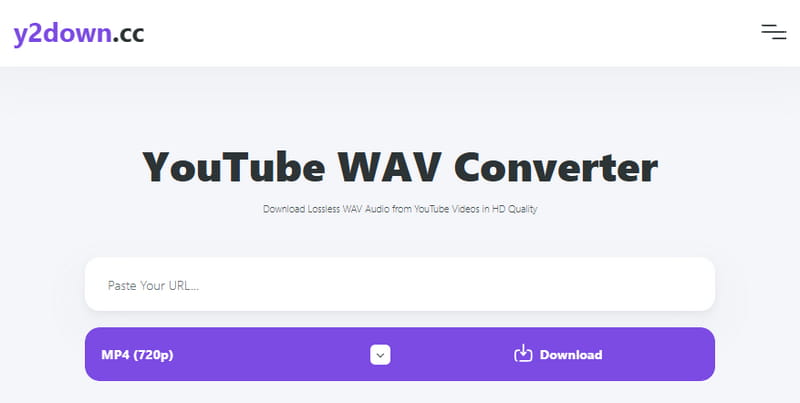
Y2down.cc offers a quick way to extract audio from YouTube videos. However, our testing revealed several limitations: it lacks batch download support, does not preserve metadata, and frequently triggers redirects that interrupt the workflow. Audio quality caps at 15 kHz.
| Security | Frequent redirects |
| Output Format | WAV, MP3, AAC, FLAC, OPUS, OGG, MP4, WEBM |
| Batch Download | ❌ |
| Quality | 15 kHz |
| ID3 Tags | None |
- Fast processing and conversion.
- It opens redirect pop-ups.
- Cannot process videos over 1 hour.
- No batch conversion for playlists.
- Conversion is unstable, often with the error code 1877.
5. TubeRipper - Multi‑format YouTube to WAV converter Requiring Manual URL Edits
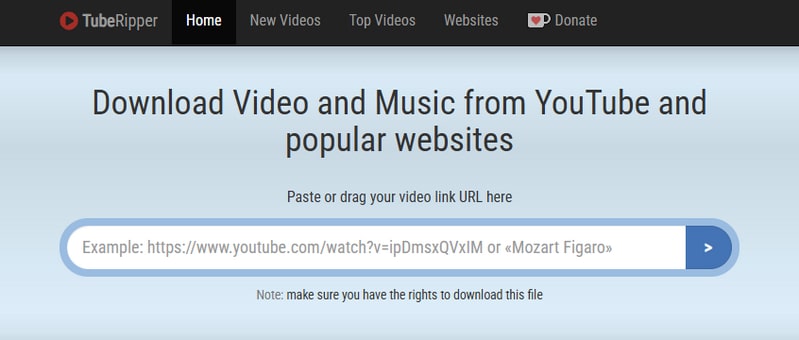
TubeRipper supports multiple formats including WAV, MP3, AAC, and FLAC, and offers format selection, though filenames include the site name. Our tests showed faster download speeds than Y2down.cc. However, it suffers from excessive banner ads, redirects, and stability issues. Notably, it fails to download the latest YouTube releases. Metadata is not preserved.
Note: To use TubeRipper, please manually add "777" right before youtube.com in the video URL, e.g., change youtube.com/
| Security | Excessive banner ads & redirects |
| Output Format | WAV, MP3, AAC, FLAC, OPUS, OGG, MP4, WEBM |
| Batch Download | ❌ |
| Quality | 128 kbps; 24 kHz |
| ID3 Tags | None |
- Free to use with no registration.
- Provides specific video or audio quality options.
- Lacks batch download features for playlists.
- Conversion requires stable internet.
- Requires manual URL editing.
6. ytmp3.gg - Fast YouTube to WAV Converter with Playlist Support
🔗: https://media.ytmp3.gg/tools/youtube-to-wav-converter/wrjcmg
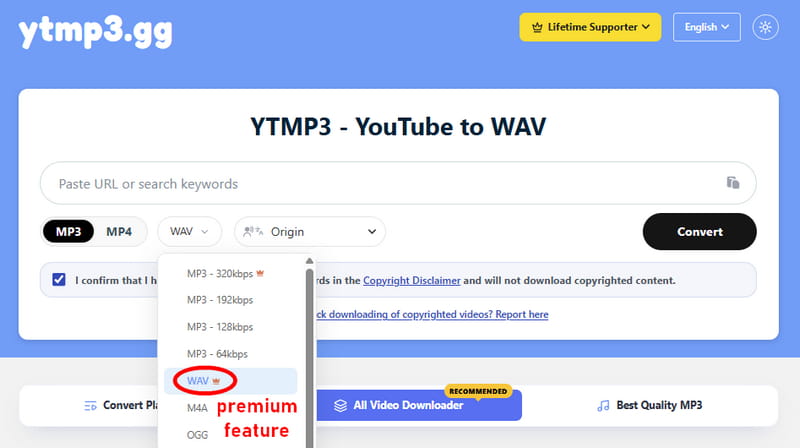
ytmp3.gg supports WAV alongside MP3, M4A, OGG, and OPUS formats. However, WAV is a premium‑tier feature, so free users cannot fully evaluate its WAV output quality. Based on user reviews and editorial assessments, it offers an ad‑free experience with fast conversion speeds and support for playlists and batch downloads (with daily limits for free users).
- Fast conversion speeds
- Supports playlists and batch downloads (with daily free limits).
- WAV output is a premium feature.
- Metadata retention for WAV is not supported.
- Occasional ads/pop‑ups reported.
7. Y2wav - YouTube to WAV Converter with Frequent Failures
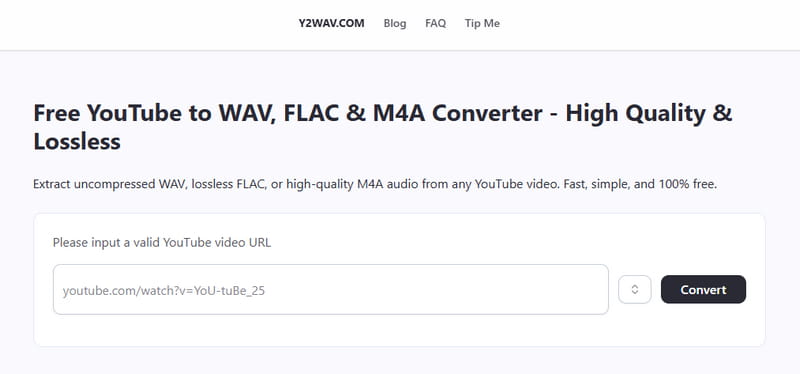
Y2wav promises to preserve original fidelity without compression degradation. In practice, however, we encountered frequent download failures, making the service unreliable for consistent use. While the interface is clean and the concept is sound, the execution does not meet professional standards.
- Preserves high audio quality.
- No registration or software install.
- Quick conversion for videos up to 2 hours.
- Supports WAV, FLAC, and M4A.
- Banner ads may affect use.
- Relies on stable internet and server.
- No batch processing for playlists.
- Downloaded filenames contain irrelevant text.
Based on our latest hands‑on tests, the following tools are currently unavailable because their URLs no longer redirect properly. Please use other YouTube to WAV Converters above instead.
8. Evano (Offline)
🔗: https://evano.com/youtube-to-wav
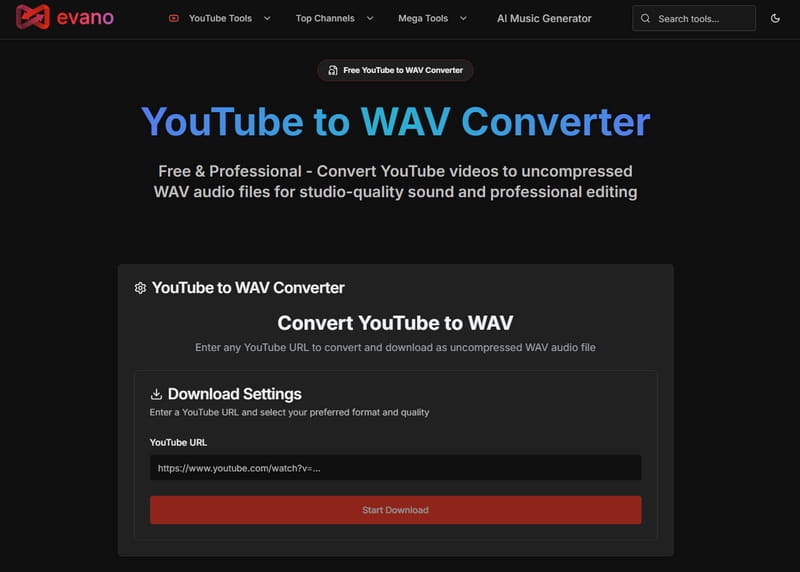
Evano's YouTube to WAV Converter is a specialized online service designed to convert YouTube video to WAV uncompressed audio files for professional use. It prioritizes delivering studio-quality sound by preserving the lossless audio fidelity of the source video, which is essential for professional audio editing, mixing, and archival purposes. It is part of a larger suite of professional utilities offered by Evano, catering to content creators and digital professionals who require high-fidelity audio extraction.
- Simple and fast conversion process.
- Provides specific video or audio quality options.
- There are redirects on the site.
- Lacks batch download features for playlists.
- Conversion requires stable internet.
9. ProWAV Converter (Offline)
🔗: https://prowavconverter.com/
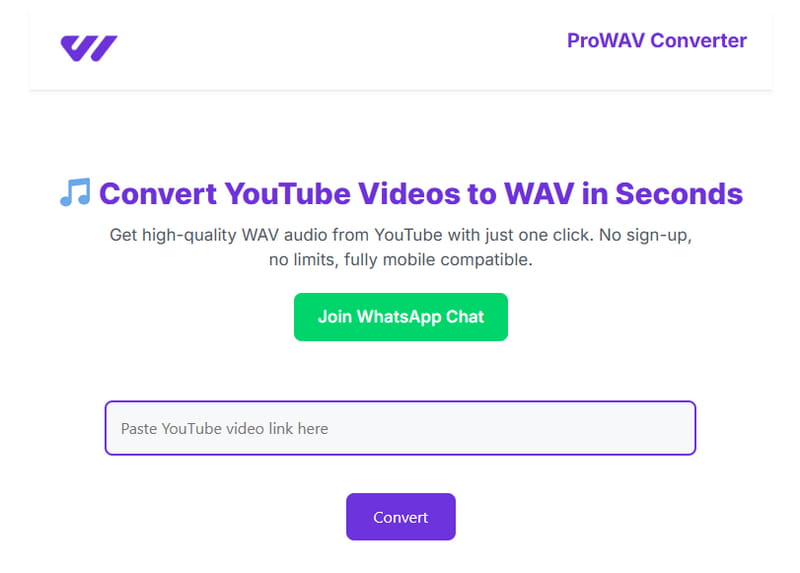
ProWAV Converter is a free online YouTube to WAV converter that enables users to extract and download audio from videos without installing software. It provides a straightforward solution for anyone looking to quickly convert YouTube to WAV format for purposes like sound editing or offline listening. ProWAV Converter supports multiple audio formats, including MP3, OGG, M4A, MP4, and WAV, that preserve the original audio quality of the source video. Its simple process makes online YouTube to WAV convert tasks accessible from any device with a web browser.
- Supports WAV, MP3, OGG, M4A, and MP4.
- Fast processing for individual videos.
- Convert button often malfunctions.
- No batch download for YouTube playlists.
10. HireQuotient (Offline)
🔗: https://www.hirequotient.com/youtube-to-wav
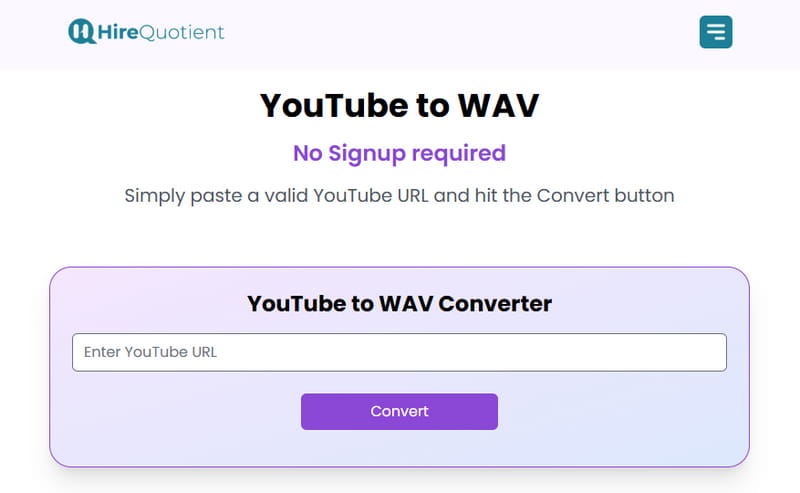
HireQuotient's YouTube to WAV Converter is a free online tool designed for converting YouTube video to WAV format. Its clean conversion process makes it a suitable option for users seeking a convenient way to convert YouTube video to WAV files for general purposes.
- Clean and ad-free user interface.
- Completely free to use with no registration required.
- The server often fails to convert.
- Provides no customizable audio quality settings.
Part 3. Comparison between YouTube to WAV Converters 📊
To help you make a quick and informed decision, the comparison table below summarizes the key aspects of each tool.
| Ad-Free | Supported Platforms | Output Format | Quality | Batch Download | ID3 Tags | Feature | |
|---|---|---|---|---|---|---|---|
| Tidabie Music Go | ✔️ | 15+ music services | WAV, MP3, AAC, FLAC, AIFF, ALAC, MP4 | Original | ✔️ | Title, Album, Artist, Year (YouTube Music) | Safe & Professional |
| youtubetowav.io | ✔️ | YouTube | WAV | 15 kHz | ❌ | ❌ | Audio Preview |
| yttowav.net | ✔️ | YouTube | WAV | 20 kHz | ❌ | ❌ | Ad‑free |
| Y2down.cc | ❌ | 8 services | WAV, MP3, AAC, FLAC, OPUS, OGG, MP4, WEBM | 15 kHz | ❌ | ❌ | Wild use |
| TubeRipper | ❌ | 9+ services | WAV, MP3, AAC, FLAC, OPUS, OGG, MP4, WEBM | 24 kHz | ❌ | ❌ | Manual Editing |
| ytmp3.gg | ❌ | YouTube | WAV, MP3, AAC, FLAC, OGG, MP4 | N/A | ✔️ | ❌ | Premium |
| Y2wav | ❌ | YouTube | WAV, MP3, AAC, FLAC, OGG, MP4 | N/A | ❌ | ❌ | Unreliable |
| Evano | ❌ | YouTube | WAV, MP3, AAC, FLAC, OGG, MP4, WEBM | N/A | ❌ | ❌ | Offline |
| ProWAV Converter | ✔️ | YouTube | WAV, MP3, OGG, M4A, MP4 | N/A | ❌ | ❌ | Offline |
| HireQuotient | ✔️ | YouTube | WAV | N/A | ✔️ | ❌ | Offline |
FAQs about YouTube to WAV Converters
Q1: Is it safe to use online YouTube to WAV converters?
Online YouTube to WAV converters are generally free and convenient, but many of them display intrusive ads, misleading download buttons, and unexpected redirects that can lead to phishing or malware. For a more secure experience, a professional desktop application like Tidabie is a safer alternative.
Q2: Why is my downloaded WAV file so large?
WAV files are large because they use an uncompressed format. This means they store all the original audio data and preserve high quality. WAV files result in much bigger file sizes compared to compressed formats like MP3 or AAC.
Q3: Is the WAV file from YouTube truly lossless?
No. YouTube streams all audio in compressed formats like AAC, up to 256 kbps for Premium users. When you use a converter, you are downloading and repackaging this compressed audio stream into a WAV container. While this process doesn't further degrade the quality, the audio is not lossless as it has already been compressed by YouTube. To preserve the highest audio quality you can save, Tidabie Music Go is a good choice.
Conclusion
This guide provides a detailed analysis of the top tools available, from free online YouTube to WAV converters to powerful desktop software. For users who seek a reliable, all-in-one solution that preserves high audio quality, Tidabie Music Go stands out. Try Tidabie Music Go and start your conversion for your high-quality personal collection!

Jacqueline Swift | Senior Writer
