


5 Best Amazon Music Downloaders [Free & Paid]
For Amazon Music subscribers, offline playback is available but restricted to the app itself, which often leaves users wondering: can I listen to Amazon Music offline without being tied to its ecosystem? The answer is yes, but only with a proper Amazon Music downloader that can convert your favorite songs into universally playable files.
This guide reviews the top 5 Amazon Music downloaders, from desktop converters to free online tools and audio recorders, so you can choose the best method to own your music permanently.
Part 1. Best Overall Amazon Music Downloader (Dolby Atmos) 👍
When the goal is to preserve the full depth of Amazon Music sound quality, especially Dolby Atmos and spatial audio tracks, most standard Amazon Music converters fall short. Tidabie Music Go stands out as the best overall Amazon Music downloader, engineered specifically to handle high-resolution formats.
Tidabie Music Go converts Amazon Music songs, playlists, and albums to a wide range of output formats, including MP3, AAC, WAV, FLAC, AIFF, and ALAC. Crucially, it supports EAC3 and AC4 output for Dolby Atmos and spatial audio, ensuring that the immersive listening experience is fully preserved. It also downloads tracks in lossless HD and Ultra HD quality. Tidabie retains complete ID3 tags and lyrics after conversion and operates up to 10x faster, with batch download capabilities. You can transfer downloaded files to any device, SD cards, USB drives, phones, or Google Home, and use them in DJ software, video editors, Discord, and more.
Tidabie Music Go
- Download songs, albums, and playlists from Amazon Music, Spotify, Apple Music, YouTube, YouTube Music, TIDAL, SoundCloud, Qobuz, etc.
- Preserve Amazon Music HD, Ultra HD, Dolby Atmos, and Spatial Audio quality.
- Save Amazon Music as MP3, WAV, FLAC, AAC, AIFF, ALAC, & Dolby EAC3/AC4.
- Batch download Amazon Music playlists at up to 10x speed with original quality.
- Keep ID3 tags such as title, album, artist, and lyrics.
- Freely enjoy podcasts online and download podcasts.
- Listen to radio shows and record radio freely.
Here's how to download Dolby Atmos music from Amazon Music using Tidabie Music Go:
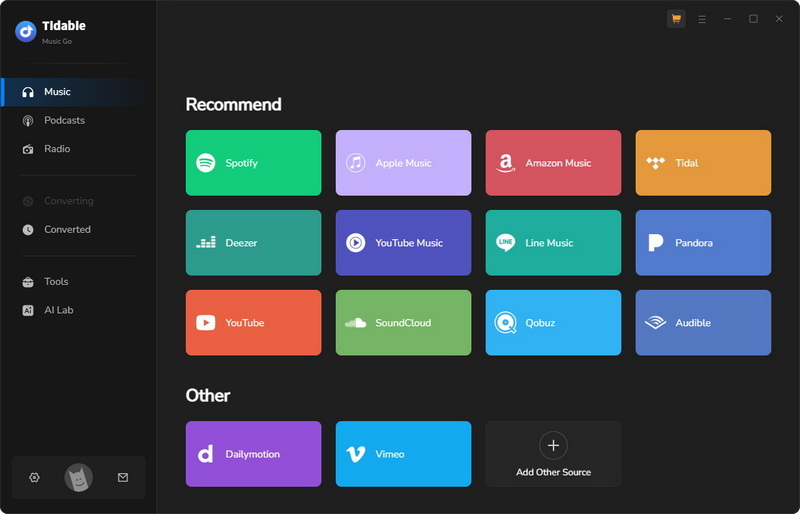
STEP 1 Log in to Amazon Music Unlimited Account
Open Tidabie Music Go and select "Amazon Music". Click the source switch button in the top left and select "Amazon Music web player". Then log in to your Amazon Music Unlimited account.
📌 Note: Tidabie works with various Amazon account types, including Amazon Music Free, Amazon Music Prime, and Amazon Music Unlimited. To download Dolby Atmos Amazon Music, an Amazon Unlimited account is required.
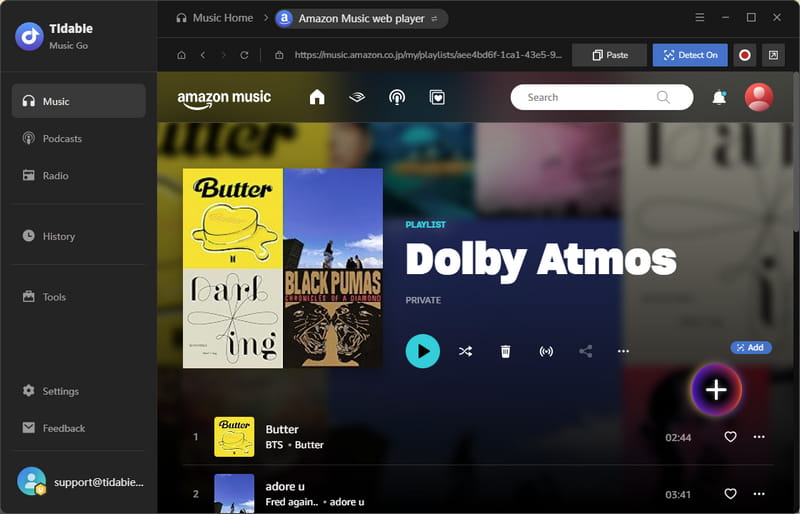
STEP 2 Add Dolby Atmos Amazon Music
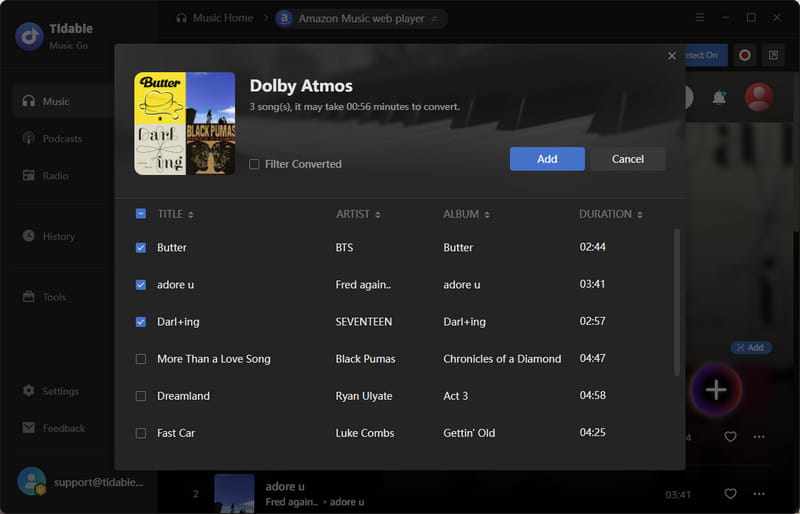
In the Amazon Music web player, find the tracks, playlists, or albums that support Dolby Atmos, click the "+" button in the bottom right, then select the tracks you want, and click "Add".
STEP 3 Adjust Amazon Music Settings
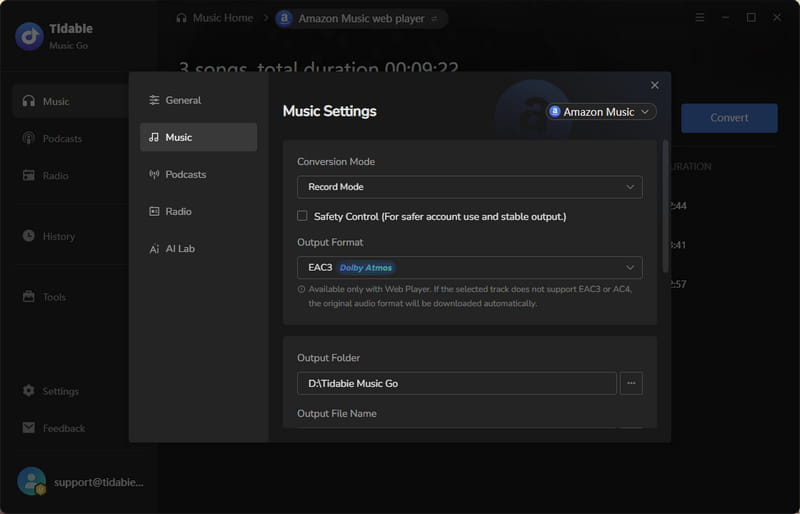
Click the "Settings" button to set the output format to "EAC3" or "AC4". You can also customize the conversion mode, output path, and file name, etc.
STEP 4 Convert Dolby Atmos Amazon Music
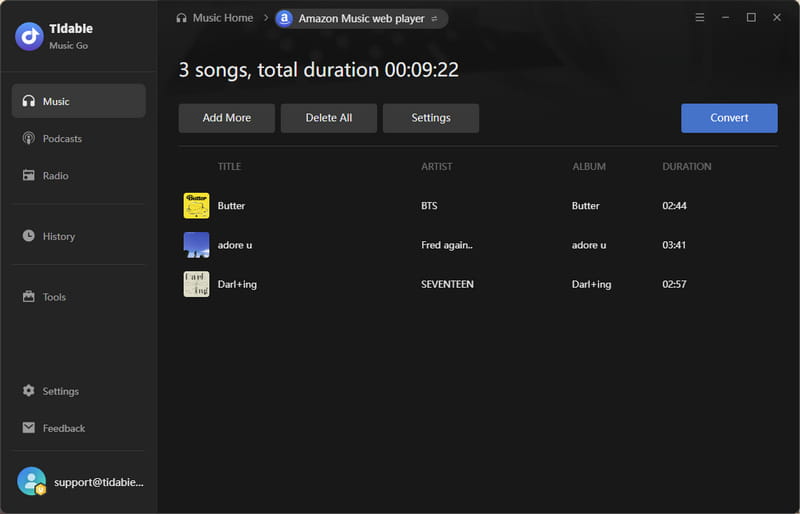
Click the "Convert" button to start the download process. Tidabie will quickly process your selected tracks.
STEP 5 Check Converted Dolby Atmos Amazon Music
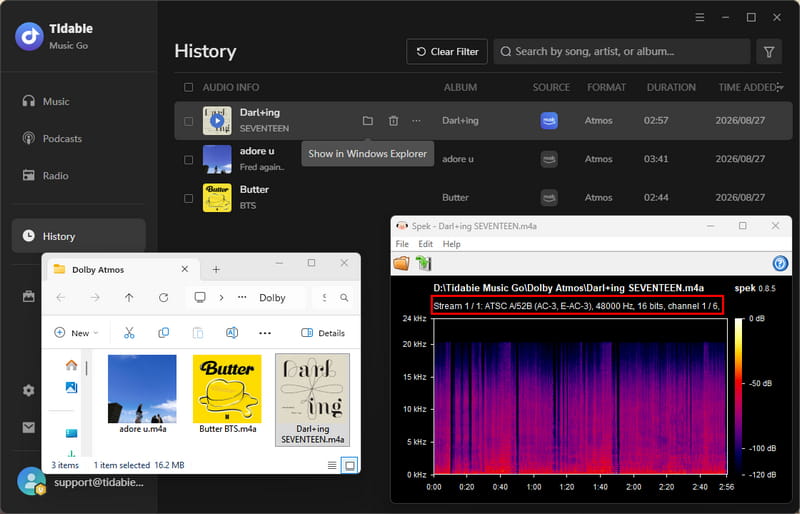
Once the conversion is complete, go to the "History" module to view and play all your downloaded Amazon Music files.
Part 2. Free Online Amazon Music to MP3 Converters
While professional tools like Tidabie offer comprehensive features, free online Amazon Music to MP3 converters can work for occasional single-track downloads, as long as you're aware of their limits. Below are two popular options we've tested.
1. DoubleDouble – Online Free Amazon Music ZIP Downloader
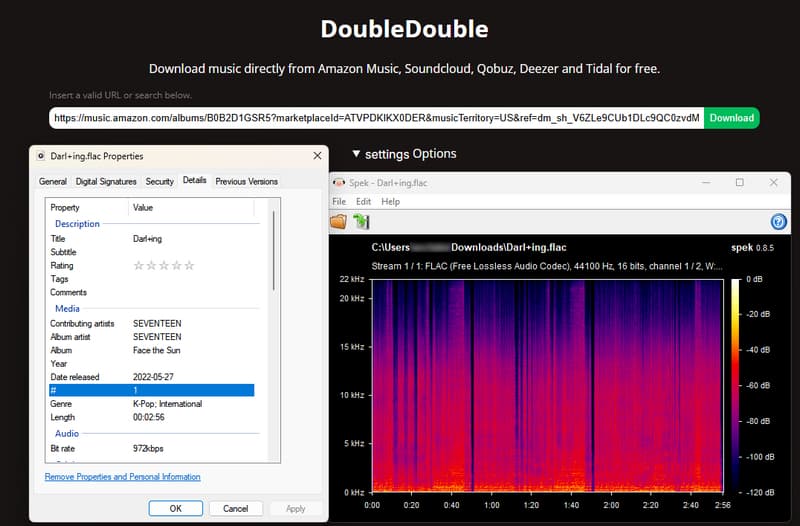
DoubleDouble is a free web utility supporting Amazon Music, SoundCloud, Qobuz, and more. In our tests, it delivered good speeds and 16-bit/44.1kHz FLAC output quality, and ScamAdviser gives it a decent trust score. However, downloads redirect to a third-party site, raising privacy concerns.
| Security | Download completes via third‑party redirect. |
| Output Format | MP3, FLAC |
| Batch Download | ✔️ |
| Quality | 16 bit/44.1kHz FLAC (quality depends on source) |
| Account Required | ❌ |
| Device Compatibility | Any browser-enabled device |
| Functionality & User Experience | ⭐⭐⭐ |
How to download Amazon Music with DoubleDouble?
STEP 1 Open Amazon Music and navigate to the track, album, or playlist you wish to download.
STEP 2 Click the three-dot button on the song or album, then select "Share this song/album" to copy the Amazon Music URL to your clipboard.
STEP 3 Go to DoubleDouble, paste the copied link into the search box, and click the download button. The tool will fetch the audio file and provide a download link.
STEP 4 Click the download button to complete the conversion.
- Free to use.
- Works on any device with a browser.
- No Amazon account needed.
- Supports high-quality audio over 320 kbps.
- May experience downtime or connection issues.
- Redirects during the download process may pose security risks.
2. Amazon Music Downloader – One-Click Online Amazon Music to MP3 Converter
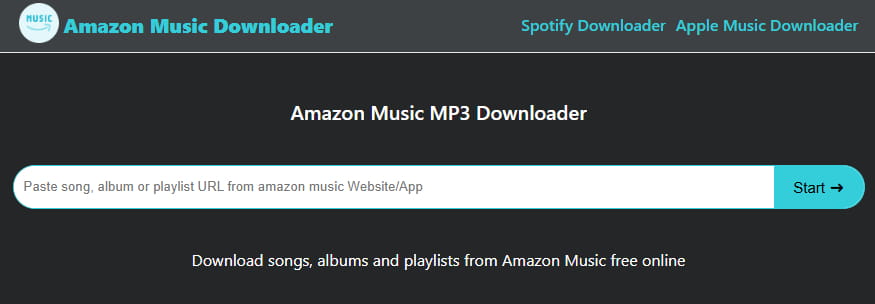
Amazon Music Downloader is a free online tool specifically designed to convert Amazon Music tracks, albums, and playlists to MP3 files. However, security scanners flag it as potentially malicious, and we frequently encountered "too many concurrent downloads" errors during testing. So the reliability is poor, and we cannot recommend it for users concerned about security.
| Security | Low trust score (flagged as potentially malicious by DNSFilter) |
| Output Format | MP3 |
| Batch Download | ❌ |
| Quality | 128 kbps |
| Account Required | ❌ |
| Device Compatibility | Any browser-enabled device |
| Functionality & User Experience | ⭐⭐⭐ |
How to convert Amazon Music to MP3 with Amazon Music Downloader?
STEP 1 Open Amazon Music and find the track, album, or playlist you want to download. Click the three-dot button on the song or album, then select "Share this song/album" to copy the Amazon Music URL.
STEP 2 Paste the link into the search box on Amazon Music Downloader, click "Start", then "Get Download".
STEP 3 Click "Download MP3" to save the converted file to your device.
- Free with unlimited downloads.
- No software installation required.
- No Amazon account needed.
- Works on any device with a browser.
- MP3 output only.
- Security concerns due to malicious reporting.
- Service reliability may vary.
Part 3. Record Amazon Music with an Audio Recorder
If you prefer not to use dedicated converters, audio recorders capture system sound in real time. They're free and work with any service, but require the full playback time and may pick up background noise. We've evaluated two top recording tools.
1. Apowersoft - Free & Online Audio Recorder
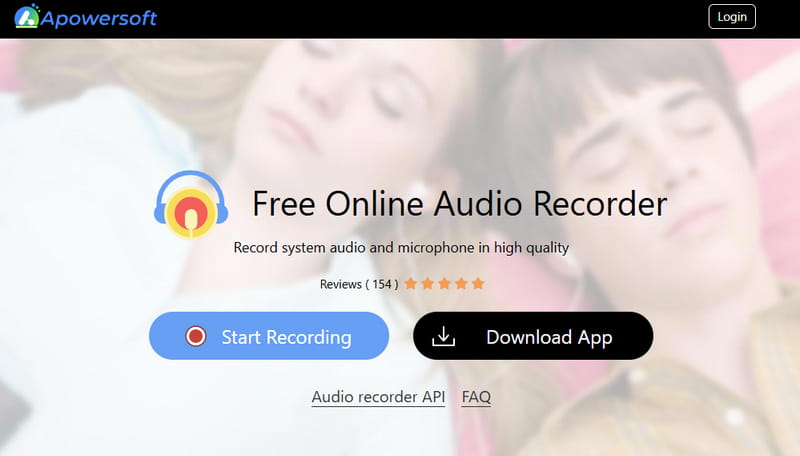
Apowersoft is a browser-based recorder capturing system audio via HTML5 with lossless quality. Our tests found it reliable for short sessions, but recordings over 30 minutes often fail to save, and the Mac online version can't capture system sound. The desktop version solves some issues but requires installation.
| Security | Safe |
| Output Format | MP3 |
| Batch Download | ❌ |
| Quality | Ultra-high (uncompressed HTML5 recording) |
| Account Required | ❌ |
| Device Compatibility | Any browser-enabled device |
| Functionality & User Experience | ⭐⭐⭐ |
How to record and download Amazon Music with Apowersoft Free Online Audio Recorder?
STEP 1 Go to Apowersoft and click the "Start Recording" button. For audio input, disable the "Microphone" option and ensure the "System Sound" option is enabled.
STEP 2 Play your selected music on Amazon Music, and then click the "Start Recording" button. The recorder will capture the audio in real time.
STEP 3 When finished, click "Stop" and save the audio file to your computer.
- Free with no installation required.
- Works on any device with a browser.
- Records system audio with uncompressed quality.
- Audio saved locally, not on servers.
- 2GB free cloud storage available.
- Real-time recording only, with no batch downloads.
- Recordings over 30 minutes may fail to save.
- Mac online version does not support system audio recording.
- Requires browser permissions for screen/audio capture.
- No built-in editing features.
2. Audacity - Free Open-Source Audio Recorder & Editor
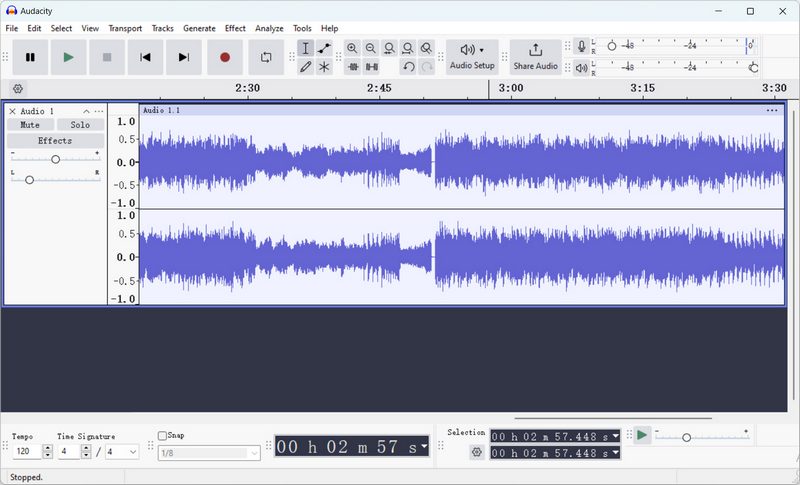
Audacity is a free, open-source audio editor that can serve as a manual Amazon Music recorder by capturing system audio output in real time. Unlike dedicated Amazon Music downloaders, it records whatever plays on your computer and saves it as MP3, WAV, FLAC, etc. In our testing, it delivered good recording quality, but Spek shows a non-flat frequency response, as shown in the picture below. Also, setup requires manual configuration, and the real-time process makes it slow for playlists. It also does not fetch song metadata automatically.
| Security | Highly trusted |
| Output Format | MP3, WAV, FLAC, AAC, OGG, etc. |
| Batch Download | ❌ |
| Quality | 320 kbps |
| Account Required | ✔️ |
| Device Compatibility | Windows, Mac, Linux |
| Functionality & User Experience | ⭐⭐⭐ |
How to record and download Amazon Music with Audacity?
STEP 1 Open Amazon Music and find the song you want to convert.
STEP 2 In Audacity, click the red record button, then immediately start playing the music on Amazon. Audacity will will capture the audio playing on your computer.
STEP 3 Once the song ends, click "Stop". Use the editing tools to trim any unwanted silence. Finally, go to File > Export Audio and choose your desired output format and save location.
- Completely free to use.
- Supports multiple audio formats.
- Powerful editing tools for post-processing.
- Cross-platform (Windows, Mac, Linux).
- Requires manual setup.
- Real-time recording takes a lot of time.
- Records everything playing on your system, including notifications.
- No built-in batch or playlist recording.
Part 4. Compare Top Amazon Music Downloaders ⏩
To help you choose, we've compiled a side-by-side comparison of all reviewed Amazon Music downloaders based on our hands-on testing across key criteria like quality, speed, and ease of use.
| Compatibility | Quality | Batch Download | Format | Speed | ID3 Tags | Easy to Use | Supported Services | |
|---|---|---|---|---|---|---|---|---|
| Tidabie Music Go | Desktop | Ultra HD | ✅ | MP3, AAC, WAV, FLAC, AIFF, ALAC, EAC3 & AC4 (Dolby Atmos) | 10x | Title, Album, Artist, Artwork, Track#, Disc#, Year | ✅ | Amazon Music, Spotify, Apple Music, TIDAL, YouTube Music, Deezer, etc. |
| DoubleDouble | Online | 16 bit/ |
✅ | MP3, FLAC | Fast | Title, Artist, Album, Artwork, Genre, Track# | ✅ | Amazon Music, SoundCloud, Qobuz, Deezer, TIDAL |
| Amazon Music Downloader | Online | 128 kbps | ❌ | MP3 | Fast | Title, Album, Artist | ✅ | Amazon Music |
| Apowersoft | Online & Desktop | Variable | ❌ | MP3 | 1x | None | ❌ | Any system audio |
| Audacity | Desktop | 320 kbps | ❌ | MP3, WAV, AAC, FLAC, OGG, OPUS | 1x | Manually Added | ❌ | Any system audio |
FAQs About Amazon Music Downloaders
Q1: Can I download Amazon Music songs as MP3?
Not directly. Amazon Music's built-in downloads are encrypted and locked to its app. To obtain MP3 files, you need a third-party Amazon Music downloader like Tidabie Music Go that can decode and re-encode the audio into standard MP3 format.
Q2: Is there a free Amazon Music downloader?
Yes, there are free online Amazon Music downloaders like DoubleDouble. However, they often come with trade-offs: limited to single-track downloads, potential security risks, inconsistent availability, and lower reliability compared to other Amazon Music downloader solutions like Tidabie.
Q3: Can I download Amazon Music for offline listening?
Yes, the Amazon Music app allows offline downloads for Prime and Unlimited subscribers, but these files are encrypted and expire when your subscription ends. For permanent offline playback on any device without time limits, you'll need a professional Amazon Music downloader like Tidabie, which converts tracks to universal formats and preserves original quality, like Amazon Music Ultra HD, Dolby Atmos, and spatial audio.
Q4: Can I download an entire Amazon Music playlist?
Yes. In the Amazon Music app, open the playlist, tap the More Options menu, and select Download. If you want to use the downloaded files outside the app, Tidabie supports saving Amazon Music playlists as MP3 or other formats in batch.
Q5: Can I download Amazon Music to a USB drive?
Not directly, because native downloads are app‑bound and cannot be transferred. To put Amazon Music on a USB drive, use an Amazon Music converter to download the songs as standard audio files first, then copy those files to the USB drive for playback in cars, speakers, or any device.
Conclusion
While Amazon Music's built‑in offline mode is convenient, its encrypted files lock you into the app and disappear when your subscription ends. This guide has walked you through several workable solutions, from a professional Amazon Music downloader that preserves Dolby Atmos and lossless quality, to free online Amazon Music to MP3 converters, and even audio recorders for those who prefer a manual approach. After comparing all options, the clear choice for reliability, speed, and pristine sound is Tidabie Music Go. It gives you permanent high-quality files ready for any device. Click the button below for a free trial!

Jacqueline Swift | Senior Writer
