


Best Tidal Album Downloaders (FLAC & MP3)
A Tidal album downloader is the practical answer when you want to keep Tidal albums as local files instead of relying on the app's temporary offline cache. It gives you personal offline copies you can play anywhere, on any device, without an active connection.
This matters because Tidal's offline downloads are tied to the app and can become unplayable once a subscription ends or you switch devices. With the right Tidal downloader, you can download music from Tidal as lossless FLAC or compressed MP3 and keep your collection organized for cars, portable players, and backup drives. The reviews below compare the best Tidal album downloaders. Read on.
How We Picked the Best Tidal Album Downloaders
Before writing a single review, we found and tested more than twenty Tidal downloaders currently ranking on Google and recommended in other articles. The pattern was hard to miss. Most "online Tidal downloader" pages are not tools at all. They are traffic funnels built to push you toward a paid desktop product, and the download button either redirects to an ad, asks for a fake verification step, or never produces a file. The handful that do work fall into three camps: Desktop applications that pull Tidal files directly, open-source tools through community-maintained code and a command line, and recording-based programs that capture audio in real time as it plays.
## How We Tested:
- Testing period: September 2026
- Test devices: Windows 11 desktop, using the latest versions of the TIDAL desktop app and Chrome.
- Actual output quality: We measured the real bitrate and sample rate of downloaded files rather than trusting the numbers on the product page.
- Metadata accuracy: Every converted track was checked for title, artist, album, artwork, year, track number, and disc number.
- Format support: We confirmed which output formats each tool actually produced, and whether quality settings were adjustable or locked.
- Batch downloading: We tested full albums and playlists to see whether the tool queued everything at once or forced track-by-track selection.
- Conversion speed: Real-world timing on a 22-track album, compared against each developer's advertised maximum.
- Trial limits: How much of a track the free version actually delivered, and how many tracks could be converted before hitting a paywall.
- Setup difficulty: How long it took to install each tool and produce a working download, from double clicking an installer to running a command in the terminal.
Part 1. Best Tidal Album Downloaders Reviewed
The desktop tools below are the ones that actually delivered. Each was installed on a Windows 11 machine, connected to a real Tidal account, and used to convert a full 22-track album. We looked at output quality, metadata accuracy, and batch handling.
1. Tidabie Tidal Music Converter
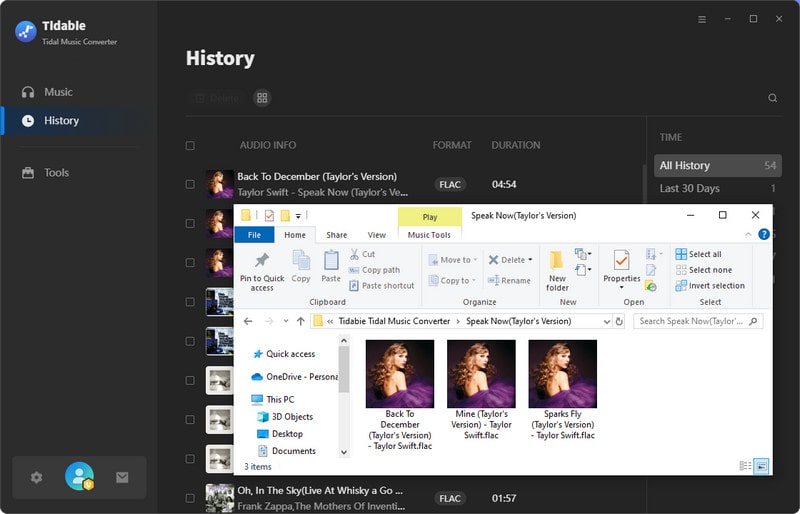
Tidabie Tidal Music Converter is a desktop application built for Tidal subscribers who want a permanent local library. It supports both the TIDAL desktop app and the Tidal web player as sources, giving users flexibility in how they access their music. Tidabie handles songs, albums, playlists, and even podcasts. It preserves full ID3 tags, including title, artist, album, artwork, track number, and genre, so converted files stay organized in any media player. With a claimed conversion speed of up to 10x and batch download support, it is designed for users managing large playlists.
- Security
- ✓Ad-free, 100% safe for personal use
- Batch Download
- ✓No limits
- Download Speed
- 3 min 48 sec (up to 10x faster)
- Quality
- 24 bits/22.1 kHz, 1770 kbps (up to TIDAL Hi-Res)
- ID3 Tags
- Title, Artist, Album, Artwork, Year, Track#, Disc#.
- Pricing
- $29.95/quarter
- Free Trial
- ✓Limited to the first minute of each song.
How to download albums from TIDAL with Tidabie Tidal Music Converter?
STEP 1 Open Tidabie and choose your preferred download source in the top center. The Tidal app supports HiRes output at 1x or 5x speed, while the web player does not require the TIDAL app and can save CD quality at up to 10x speed. Log in to your Tidal account to proceed.
STEP 2 Browse any album on Tidal. Click the "+ (Click to add)" button on the bottom right. Check the songs you want and click "Add" to queue them.
STEP 3 Click the "Settings" button to set your preferences. Select "FLAC" or "Recommended" as your format if you want higher quality. Tidabie also lets you set the output folder and choose how files are sorted.
STEP 4 Hit the "Convert" button to begin downloading. Once finished, click the "History" tab on the left sidebar to find your downloaded TIDAL FLAC files.
- No technical setup required.
- Fast conversion speed.
- Preserves full ID3 tags.
- Batch downloading works reliably for Tidal albums.
- Customer support available when something goes wrong.
- Only available on Windows and Mac OS.
- Free trials are limited to one minute per track.
2. TunePat Music One
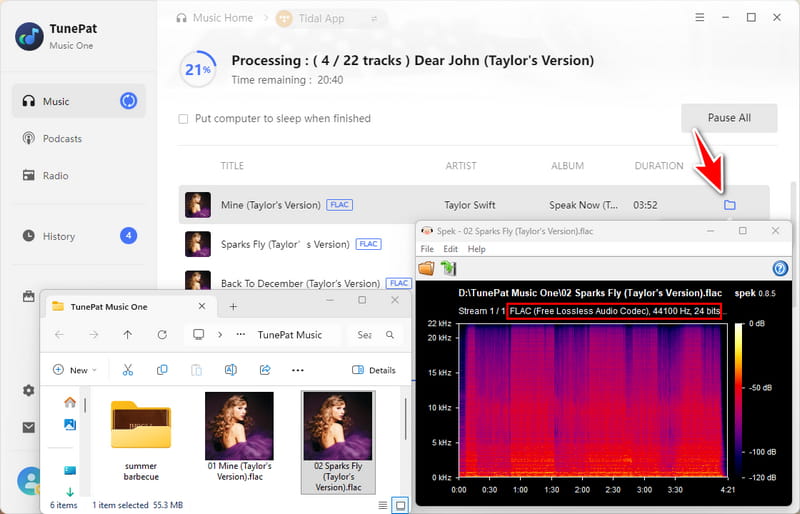
TunePat Music One is an all-in-one music converter that supports Tidal, Spotify, Apple Music, Amazon Music, YouTube Music, Deezer, and several other services through a single interface. Tidal support includes Hi-Res audio, and output formats span MP3, FLAC, WAV, AIFF, AAC, and ALAC. Batch conversion runs at up to 10x speed, and ID3 tags plus lyrics are preserved automatically.
- Security
- ✓Ad-free
- Output Format
- MP3, AAC, WAV, FLAC, AIFF, ALAC
- Batch Download
- ✓Supported
- Download Speed
- 4 min 52 sec
- Quality
- 24 bits/22.1 kHz
- ID3 Tags
- Title, Artist, Album, Artwork, Year, Track#, Disc#.
- Pricing
- $49.95/quarter
- Free Trial
- ✓Only the first minute of each song can be converted.
- Sets up in minutes with ease.
- Supports Tidal alongside Spotify, Apple Music, Amazon Music, etc.
- Converts quickly even on long albums.
- Keeps full ID3 tags.
- Offers customer support when something goes wrong.
- Runs only on Windows and Mac.
- Caps every song at one minute in the free trial.
- Costs more than Tidal-only downloaders.
Part 2. Real-Time Recording-Based Tidal Music Recorders
The three tools below take a fundamentally different route from everything covered so far. Rather than pulling files straight from Tidal, they capture audio as it plays through your computer's sound card. In practice, they function as a universal recorder that works with any streaming service, not just Tidal.
1. Audacity
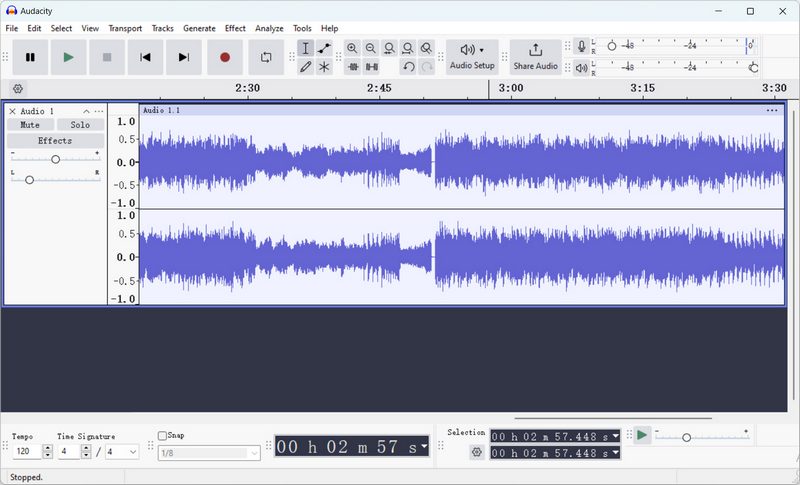
Audacity is the free, open-source audio editor. It is not a dedicated Tidal downloader, but it can capture desktop audio through WASAPI loopback on Windows. That is, anything playing through your speakers can be recorded into a new track. On macOS, you need a third-party driver like Soundflower. The process is entirely manual. You set your input device, press record, play the album, and stop when it finishes. Metadata must be entered by hand before export, and there is no batch support or automatic tagging. Audacity offers complete control. You can trim, normalize, and export to FLAC, MP3, WAV, or Ogg Vorbis with any settings you prefer.
- Security
- ✓Ad-free
- Output Format
- MP3, FLAC, WAV, OGG, etc.
- Batch Download
- ×Not Supported (Real-time recording)
- Download Speed
- 1x real-time recording
- Quality
- Variable
- ID3 Tags
- None (Manual editing)
- Pricing
- Free
- Free Trial
- ×Free to use
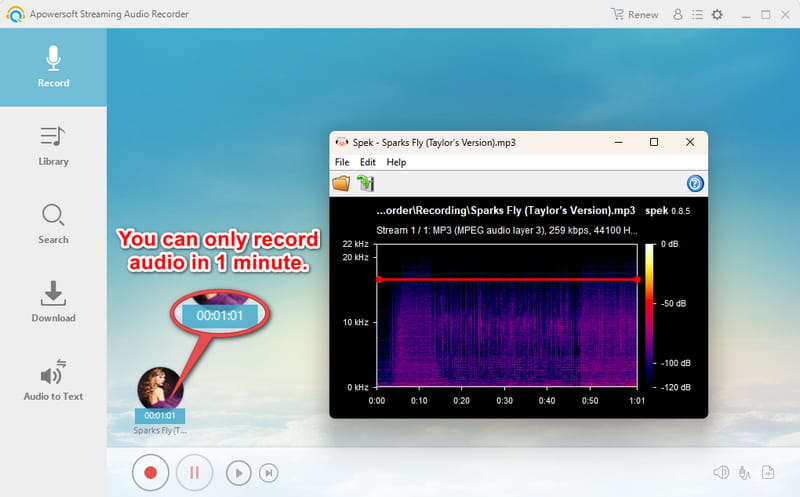
2. Apowersoft Streaming Audio Recorder
Apowersoft records system audio and microphone input, splits tracks automatically based on silence detection, and recognizes ID3 metadata including title, artist, album, and cover art after recording. Scheduled recording lets you set a start time and walk away, which is useful for late-night album queues. Output formats include MP3, AAC, FLAC, WMA, and OGG, and the built-in editor handles trimming and merging. The free version caps audio quality at 128 kbps, which is a significant limitation for anyone wanting lossless output from Tidal.
- Security
- ✓Ad-free
- Output Format
- MP3, OGG, WMA, WAV, FLAC
- Batch Download
- ×Not Supported (Real-time recording)
- Download Speed
- 1x real-time recording
- Quality
- Variable
- ID3 Tags
- Title, Artist, Album, Artwork, Year, Genre.
- Pricing
- $29.95/month
- Free Trial
- ✓You can only record audio in one minute.
- Free options exist.
- Can capture any audio content.
- Real-time capture takes a long time.
- Audio quality depends on your sound card and system mixer settings.
- Notifications, background noise, and volume changes end up in the file.
- Metadata must be entered manually.
Part 3. Technical Open-Source Tidal Downloaders
The open-source Tidal downloaders below are not designed for casual users. Each requires a paid Tidal subscription, and most require you to be comfortable working from the command line. They can also break without warning whenever Tidal changes its authentication or API, which means you may wait for a developer to push a fix. In exchange, they cost nothing and stay actively maintained by their communities. What they do not offer is convenience. If you want something that simply works after installation, skip ahead to the desktop tools. If you enjoy tinkering and want full control over your downloads, read on.
| Install Method | Python Needed | GUI | Format | Max Quality | Login | |
|---|---|---|---|---|---|---|
| Streamrip | pip | ✔️ | ❌ | FLAC, MP3, AAC, ALAC | 24-bit / 192 kHz | Token |
| Tidal GUI/DL | pip or standalone | Only for pip | Optional | FLAC, MP3, AAC | 24-bit / 192 kHz | Device code |
| OrpheusDL | git clone + module | ✔️ | ❌ | FLAC, AAC | 24-bit / 192 kHz | Token in JSON |
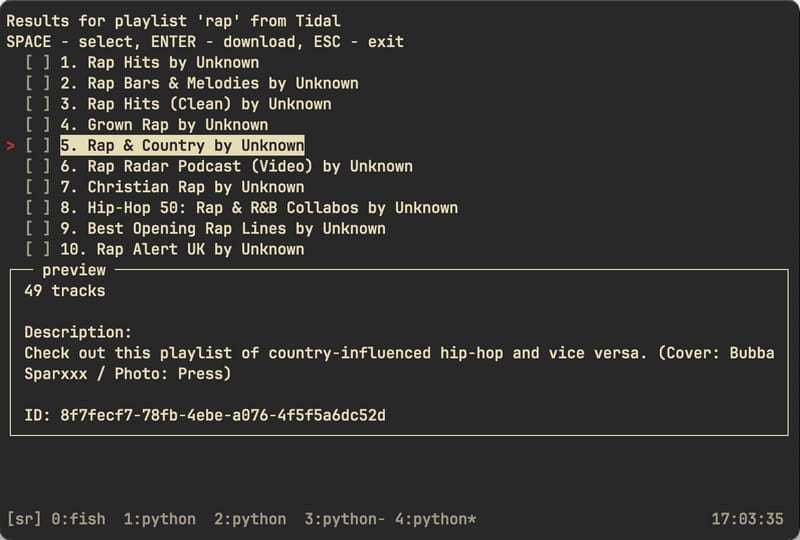
1. Streamrip
Streamrip is a Python-based downloader that supports Tidal alongside Qobuz, Deezer, and SoundCloud. It installs via pip and runs entirely from the command line, handling tracks, albums, playlists, discographies, and even label catalogs in a single queue. A built-in database tracks downloaded IDs to avoid duplicates, and the config file lets you fine-tune concurrency, rate limits, and output format. Quality options range from 128 kbps AAC up to 24-bit/192 kHz FLAC, depending on the source. However, you will edit a config file, manage Python dependencies, and troubleshoot from the terminal when things go wrong.
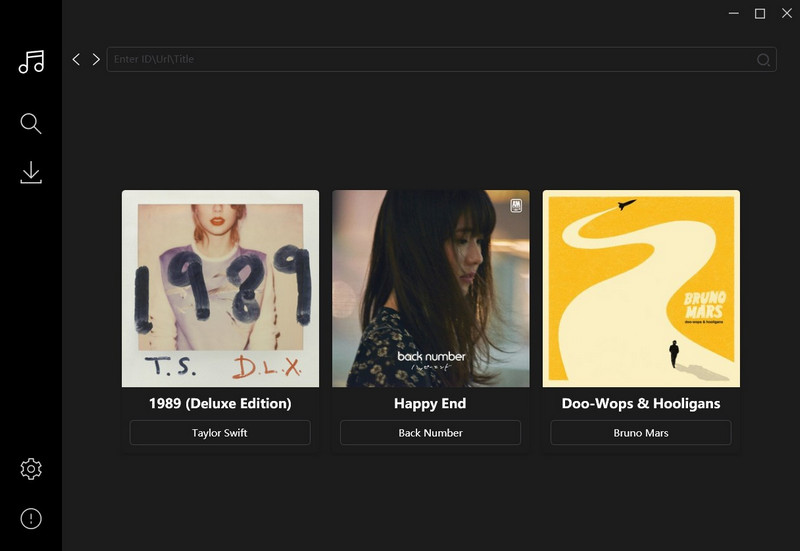
2. Tidal GUI/DL
Tidal GUI/DL, the original Tidal-Media-Downloader from yaronzz, was once the most popular open-source Tidal tool, but the upstream repository has been dormant for years. Tidekeeper is the community fork that took over maintenance, and it is the version you should actually install. Tidekeeper ships with both a terminal interface and an optional desktop GUI, so you can paste a Tidal link into a window if you prefer not to memorize commands. Standalone builds are available for Windows, macOS, and Linux, and a Python install works on any system with Python 3.10 or newer. Quality selection defaults to the best available standard audio.
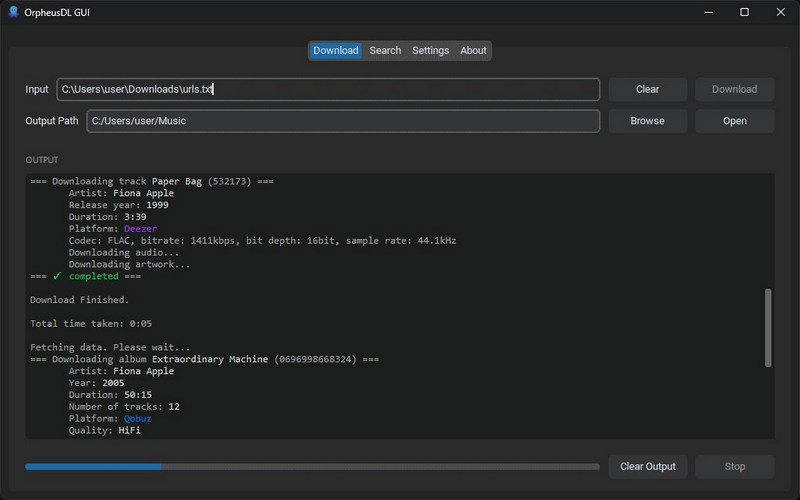
3. OrpheusDL
OrpheusDL is a modular archival platform where quality options include lossless FLAC, Hi-Res FLAC, and even Dolby Atmos and Sony 360RA spatial audio if you enable those codecs. This level of granularity is unmatched by the other tools here, but it comes at a cost that the setup involves cloning repositories, editing JSON, and understanding the module system before you download a single track.
- Completely free to use.
- Preserves high audio quality.
- Setup is tedious.
- Tools can break when Tidal changes its API.
- No customer support.
- Long batch jobs are more likely to crash.
Part 4. Tidal Album Downloader Comparison ⏩
This table compares all Tidal album downloaders from the reviews above to help you choose the one that fits your needs. Click any name to jump back to its full breakdown.
| Format | Max Quality | Speed | Easy to Use | Batch Download | ID3 Tags | Free Trial | Service | Price | |
|---|---|---|---|---|---|---|---|---|---|
| Tidabie Tidal Music Converter | MP3, AAC, WAV, FLAC, AIFF, ALAC | Hi-Res | Up to 10x | ✔️ | ✔️ | Full | ✔️ | Tidal | $29.95/qtr |
| TunePat Music One | MP3, AAC, WAV, FLAC, AIFF, ALAC | Hi-Res | Up to 10x | ✔️ | ✔️ | Full | ✔️ | 10+ popular services | $49.95/qtr |
| Audacity | MP3, FLAC, WAV, OGG | Variable | 1x | ❌ | ❌ | Manual | Free | Any | Free |
| Apowersoft | MP3, OGG, WMA, WAV, FLAC | Variable | 1x | ❌ | ❌ | Partial | ✔️ | Any | $29.95/mo |
| Streamrip | FLAC, MP3, AAC, ALAC | Hi-Res | Fast | ❌ | ✔️ | Auto | Free | Tidal, Qobuz... | Free |
| Tidal GUI/DL | FLAC, MP3, AAC | Hi-Res | Fast | ❌ | ✔️ | Auto | Free | Tidal | Free |
| OrpheusDL | FLAC, AAC | Hi-Res | Fast | ❌ | ✔️ | Auto | Free | Tidal, Deezer... | Free |
FAQs about Tidal Album Downloaders
Q1: Do I need a Tidal subscription to use a Tidal album downloader?
Yes. Desktop converters require you to log in with a Tidal account, while recording-based tools require you to play the track first to proceed.
Q2: Why do some Tidal downloaders only give me one minute of each song?
That is the trial limitation. Nearly every paid Tidal downloader offers a free version that caps each track at one to three minutes so you can test the workflow. To remove the limit, you need to purchase a license.
Q3: Does the output quality match what I hear on Tidal?
The best Tidal downloaders preserve the original audio stream without re-encoding, which means files stay lossless and quality is not degraded during the process. However, some quality loss is inevitable if you convert to a compressed format like MP3, which is the trade-off for smaller file sizes.
Q4: Is there a completely free Tidal album downloader with no limits?
Truly free Tidal album downloaders with no restrictions are rare, as we tested. Open-source command-line options exist, but they typically demand more technical setup.
Q5: Do converted Tidal albums play on any device?
Yes, that is the main advantage. Once converted to a standard format like MP3, FLAC, or AAC, your files can play on MP3 players, car stereos, Bluetooth speakers, DJ software, and any media player that supports the format.
Conclusion
This guide has walked through the best Tidal album downloaders on the market, compared their formats, speeds, trial limits, and pricing. Tools reviewed here share the same core purpose, but they differ in details. Among them, Tidabie Tidal Music Converter stands out for its overall user experience. It converts Tidal music at up to 10x speed, preserves original quality and full ID3 tags, and works with both the TIDAL app and the web player. Download Tidabie Tidal Music Converter now to turn your Tidal albums into a permanent part of your personal music library.

Jacqueline Swift | Senior Writer
