


Top 18 Bandcamp Downloaders in 2026
Bandcamp is a goldmine for independent music, but downloading tracks for offline listening isn't always straightforward. That's why many turn to a Bandcamp music downloader to save their favorite songs. This guide covers the 18 best Bandcamp downloaders in 2026, from desktop to online, open-source, and extensions. We compare features, quality, and ease of use to help you find the perfect fit for your music collection.
Part 1. Best Desktop Bandcamp Downloader
Tidabie Music Go is a professional desktop audio recorder and converter that captures streaming audio from Bandcamp and other popular music services directly on your computer. It works by opening a built‑in browser window where you log into Bandcamp and play any track, album, or playlist. Tidabie records the sound in real time and saves it to your hard drive. You can choose from multiple output formats, including MP3, AAC, WAV, FLAC, AIFF, and ALAC, and adjust the bitrate up to 320 kbps.
For mainstream streaming services like Spotify, Apple Music, and Tidal, Tidabie supports batch downloading at up to 10x speed with full ID3 tags. The built‑in tag editor lets you manually add metadata after recording. Additional features include an AI audio splitter to separate vocals from instrumentals, a format converter, an audio editor, and a CD burner. Whether you need to save a Bandcamp exclusive for offline listening or reuse a background track in your own project, Tidabie Music Go turns any Bandcamp audio into a permanent local file.
Tidabie Music Go
- Download music from Bandcamp, Spotify, Apple Music, SoundCloud, Amazon Music, TIDAL, YouTube Music, Qobuz, etc.
- Convert music to MP3, AAC, WAV, FLAC, AIFF, and ALAC.
- Batch download music at up to 10x speed with original quality.
- Keep full ID3 tags such as title, album, and artist.
- Freely enjoy podcasts online and download podcasts.
- Listen to radio shows and record radio freely.
How to download Bandcamp to MP3 with Tidabie Music Go?
Follow these steps to record audio from any Bandcamp track and save it as a local MP3 file on your computer.
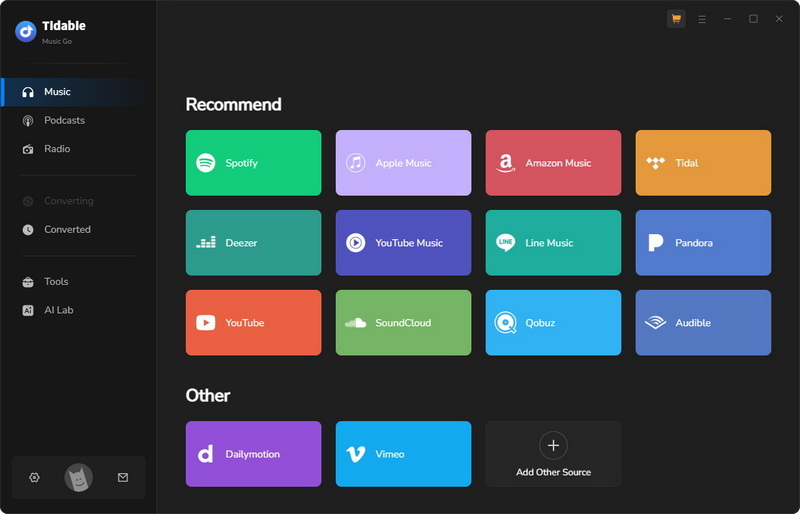
STEP 1 Select Bandcamp as a recording source
Launch Tidabie Music Go. On the "Music" tab, scroll down to find and click the "Bandcamp" option.
STEP 2 Find Bandcamp Music to record
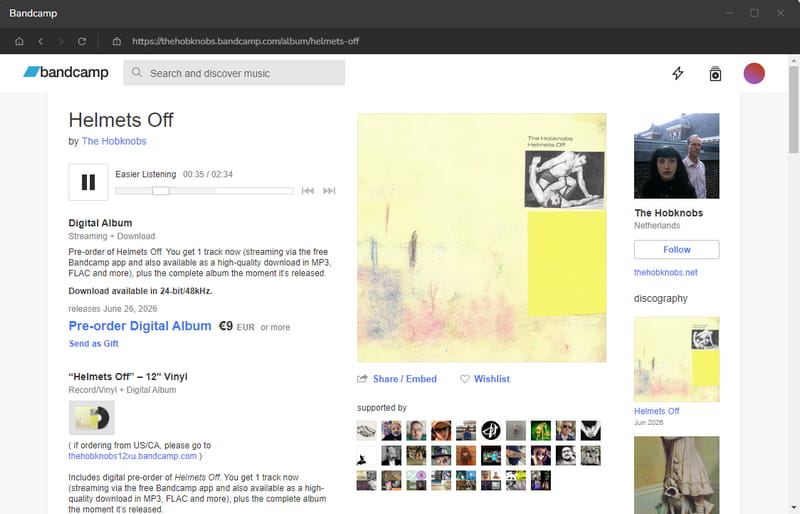
In the built‑in Bandcamp web player, log in to your Bandcamp account. Navigate to the track, album, or playlist you want to record. Play for a few seconds to confirm that the audio works.
STEP 3 Customize Bandcamp output settings
Return to the main Tidabie window to configure your output settings. Select your preferred "Output Format" and "Quality". Choose an output folder on your computer where the recorded files will be saved. Once finished, click the "Click to Start" button.
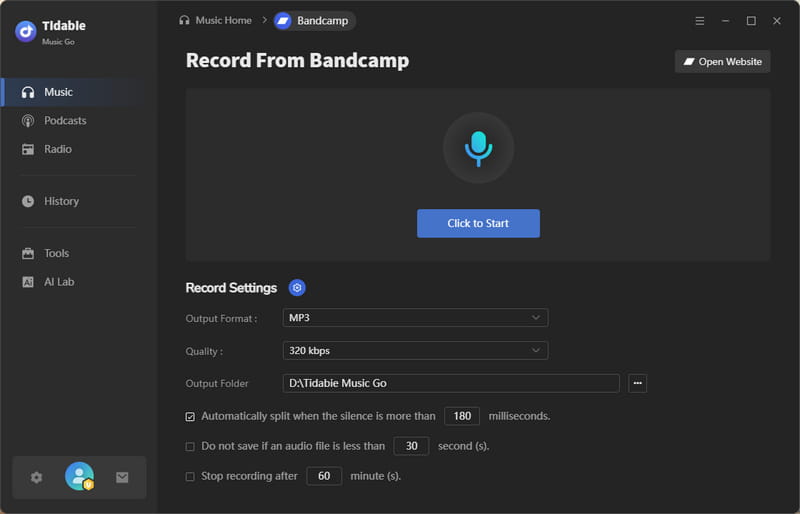
STEP 4 Record Bandcamp to MP3
Go to the built‑in browser and start playing the Bandcamp audio. Tidabie automatically detects the sound and begins recording. Let the track play through to the end. Click "Stop Recording" when the recording finishes.
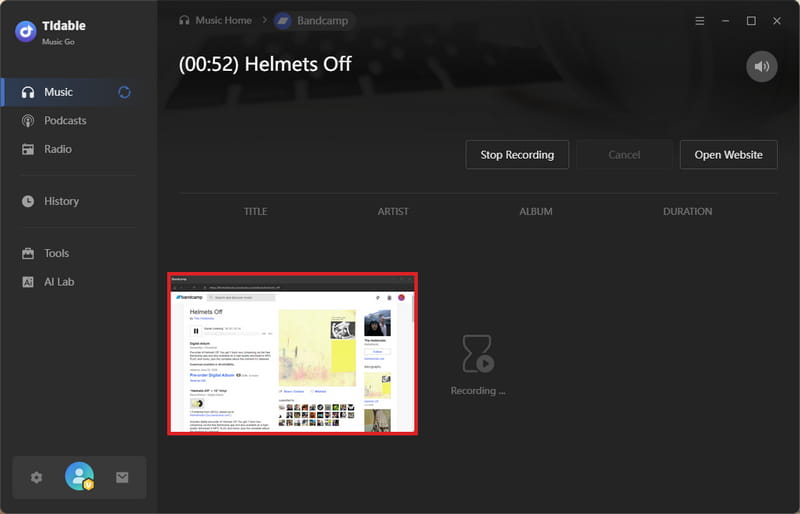
STEP 5 Save Bandcamp downloads
Tidabie will immediately save the captured audio to your chosen output folder. Go to the "History" section in the left menu to view your recorded files. You can use the built‑in tag editor in "Tools" to manually edit title, artist, album, and other metadata.
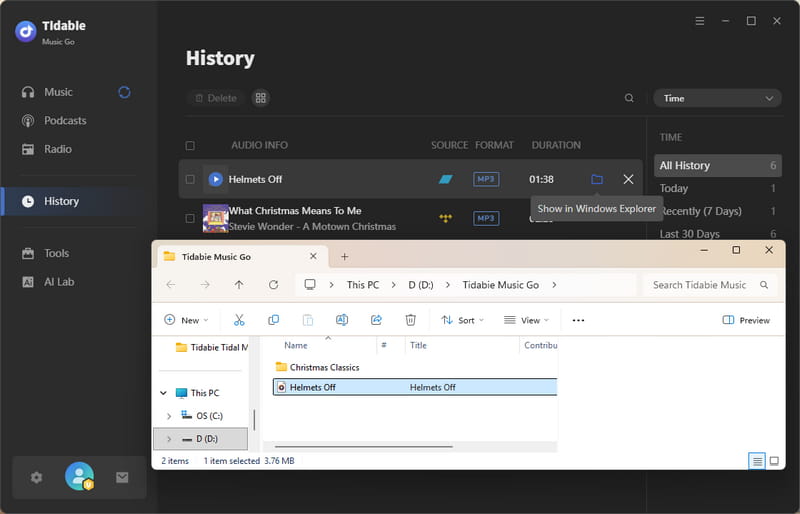
- Records Bandcamp audio at up to 320 kbps MP3.
- Supports MP3, AAC, WAV, FLAC, AIFF, and ALAC output.
- Downloads music from Bandcamp, Spotify, Amazon Music, Apple Music, Deezer, TIDAL, YouTube, and more.
- Preserves full ID3 tags and supports 10× batch downloads for major streaming services.
- Includes built-in tag editing and audio editing tools.
 Pros
Pros
- Requires installation.
- Only available on Windows or macOS.
 Cons
Cons
Part 2. Top Online Free Bandcamp Downloaders
If you prefer not to install any software and want to grab Bandcamp tracks directly from your browser, online free Bandcamp downloaders are the most convenient option. They work on any device and require no registration. However, quality, metadata, and download limits vary widely. Here are the best online free Bandcamp downloaders available in 2026, ranked by overall performance.
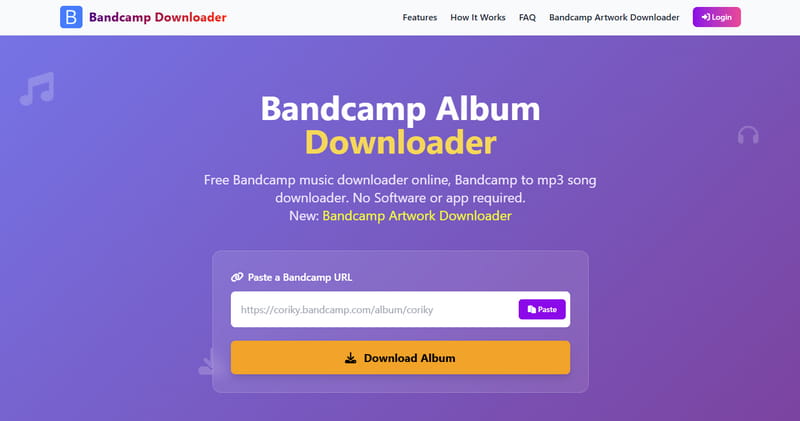
1. Bandcamp Album Downloader
: https://bandchampalbumdownloadermp3.com/
Bandcamp Album Downloader is a free Bandcamp music downloader that saves entire albums as ZIP files in a single click. Unlike many online tools, it preserves metadata on every downloaded track. It supports multiple output formats, including MP3 at 320 kbps, as well as WAV, FLAC, and OGG. The site operates with no ads, making it a clean, privacy‑conscious choice for users who need high‑quality Bandcamp downloads.
- Downloads complete Bandcamp albums as a ZIP file with one click.
- Preserves most metadata: title, artist, album, year, and artwork.
- Supports MP3, WAV, FLAC, and OGG formats.
- Fast download speeds.
Pros
- The domain name contains a typo, "bandchamp" instead of "bandcamp", which may raise trust concerns.
Cons
How to download from Bandcamp with Bandcamp Album Downloader?
STEP 1 Open Bandcamp and navigate to the album you want to download. Copy the album URL from the address bar.
STEP 2 Paste the link into Bandcamp Album Downloader.
STEP 3 Click the topmost "Download ZIP" button in the display results. If you want to download a single track from the album, scroll to find the specific song you want and click the "Download" button below.
2. SSBandcampDownloader
: https://www.ssbandcampdownloader.com/
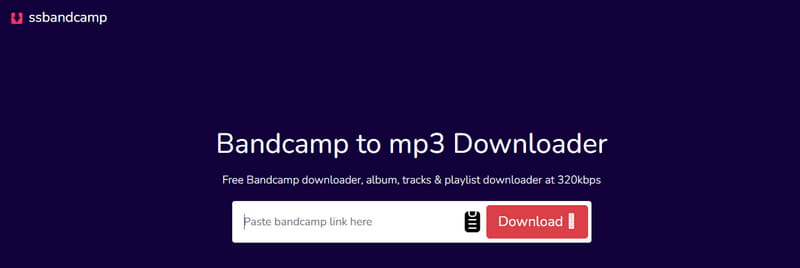
SSBandcampDownloader is a free Bandcamp music downloader that converts Bandcamp tracks to MP3, WAV, FLAC, and OGG. SSBandcamp includes two convenient features: a batch downloader for playlists and albums, and a ZIP download button that saves an entire album as a single compressed file.
- Supports MP3, WAV, FLAC, OGG.
- Batch download and ZIP for albums.
- No installation, registration, or fees.
- Unlimited free downloads.
- Preserves ID3 tags: title, artist, album, year, artwork.
Pros
- Occasional slow processing or download failures.
- Redirects to another site (Bandcamp Album Downloader) for the actual download.
Cons
How to use SSBandcampDownloader to download Bandcamp music?
STEP 1 Copy the Bandcamp URL from your browser.
STEP 2 Paste it into SSBandcampDownloader.com. The tool automatically parses the link.
STEP 3 Click "Download Now", then choose your preferred audio quality from the dropdown menu. The file saves automatically.
STEP 4 For an album, click "Download ZIP" to get all tracks in one file, or use the individual download buttons for single songs. Files go to your browser's default download folder.
3. Locoloader
: https://www.locoloader.com/bandcamp-downloader/
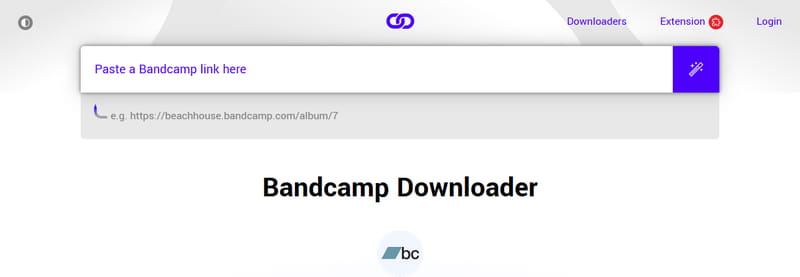
Locoloader is a freemium Bandcamp downloader that supports both single songs and entire albums from Bandcamp with a single click. Unlike many free Bandcamp song downloaders that bombard users with pop-ups and misleading buttons, Locoloader presents a clean, straightforward interface. Free users get two downloads every six hours. It also offers a browser extension for Chrome and Firefox that adds bulk downloading and automated filename organization. Beyond Bandcamp, Locoloader works with over forty other websites, including SoundCloud, YouTube, and Vimeo.
- Entirely ad-free interface.
- Works on any device with a browser.
Pros
- Free version limited to two downloads every six hours.
- No output format selection beyond MP3.
- Some users report slow download speeds.
- Batch downloading is a paid feature.
Cons
How to download MP3 from Bandcamp with Locoloader Bandcamp downloader?
STEP 1 Copy the Bandcamp URL from your browser and paste it into Locoloader.
STEP 2 Click "Download", then right-click the button and choose "Save Link As…".
STEP 3 Select a save location and click "Save".
4. OKmusi
: https://okmusi.com/bandcamp-to-mp3/
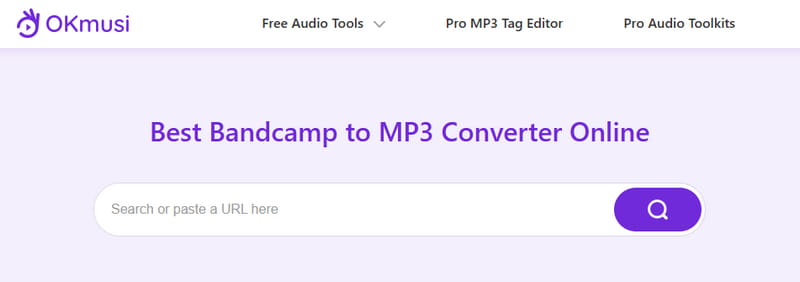
OKmusi Bandcamp downloader comes in two forms: an online free Bandcamp downloader that runs in any browser, and a Pro desktop application for Windows, Mac, and Android. The online version handles single tracks from Bandcamp. OKmusi supports music downloads from over 250 websites, including Bandcamp, SoundCloud, Mixcloud, Jamendo, Instagram, TikTok, and Facebook. The desktop version adds batch download capability for entire albums and playlists.
- Supports over 250 streaming sites.
- Works on PC, Mac, Android, iPhone via browser.
Pros
- The online version lacks ID3 tags and only outputs MP3.
- Higher quality (above 129 kbps) needs the desktop app.
- Batch and playlist downloads require the paid desktop Pro version.
Cons
How to download Bandcamp to MP3 with OKmusi Bandcamp downloader?
STEP 1 Copy the Bandcamp URL from your browser.
STEP 2 Paste it into OKmusi's input field and click the search icon.
STEP 3 Click the download icon next to the song, choose your preferred quality, then click the download button again to save the file.
5. BandCampDownloader.app
: https://bandcampdownloader.app/
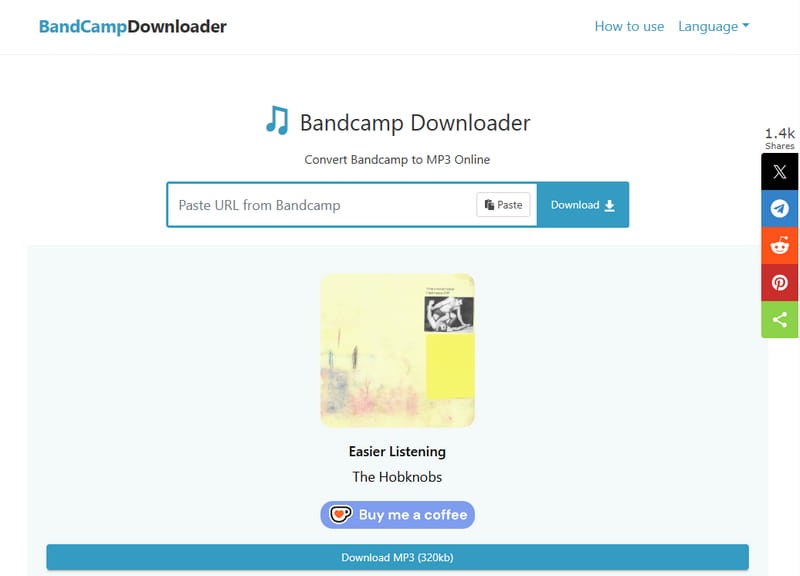
BandcampDownloader.app is a free Bandcamp downloader that online converts tracks to MP3 or FLAC directly in your browser. It requires no installation or signup and works on any device, including Windows, Mac, iOS, and Android. It adds metadata such as title, artist, album, year, and artwork to downloaded files. The website claims to support MP3 and FLAC output, but during testing, we only saw the MP3 option.
- No install or account needed.
- Works on desktop and mobile.
- Unlimited free downloads.
- Downloads up to 320kbps MP3 with ID3 tags.
Pros
- Heavy, inappropriate ads and pop-ups.
- Inconsistent download speed.
- No batch download for albums.
Cons
How to download Bandcamp songs with BandCampDownloader.app?
STEP 1 Copy the Bandcamp URL from your browser. Then paste it into BandcampDownloader.app and click "Download".
STEP 2 BandcampDownloader.app will parse the link and display the available track. Click the "Download" button on the right. The download button will transform into a pull-down "Select Format" button. Choose between "MP3 128kbps" or "MP3 320kbps".
STEP 3 After you select your preferred quality, the conversion will start immediately. Click the "Download MP3 (320kb)" button to save the file to your device. Be careful to close any unrelated pop-up windows during this process.

Given the intrusive ads and pop-ups on many online free Bandcamp downloaders, a cleaner and safer alternative is worth considering. Download this powerful tool for high-quality MP3 downloads without ads. 👉👉
6. BandcampToMp3.com
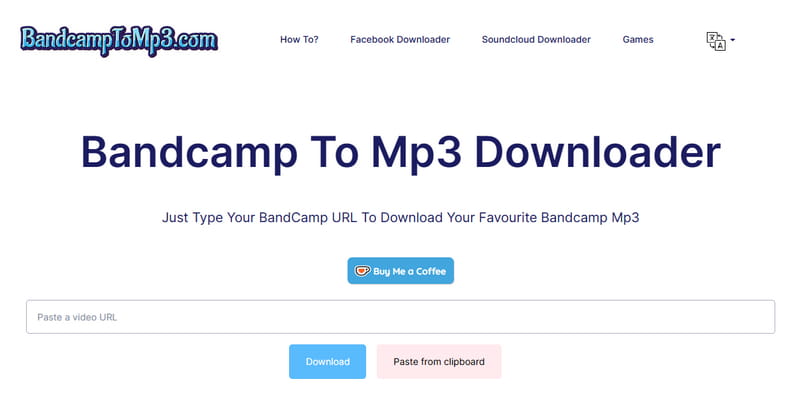
BandcampToMP3.com is a web-based Bandcamp MP3 downloader that converts Bandcamp to MP3 files without requiring software installation or login. It works on both mobile and desktop devices. Unlike many similar tools, the site maintains a clean, ad-free interface. However, it does not host any audio files on its servers, but only extracts public content from Bandcamp. The service is designed for personal, non-commercial use, and users should respect copyright laws.
- Clean interface with no ads or pop-ups.
- Fast processing and instant downloads.
- Works on PC, mobile, and tablet.
- No download limits.
Pros
- Output is MP3 only.
- Does not preserve any ID3 tags.
- The album link works, but batch download isn't supported.
- It will suddenly jump to other websites for no reason.
Cons
How to download Bandcamp to MP3 with BandcampToMP3.com?
STEP 1 Open Bandcamp and find the song you want. Copy the URL from the address bar.
STEP 2 Go to BandcampToMP3.com. Paste the copied Bandcamp link into the box on the main page.
STEP 3 Click the blue "Download" button below. It will process the link immediately.
STEP 4 After a few seconds, a download button with "128KBPS MP3" will appear on the screen. Click it to save the MP3 file.
7. StepToDown.com
: https://steptodown.com/bandcamp-music-downloader/
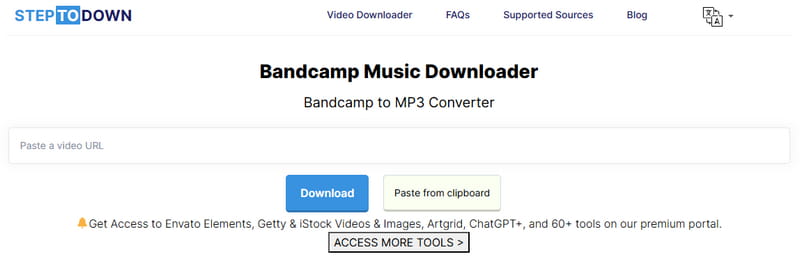
Steptodown is an online free Bandcamp MP3 Downloader that extracts audio tracks from Bandcamp and converts them into MP3 files directly in your browser. Part of a larger suite of downloaders that also supports SoundCloud and other platforms, it requires no registration or software installation and runs on desktop, iOS, and Android devices. The service does not copy, archive, or store any music you download. It is completely separate from Bandcamp's own servers and works without a Bandcamp account or any payment.
- Compatible with any device.
- No registration or software installation needed.
- Unlimited free downloads with no daily cap.
Pros
- MP3 output is capped at 128 kbps.
- The album can be parsed, but bulk download is missing.
- Sometimes the link parsing fails.
- Output files often include the website domain name.
Cons
How to download Bandcamp music with Steptodown Bandcamp Downloader?
STEP 1 Open Bandcamp and copy the Bandcamp track URL from your browser.
STEP 2 Go to Steptodown Bandcamp Music Downloader. Paste the copied Bandcamp link into the input field.
STEP 3 Click the blue "Download" button under the box. The tool will process the link and display the available files. Click "128KBPS MP3" to save the MP3 to your device.
8. TTOK
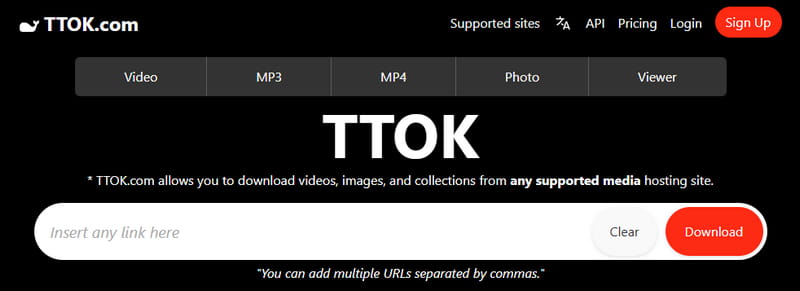
TTOK is a web‑based Bandcamp downloader that operates by simply adding ttok.com/ before any Bandcamp URL in your browser's address bar. It does not require installation, registration, or even visiting its homepage. You just prefix the link and press Enter to immediately start the download. TTOK works across devices and supports MP3 and WAV for audio. TTOK also offers advanced options for clipping, changing output formats, and adjusting quality. For bulk downloads, you can create a free account, and developers can integrate TTOK's API into their own applications.
- Works on any device.
- Supports MP3 and WAV as output formats.
- Allows clipping before download.
- Audio quality is customizable from 64 kbps to 320 kbps.
Pros
- Metadata is lost.
- Cannot download entire Bandcamp albums directly.
- The free tier has download limits of 1 URL per day.
- The prefix‑based method may fail on tracks that require payment or login to play.
Cons
How to download music from Bandcamp with TTOK Bandcamp downloader?
STEP 1 Copy the Bandcamp URL from your browser.
STEP 2 Add ttok.com/ before the URL in the address bar and press Enter. Or paste the link into TTOK's input field.
STEP 3 Locate the "Download Audio" section, select the "Format" and "Quality" you wish to save, and then click the "Download Audio" button.
9. TubeNinja
: https://www.tubeninja.net/how-to-download/bandcamp
TubeNinja.net is a Bandcamp music downloader that converts tracks into MP3 files without any registration or installation. The tool supports over 80 streaming websites and claims to work even when you paste a link from an unsupported page, a feature most dedicated Bandcamp downloaders lack. It runs entirely in the browser, so you can use it on any device without installing apps or extensions.
- Works on any device.
- No account registration or software installation needed.
- Download speed is fast.
- Support audio preview.
Pros
- Audio is typically capped at 128 kbps.
- No lossless formats are available.
- Does not preserve ID3 tags like title or artist.
- The album link works, but you can't download tracks in bulk in one click.
- To download the file, you need to switch to a new window.
Cons
How to convert Bandcamp to MP3 with TubeNinja?
STEP 1 Copy the Bandcamp URL from your browser and paste it into TubeNinja's input field.
STEP 2 Locate and click the download icon next to the MP3 file. Be careful not to click any other star buttons (for better quality), as these are ads that will redirect you to other websites.
STEP 3 You will then be redirected to a new page where you can preview the audio. Click the "Three Dots" button and select "Download". The file will be saved to your default download folder.

10. Postsyncer
: https://postsyncer.com/tools/bandcamp-audio-downloader (Offline)
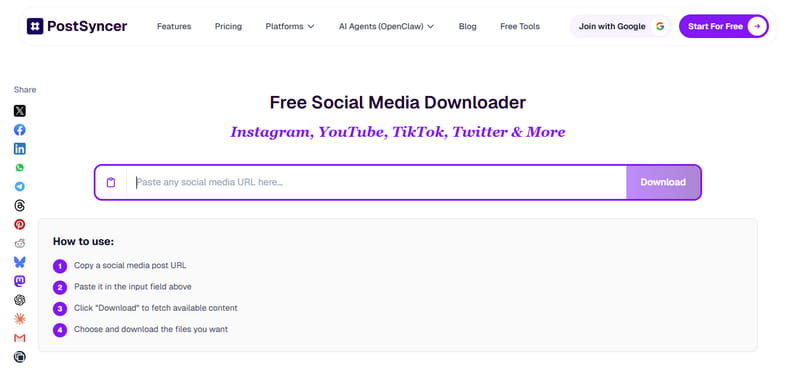
Postsyncer Bandcamp Audio Downloader is a browser‑based tool that extracts audio from Bandcamp as part of the Postsyncer's ecosystem, which offers AI‑powered repurposing, scheduling, and cross‑platform publishing. It works across Bandcamp, TikTok, YouTube, Facebook, SoundCloud, and Instagram from a single input field. Free users receive 2 daily downloads, while a paid subscription removes the limit. It does not store downloaded files on its servers and processes everything in real time with SSL encryption.
- No registration or software required on the free tier.
- Supports Bandcamp alongside 40+ other platforms.
Pros
- Free plan limited to 2 daily downloads.
- Does not preserve any ID3 tags.
- The link is recognized correctly, but there's no bulk download option on the free tier.
Cons
How to get Bandcamp downloads with Postsyncer?
STEP 1 Open Bandcamp and navigate to the track you want to download. Copy its URL from the address bar.
STEP 2 Go to the Postsyncer Bandcamp Audio Downloader page. Paste the Bandcamp link into the input field. The tool will analyze the link and display available files.
STEP 3 Click the "HQ Download" button to save the MP3 file.
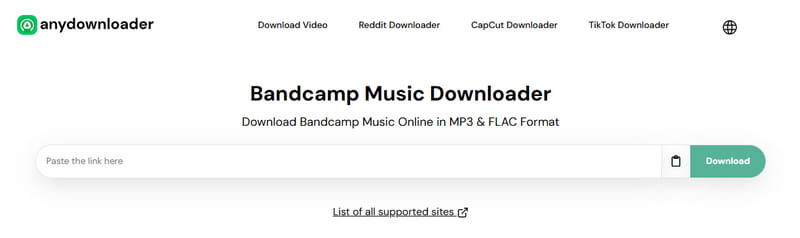
11. AnyDownloader
: https://anydownloader.com/en/bandcamp-music-downloader/
AnyDownloader is a free Bandcamp downloader that saves individual tracks in MP3 format. The service imposes no download limits, requires no registration or software installation, and works on any device with a browser. It handles both song‑level and album‑level URLs, automatically fetching all available audio files from a given link.
- Compatible with all devices.
- Fully free with unlimited downloads.
Pros
- Affiliate links and banners on the site.
- Does not preserve ID3 tags.
- The album link can be parsed, but there is no option for one-click download of all the songs in the album. Each song must be saved individually.
Cons
How to save Bandcamp music with AnyDownloader?
STEP 1 Copy the Bandcamp URL from your browser and paste it into AnyDownloader's input field.
STEP 2 Click the green "Download" button. The tool will fetch all available audio files from that link within a few seconds.
STEP 3 Choose your preferred output format from the options presented. Then click the corresponding download button.
12. Schedulala
: https://schedulala.com/tools/bandcamp-downloader
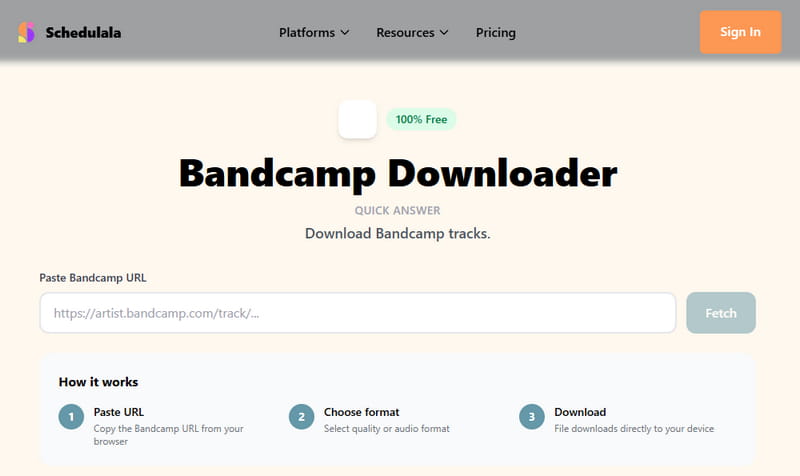
Schedulala Bandcamp Downloader is a free Bandcamp downloader online that converts public Bandcamp tracks into MP3. It sits within Schedulala, a social media scheduling platform. The downloader functions as a free utility for visitors rather than a paid product. There are no limits on how many times you can use it. It supports album URLs as well as individual tracks, though each song downloads separately.
- Completely free with unlimited daily downloads.
- Accepts both album and single track URLs.
- Clean interface with a simple three‑click workflow.
Pros
- Output is limited to MP3 only.
- No batch download feature.
- The server frequently crashes and is unable to parse the links.
Cons
How to download Bandcamp tracks to MP3 with Schedulala?
STEP 1 Copy the Bandcamp URL from your browser and paste it into Schedulala's input field labeled "Paste Bandcamp URL."
STEP 2 Click the "Fetch" button. The tool will process the link. Then choose your preferred output format or quality.
STEP 3 Click the "Download" button. The MP3 file will be saved directly to your device.
Part 3. Open‑Source Bandcamp Downloaders on GitHub
A Bandcamp downloader on GitHub is an open‑source program that gives users full control over their downloads, including batch processing, metadata preservation, and support for multiple audio formats like MP3 and FLAC. Unlike web‑based tools that limit you to one track at a time, these GitHub solutions can download entire artist discographies in a single command. They are completely free, transparent in their code, and often maintained by a community of developers. Below is a selection of the most popular open‑source Bandcamp downloaders.
1. free‑bandcamp‑downloader
: https://github.com/7x11x13/free-bandcamp-downloader
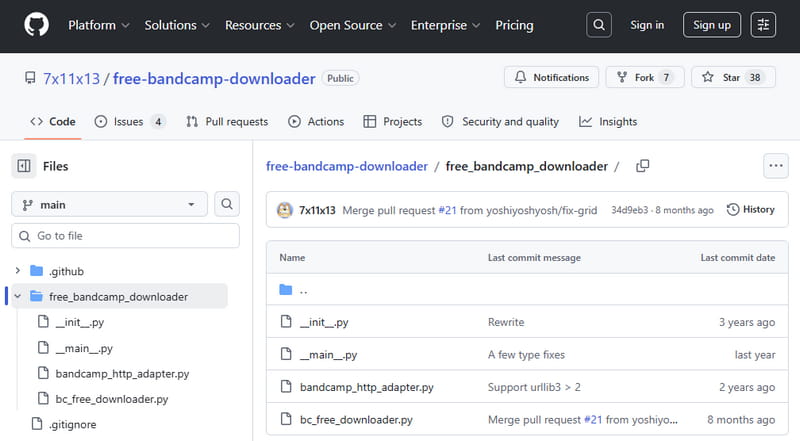
free‑bandcamp‑downloader is a Python‑powered tool specifically designed to download free and "$0 minimum" name‑your‑price albums and tracks from Bandcamp. It supports a wide range of output formats, including FLAC, MP3, AAC, OGG, ALAC, WAV, and AIFF. The tool can also download items from a user's Bandcamp collection by passing an identity cookie. After download, it automatically tags the files with metadata from the Bandcamp page. The tool is installed via pip and runs from the command line.
- Supports multiple formats: MP3, FLAC, AAC, etc.
- Specifically designed for free and name‑your‑price content.
- Tags files with Bandcamp metadata.
- Downloads items from personal Bandcamp collection.
Pros
- Command‑line only with no graphical interface.
- Requires Python installation and pip commands.
- Cookie handling for collection downloads adds complexity.
- Limited to free or name‑your‑price content unless proper permissions are obtained.
Cons
How to download from Bandcamp with free‑bandcamp‑downloader on GitHub?
STEP 1 Ensure Python 3 is installed on your system. Open a terminal and run pip install free-bandcamp-downloader to install the tool.
STEP 2 Type "bcdl-free" followed by the Bandcamp URL you want to download. For example: bcdl-free https://[artist].bandcamp.com/...
STEP 3 Add the --format flag to specify your preferred output quality, e.g., --format FLAC for lossless audio. The tool downloads the files and automatically tags them with metadata from the Bandcamp page.
2. bandcamp‑dl
: https://github.com/Evolution0/bandcamp-dl
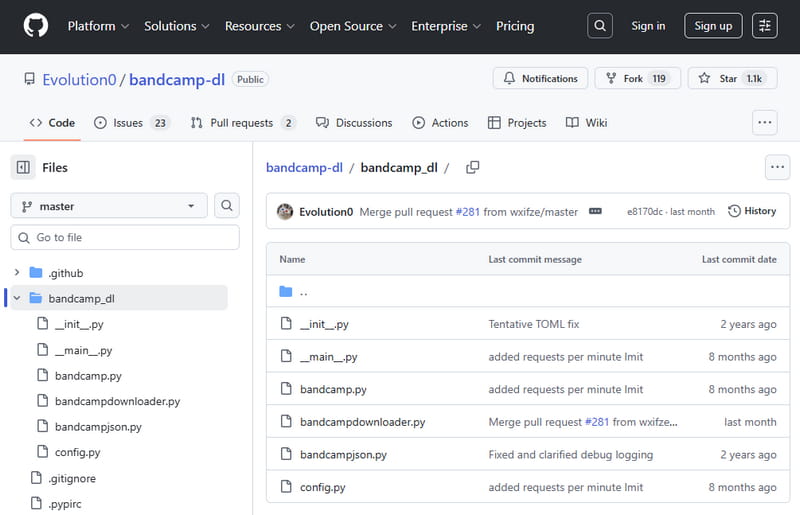
bandcamp‑dl is a small command‑line application written in Python that downloads audio from Bandcamp. It requires Python 3.4 or higher and runs on any platform, including Windows, macOS, and Linux. The tool supports downloading single tracks, full albums, or an artist's entire discography. It offers a wide range of customization options, including custom filename templates, embedding of lyrics and cover art, and flexible output directories.
- Free and open‑source.
- Cross‑platform, including Windows, macOS, and Linux.
- Downloads tracks, full albums, or entire artist discographies.
- Highly customizable with numerous command‑line options.
Pros
- No graphical interface.
- Requires manual Python installation.
- Steep learning curve for users unfamiliar with terminals.
Cons
How to use bandcamp-dl to download Bandcamp music on GitHub?
STEP 1 Install Python 3.4 or higher on your computer. Open a terminal and run pip3 install bandcamp-downloader to install bandcamp‑dl from PyPI.
STEP 2 Once installed, type bandcamp-dl followed by the Bandcamp album or track URL. For example: bandcamp-dl https://[artist].bandcamp.com/...
STEP 3 Press Enter. The tool downloads the files to a folder named after the artist and album. Use the --template option to customize the output filename structure.
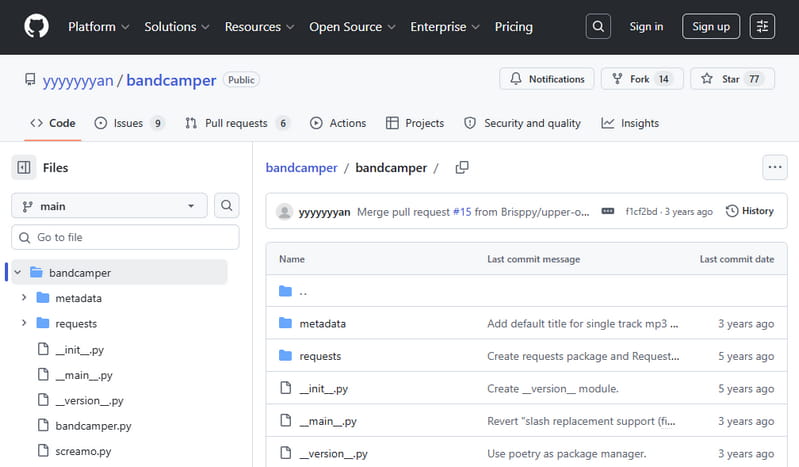
3. bandcamper
: https://github.com/yyyyyyyan/bandcamper
bandcamper is a Python‑based Bandcamp downloader that uses three distinct methods to obtain audio files. If an item has a standard free download option, bandcamper downloads it in any format the artist provides. If the item requires an email address, bandcamper automatically generates a temporary email address via OneSecMail to receive the download link. For items without either option, bandcamper falls back to downloading the 128 kbps MP3 stream. Bandcamp itself acknowledges this type of usage, viewing it as an opportunity rather than a lost sale.
- Three fallback methods ensure a high success rate.
- Cross‑platform via Python command line.
- Supports any format provided by the artist for free downloads.
Pros
- Command‑line only.
- Less efficient for pure streaming downloads compared to dedicated GUI apps.
Cons
How to download music from Bandcamp with bandcamper on GitHub?
STEP 1 Install bandcamper via pip or pipx: run pipx install bandcamper or pip install bandcamper in your terminal.
STEP 2 Type bandcamper followed by the Bandcamp URL you wish to download: bandcamper https://[artist].bandcamp.com/...
STEP 3 Press Enter. bandcamper automatically tries all three methods in sequence until it successfully retrieves the audio. Files are saved to your current working directory.
4. bandcampdownloader
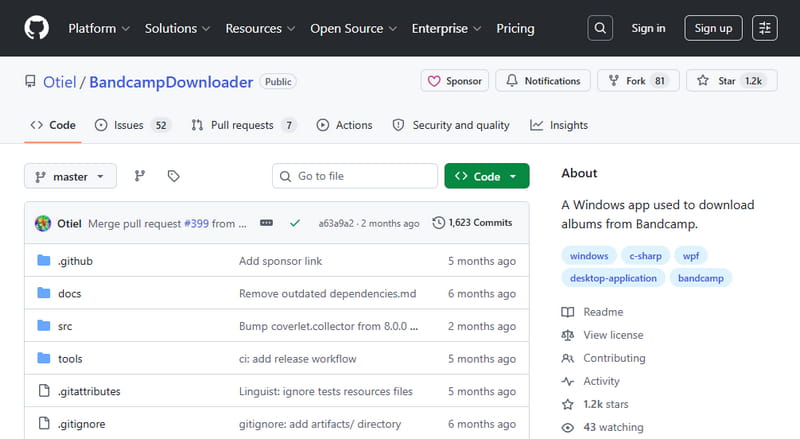
: https://github.com/otiel/bandcampdownloader
bandcampdownloader is a Windows desktop application built in C#. It downloads MP3 files from Bandcamp by retrieving the 128 kbps MP3 streams available on the website. The tool works with single tracks, album pages, and complete artist pages. It automatically adds ID3 tags, including album name, artist, track title, year, and lyrics when present. It also downloads cover art and creates playlist files in formats like M3U, PLS, WPL, and ZPL.
- User‑friendly graphical interface.
- Adds ID3 tags automatically and downloads cover art.
- Creates playlist files in multiple formats.
- Works with single tracks, albums, and artist pages.
Pros
- Limited to 128 kbps MP3 output.
- Windows only, no macOS or Linux versions.
- Not actively updated.
Cons
How to download Bandcamp to MP3 with bandcampdownloader on GitHub?
STEP 1 Download the latest release from the GitHub repository. Run the installer on your Windows PC.
STEP 2 Launch the application. Copy a Bandcamp URL from your browser. Paste the URL into the program's input field.
STEP 3 Click the download button. The tool automatically downloads all available tracks, embeds ID3 tags and cover art, and saves them to your chosen output folder.
Part 4. Browser Extensions for Downloading Bandcamp Music
For users who spend a lot of time on Bandcamp inside their browser, extensions offer a more integrated experience than standalone online tools. They add download buttons directly to Bandcamp pages, eliminate the need to copy and paste URLs, and often provide batch downloading for entire libraries. Below are two of the most notable Bandcamp downloader extensions.
1. Batchcamp
: https://chromewebstore.google.com/detail/batchcamp/jfcffbaekgnenlohblfgpohgdhalgjeb?hl=en&pli=1
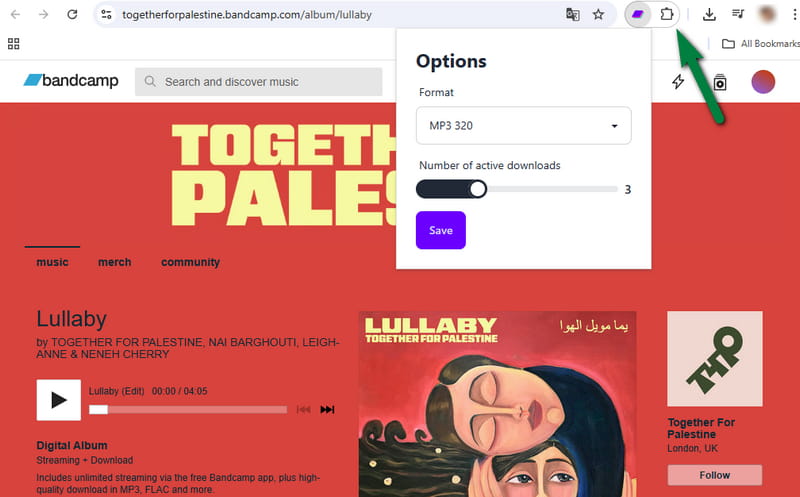
Batchcamp is a Chrome extension designed for users with large Bandcamp libraries. Unlike most downloaders that require you to paste each track URL one by one, Batchcamp adds checkboxes directly to your Bandcamp collection and purchases pages. It batch downloads all selected releases at once, with configurable format and quality options. You can set the number of concurrent downloads and monitor progress in a separate tab. The extension is ideal for backing up an entire music library, downloading discographies, or recovering purchases. With over 7,000 users and a 4.83 rating, Batchcamp is widely considered an essential tool for serious Bandcamp collectors.
- Adds checkboxes to Bandcamp collection for quick selection.
- Bulk downloads entire libraries.
- Customizable format and quality.
- Adjustable concurrent downloads with a progress dashboard.
Pros
- Only works with publicly streamable tracks.
Cons
How to download Bandcamp music with Batchcamp?
STEP 1 Install Batchcamp from the Chrome Web Store. After installation, log in to your Bandcamp account in Chrome.
STEP 2 Navigate to your Bandcamp collection or purchases page. Batchcamp adds a checkbox next to each release.
STEP 3 Select the releases you want to download by checking the boxes. Use the "Select All" button to choose everything on the page, or hold the Shift key and click to select multiple items quickly.
STEP 4 Click the "Download" button that Batchcamp adds to the page. A new tab will open to show the download progress.
2. KeepTune
: https://brands.jaymoulin.me/me/keeptune/
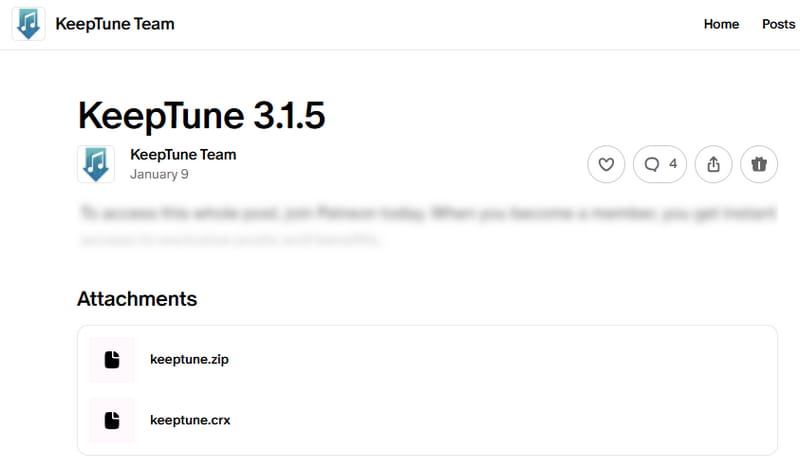
KeepTune is a Chrome extension that adds a download notification directly to Bandcamp and Soundcloud album pages. Instead of copying URLs to a separate website, you visit a listenable album, and a download notification appears on the page. KeepTune automatically downloads all playable tracks from an album page, with support for concurrent track downloads and retry handling. The extension also supports concurrent downloads. KeepTune is no longer available on the Chrome Web Store due to compliance issues, so you must install it manually from the developer's website.
- Adds a one-click download notification directly on Bandcamp.
- Queues multiple albums for batch download.
- Supports concurrent downloads.
- Works with both Bandcamp and Soundcloud.
Pros
- No longer on the Chrome Web Store.
- Only downloads albums that are fully listenable on Bandcamp.
Cons
How to use KeepTune to download Bandcamp music?
STEP 1 Download the latest CRX or ZIP file of KeepTune from the developer's website.
STEP 2 Open Chrome and navigate to chrome://extensions. Enable Developer mode from the Extensions page. Reload the page.
STEP 3 If you downloaded the CRX file, drag and drop it onto the extensions page. Chrome will ask you to confirm the installation. For the ZIP file, extract it into a folder, then click "Load unpacked" and select that folder.
STEP 4 Once installed, visit any Bandcamp album page that has listenable tracks. A notification will appear on the page. Click it to download the album.
Quick Comparison of Top Bandcamp Downloaders ⏩
| ID3 Tags | Quality | Ad-Free | Batch Download | Output Format | Rating | |
|---|---|---|---|---|---|---|
| Tidabie Music Go | Full metadata for popular platforms | 320 kbps (Original) | ✅ | ✔ (For mainstream platforms) | MP3, AAC, WAV, FLAC, AIFF, ALAC | ★★★★★ |
| Bandcamp Album Downloader / SSBandcampDownloader | ✅ | 320 kbps | ✅ | ✅ | MP3, WAV, FLAC, OGG | ★★★★ |
| Locoloader / OKmusi | ❌ | 128 kbps | ✅ | ✔ ( Paid ) | MP3 | ★★★★ |
| BandCampDownloader.app | ✅ | 320 kbps | ❌ | ❌ | MP3, FLAC (Claimed) | ★★★★ |
| BandcampToMp3.com / Postsyncer | ❌ | 128 kbps | ✅ | ❌ | MP3 | ★★★ |
| StepToDown.com / TubeNinja | ❌ | 128 kbps | ❌ | ❌ | MP3 | ★★★ |
| TTOK | ❌ | 320 kbps | ❌ | ❌ | MP3, WAV | ★★★ |
| AnyDownloader | ❌ | 128 kbps | ❌ | ❌ | MP3, M4A (Claimed) | ★★★ |
| Schedulala | ❌ | 128 kbps | ❌ | ❌ | MP3 | ★★ |
| free-bandcamp-downloader | ✅ | 320 kbps | ✅ | ✅ | MP3, FLAC, AAC, OGG, ALAC, WAV, AIFF | ★★★★ |
| bandcamp-dl | ✅ | 320 kbps | ✅ | ✅ | MP3, FLAC | ★★★★ |
| bandcamper | ✅ | 320 kbps | ✅ | ✅ | MP3 | ★★★★ |
| bandcampdownloader | ✅ | 128 kbps | ✅ | ✅ | MP3 | ★★★ |
| Batchcamp | ✅ | 320 kbps | ✅ | ✅ | MP3, FLAC | ★★★★ |
| KeepTune | ❌ | 128 kbps | ✅ | ✅ | MP3 | ★★★★ |
Conclusion
From online converters to open‑source downloaders and browser extensions, this guide has covered the full spectrum of Bandcamp downloaders available in 2026. Online tools are quick and convenient, open‑source scripts give you maximum flexibility, and extensions integrate directly into your browsing experience. However, many of them come with trade‑offs such as low bitrate caps, intrusive ads, or daily limits. If you want a single solution that reliably captures any Bandcamp audio at up to 320kbps MP3 or lossless formats, and also handles other streaming services like Spotify and Apple Music, Tidabie Music Go is the most complete choice. Download and try Tidabie!

Jacqueline Swift | Senior Writer
