


How to Download Audio from Instagram Reels [Top Tools]
Scrolling through Instagram Reels, you've probably heard a track or sound effect that you wanted to keep. Whether it is a trending song or a funny voiceover, you may wish you could save that clip for offline listening or your own projects. Unfortunately, Instagram does not offer a direct download button for audio files. This is why more and more people are looking for ways to handle Instagram reels audio download.
In this guide, we will walk you through reliable methods to download audio from Instagram Reels. From professional recording tools to online Instagram reel audio downloaders, you will find a solution that fits your needs. Let's dive in and explore how to start saving those unforgettable audio clips.
Part 1. How to Save Instagram Reels Audio to Collections
Before you actually need to perform an Instagram Reels audio download, you might first want an easy way to keep track of all the interesting sounds you come across. Luckily, Instagram offers a simple built‑in collection feature that lets you bookmark any Reel's audio directly inside the app. This does not save a real audio file to your device. Instead, it acts as a personal library where you can store and quickly find your favorite sounds for future Reels. Once you have organized your audio this way, you can decide whether to use it inside Instagram or turn to an external Instagram reel audio downloader for offline access.
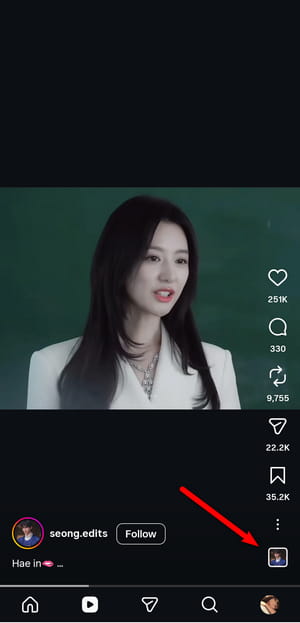
STEP 1 Scroll through your feed or go to the "Reels" tab. When you come across a Reel whose background music or sound effect you like, stop and look at the bottom right of the screen. Tap the cover icon of the audio.
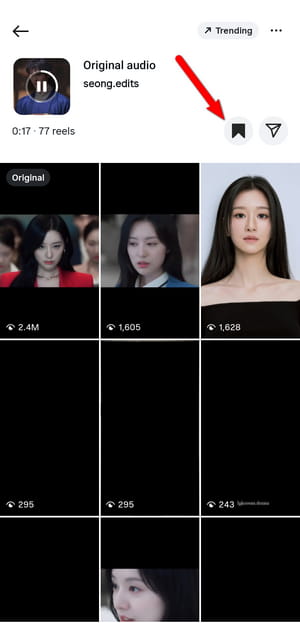
STEP 2 Tap directly on the audio name at the bottom of the Reel. A new screen will open with details about that sound. On this page, you will see a bookmark icon. Tap it. Instagram will immediately add that audio to your saved collection.
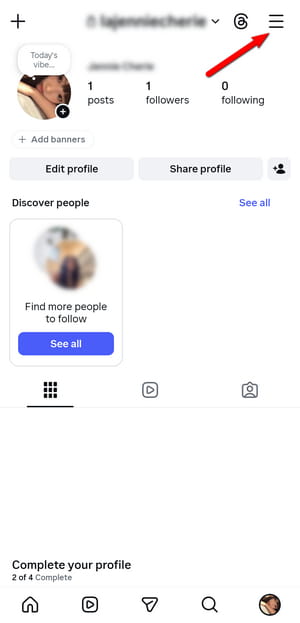
STEP 3 Go back to your profile by tapping your profile picture in the bottom right corner. Then, tap the three horizontal lines in the top right corner. From the menu, select "Saved". Inside the "Saved" folder, you will see different categories such as "Posts", "Reels", and "Audio". Tap on "Audio", and you will find every Reel sound you have saved using the steps above.
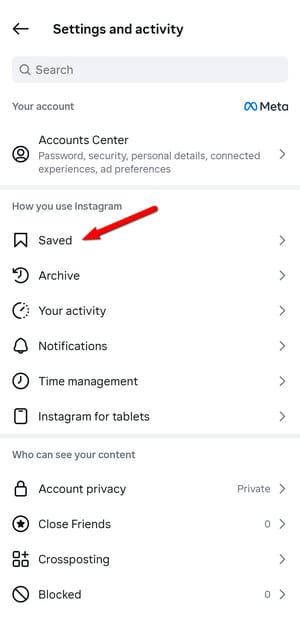
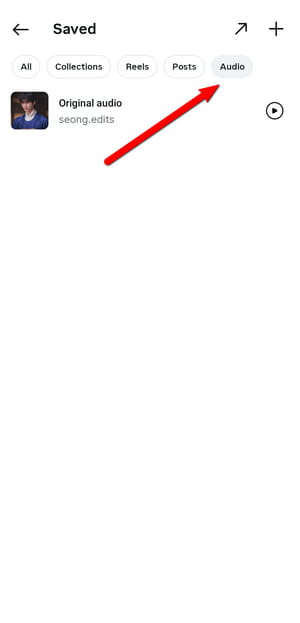
That is all there is to it. This built‑in method is perfect for quickly bookmarking sounds for future Instagram projects. However, remember that this only saves the audio to your collections within your Instagram account. If you actually need to download Instagram reels audio as a real file for offline listening or video editing outside the app, check out the following parts of this guide where we introduce professional recorders and online Instagram Reel audio downloaders.
Part 2. Record Instagram Reels Audio with Professional Tools 🔥
While the built‑in collection feature is great for keeping track of audio inside Instagram, it does not give you a real audio file. You cannot take that saved sound and listen to it offline, nor can you use it in a video editing project on your computer. That is where a professional recording tool comes into play. A dedicated audio recorder captures the sound directly as it plays on your screen. This method is reliable and gives you full control over the recording process.
Tidabie Music Go is a professional audio recorder and converter designed to capture streaming audio from Instagram, Spotify, Apple Music, Amazon Music, YouTube Music, TIDAL, Deezer, SoundCloud, and more. It allows you to record sound from any customizable sites, whether it is the background music of an Instagram Reel, a voiceover, or any other audio clip. With Tidabie Music Go, you can choose from multiple output formats, such as MP3, AAC, WAV, FLAC, AIFF, and ALAC, and adjust the audio quality to meet your needs. Tidabie also allows you to edit recorded files with built‑in tools like an AI audio splitter, audio editor, tag editor, format converter, and CD burner.
If you want to directly download music from popular streaming services like Spotify, Tidabie allows you to batch download songs at a speed up to 10x faster. Also, it preserves original quality, such as Spotify Lossless, Tidal Hi-Res, Apple Music Hi-Res, Deezer HiFi, and more. Whether you are a content creator looking to reuse trending sounds or simply someone who wants to build a personal music library, Tidabie Music Go gives you a straightforward way to turn any audio into a permanent file on your computer.
Tidabie Music Go
- Download audio from Instagram, Spotify, Apple Music, SoundCloud, Amazon Music, TIDAL, YouTube Music, Qobuz, etc.
- Convert Instagram to MP3, AAC, WAV, FLAC, AIFF, and ALAC.
- Batch download music at up to 10x speed with original quality.
- Keep full ID3 tags such as title, album, and artist.
- Freely enjoy podcasts online and download podcasts.
- Listen to radio shows and record radio freely.
How to convert Instagram to MP3 with Tidabie Music Go?
Follow these steps to capture audio from any Instagram Reel to MP3 and save it as a local file on your computer.
STEP 1 Add Instagram as a recording source
Launch Tidabie Music Go on your computer. On the main interface, you will see icons for various streaming platforms. Since Instagram is not listed among the preset options, you need to use the "Add Other Source" feature. Click on the "Add Other Source" button, then enter "Instagram" as its name and the URL: https://www.instagram.com/. This will open a built‑in browser window within Tidabie Music Go where you can access Instagram.
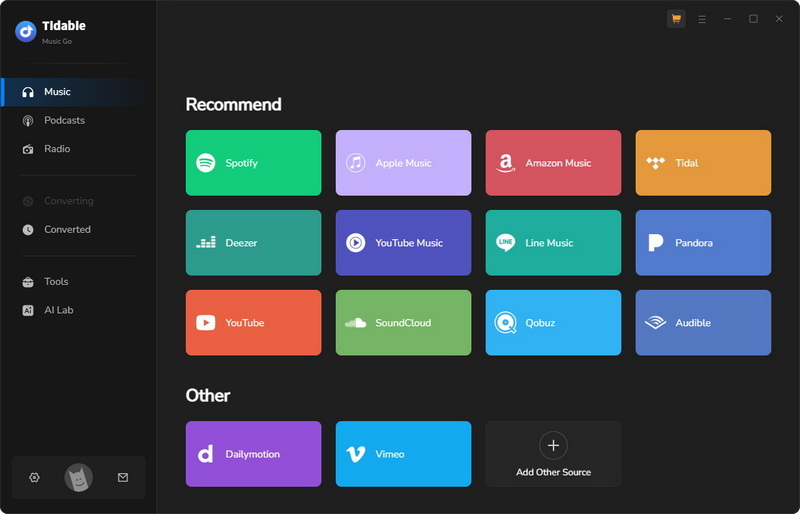
STEP 2 Find an Instagram Reel to record
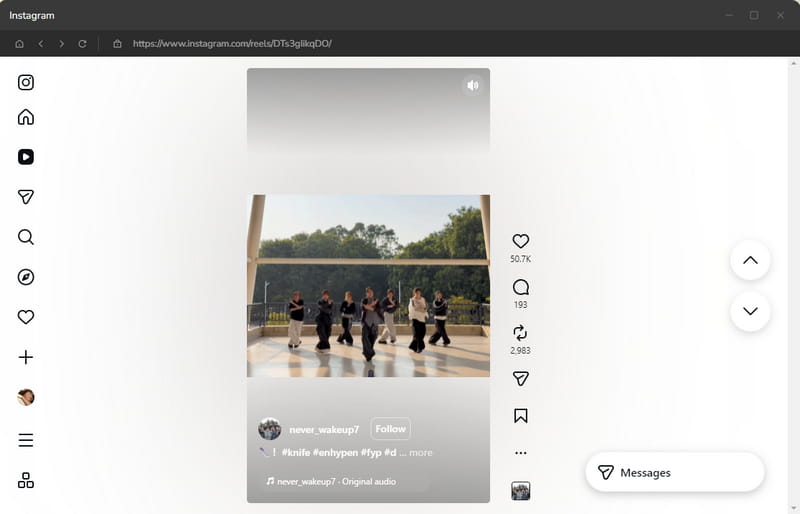
In the built‑in Instagram browser, log in to your Instagram account as you normally would. Then browse to the Reel that contains the audio you wish to capture.
STEP 3 Customize Instagram output settings
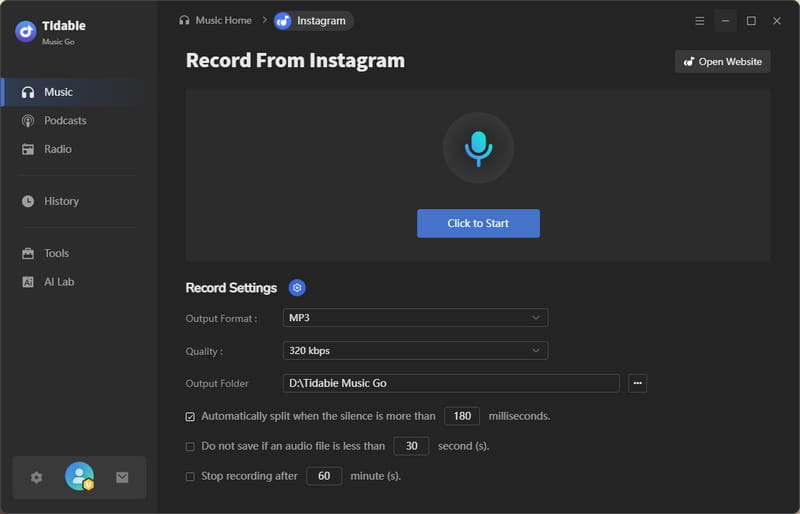
Before you start recording, go back to Tidabie to adjust the audio settings according to your preferences. Here you can configure the following options:
- Output Format: MP3, AAC, WAV, AIFF, ALAC, FLAC
- Quality: 128 kbps, 192 kbps, 256 kbps, 320 kbps
- Output Folder: Specify where on your computer you want the recorded files to be saved.
Once you have made your selections, click the "Click to Start" button.
STEP 4 Record an Instagram Reel to MP3
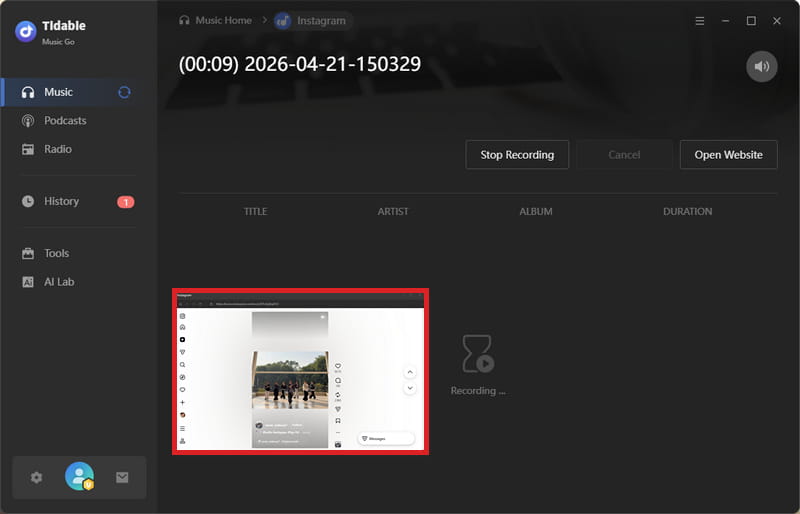
Once the recording begins, immediately go to the built‑in browser window and play the Instagram Reel that contains the audio you want to capture. Tidabie will automatically detect the audio playing and begin recording it in real time. Click the "Stop Recording" button when you have captured the segment you need. Tidabie Music Go will process the recorded audio and save it to the output folder you specified earlier.
STEP 5 Stop the recording and save the file
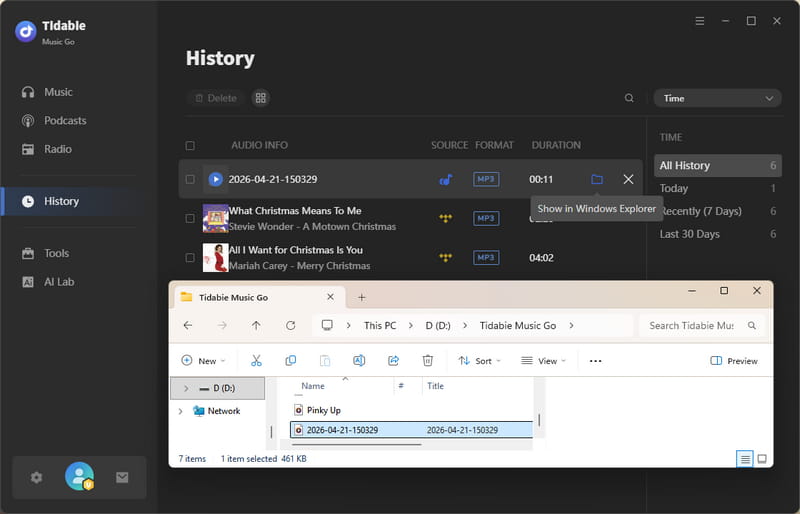
After the recording is complete, you can then navigate to the "History" section located in the left‑side menu bar to view all of your recorded tracks. From there, you can click the folder icon to access the audio file on your computer.
That is all it takes. With Tidabie Music Go, you can turn any Instagram Reel to MP3 file in just a few clicks. Once you have your audio saved locally, you are free to use it offline, edit it in your preferred software, or incorporate it into your own creative projects.
Part 3. Extract Audio with Top Online Instagram Reel Downloaders
If you need a quick solution without installing any software, online Instagram Reel audio downloaders are the way to go. These web-based Instagram to MP3 converters let you extract audio from Instagram Reels directly in your browser with no registration. This makes them incredibly convenient for occasional use on any device, whether you are on a computer, tablet, or phone.
Below are six popular and reliable online tools for handling Instagram Reels. Some extract audio directly as MP3 files, while others download the full video (with sound). Each tool has its own strengths and trade-offs.
1. ReelSave.app
🌍 Website: https://reelsave.app/
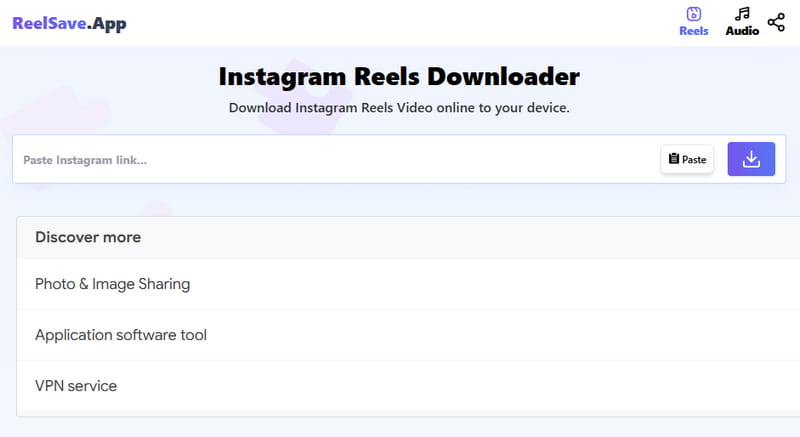
ReelSave.app is a dedicated Instagram to MP3 converter that focuses specifically on extracting sound from Reels and videos. ReelSave.app often preserves the original audio title, making file organization much easier once the audio is saved to your device. It works by fetching the video file first, then extracting the audio track and encoding it as MP3. Users report they may occasionally experience server delays during peak hours.
How to convert an Instagram reel to MP3 with ReelSave.app?
STEP 1 Find the Instagram Reel you want. Tap the three dots and select "Copy Link".
STEP 2 Go to reelsave.app. Paste the link into the input field.
STEP 3 Click the download icon. Wait a few seconds for processing.
STEP 4 Click "Download Audio" to save the MP3 file to your device.
2. FastVideoSave.net
🌍 Website: https://fastvideosave.net/
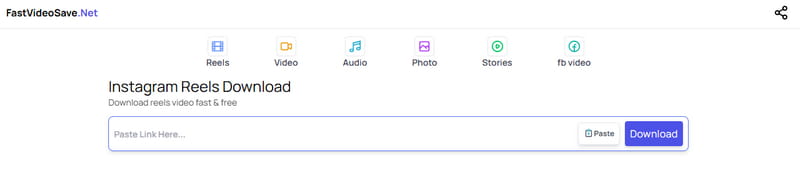
FastVideoSave.net prioritizes download speed. It supports Instagram Reels, IGTV, and regular videos, and can convert any of them to MP3 audio in just a few clicks. However, some security review sites have given it a medium-low trust score, so users should exercise standard caution.
How to download audio from Instagram Reels with FastVideoSave.net?
STEP 1 Copy the link of the Instagram Reel or video you want.
STEP 2 Go to fastvideosave.net/audio. Paste the link into the input box.
STEP 3 Click the "Download" button. The Reel will be automatically converted to MP3 audio.
STEP 4 Click the "Download Audio" button to save the audio file to your device.
3. INDownloader.app
🌍 Website: https://indownloader.app/download-instagram-audio
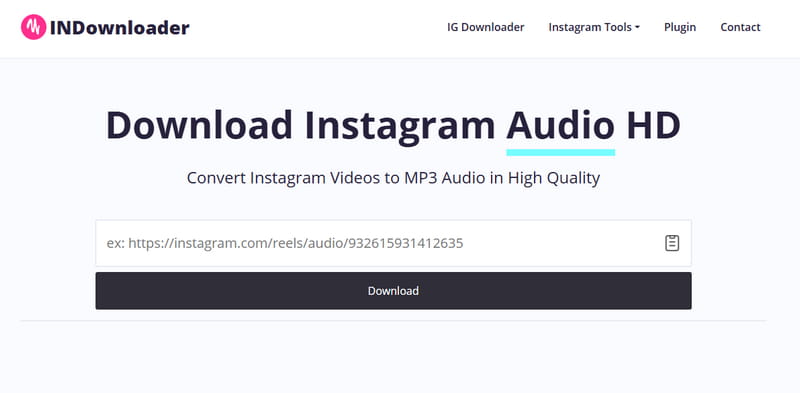
INDownloader is one of the most popular Instagram download tools available, and its audio downloader feature allows you to extract sound from public Instagram Reels and videos quickly. It supports converting Instagram videos to MP3 at up to 320kbps, which is the highest bitrate commonly offered by online tools. INDownloader.app is completely free, does not collect any personal data, and works on any device without requiring software installation.
How to download Instagram videos to MP3 with INDownloader.app?
STEP 1 Open Instagram, find the Reel or video with the audio you want, and copy its link.
STEP 2 Go to the INDownloader.app website and paste the link into the search box.
STEP 3 Click the "Download audio" button at the bottom of the video cover. INDownloader.app will then process the link and provide the audio file.
Note: The following three tools download the full Reel as a video file (MP4) with sound. They do not extract standalone audio. If you only need the audio, please use the tools above or try the professional recorder in Part 2.
4. Toolzin.com
🌍 Website: https://toolzin.com/tools/instagram-audio-downloader/
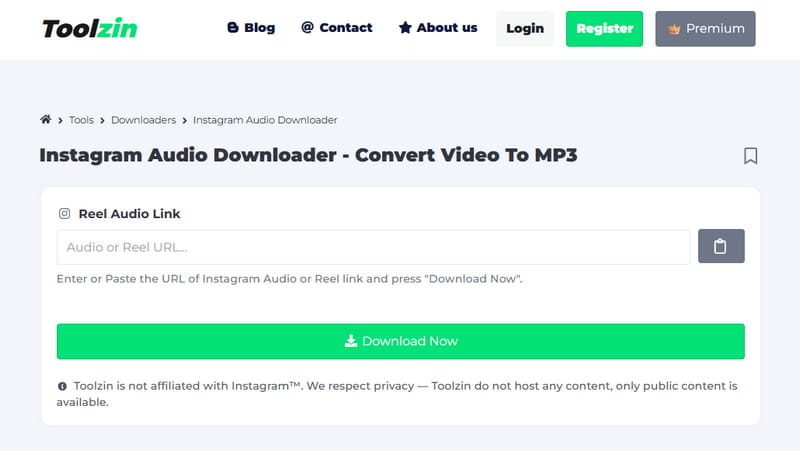
Toolzin.com is an all-in-one online tool hub that offers file conversion and social media features. Its Instagram Reel audio downloader supports all URL formats: Reels, Stories, posts, and even photos. Toolzin automatically selects the best available audio quality and processes everything securely without storing your data. However, this service is cluttered with ads, which may affect usage and redirect to unsafe sites. The identity of the website owner is not publicly disclosed. And it may occasionally fail to work or become temporarily unavailable. Although it claims to be able to convert Instagram reels to MP3 format, the result is actually an MP4 video file.
How to download Instagram videos with Toolzin.com?
STEP 1 Copy the link of the Instagram Reel, Story, or post containing the audio you want.
STEP 2 Go to https://toolzin.com/tools/instagram-audio-downloader/. Paste the link into the input box.
STEP 3 Click "Download Now". Toolzin.com will process the link and prepare the audio.
STEP 4 Click "Download Audio" to save the audio file to your device.
5. SSSInstagram.com
🌍 Website: https://sssinstagram.com/en1
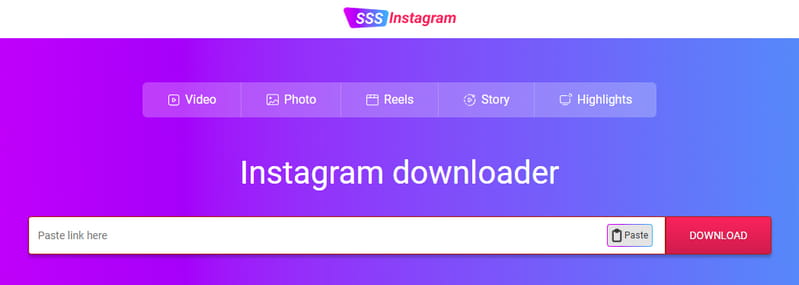
SSSInstagram.com offers a clean, no-frills interface for downloading Instagram content. It supports Reels, videos, and photos, and can extract audio as MP3. It is designed for users who want a straightforward experience. There are no unnecessary features or complex settings to navigate. It is best for users who want the simplest possible download experience.
How to download Instagram videos to MP3 with SSSInstagram.com?
STEP 1 Copy the link of the Instagram Reel you want to download audio from.
STEP 2 Go to sssinstagram.com/reels-downloader. Paste the link into the input field.
STEP 3 Click the "DOWNLOAD" button. The tool will process the link and provide the audio file.
STEP 4 Click "Download" to save the MP3 file to your device.
6. SaveClip.app
🌍 Website: https://saveclip.app/en
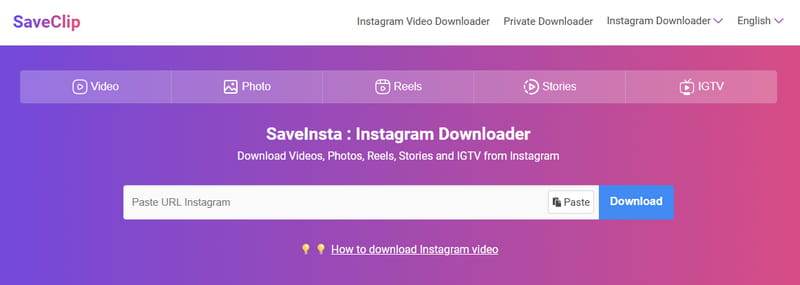
SaveClip.app, formerly known as SaveInsta, is one of the most trusted names in the Instagram download space. It supports a wide range of Instagram content types, Videos, Photos, Reels, Stories, Highlights, and Profile Pictures, and offers a dedicated Android app for a smooth mobile experience. SaveClip is primarily a video downloader, not a dedicated audio extraction tool. It works reliably for public Reels and offers high-quality MP4 output. If you paste an Instagram Reel audio URL and try to download the audio only, it will display an error message saying: "Video is private. Please use the tool Instagram Private Downloader."
How to download Instagram videos with SaveClip.app?
STEP 1 Open Instagram, find the Reel you want to download, and tap the three-dot icon to copy the link.
STEP 2 Go to saveclip.app/en/instagram-audio-download. Paste the link and press "Download". SaveClip will process the link immediately. Be careful to close any pop-up window during this process.
STEP 3 Click the "Download Video" button to save the Reel as an MP4 video file with sound.
Part 4. Comparison of Instagram Reel Audio Downloader 📊
To help you decide which Instagram downloader best fits your needs, the table below provides a side‑by‑side comparison of all the Instagram downloaders introduced in this guide.
| Compatibility | Audio Source | Sound Quality | Output Format | Private Reels | Vocal Separation Tool | Ad-Free | Stability | |
|---|---|---|---|---|---|---|---|---|
| Tidabie Music Go | Win & Mac | 10+ popular music services & any customizable sites | Original | MP3, AAC, WAV, FLAC, AIFF, ALAC | ✅ | ✅ | ✅ | ⭐⭐⭐⭐⭐ |
| ReelSave.app | Web | 128kbps | MP3, MP4 | ❌ | ❌ | ✅ | ⭐⭐⭐⭐ | |
| FastVideoSave.net | Web | 128kbps | MP3, MP4 | ❌ | ❌ | ❌ | ⭐⭐⭐ | |
| INDownloader.app | Web | 192kbps | MP3, MP4 | ❌ | ❌ | ✅ | ⭐⭐⭐⭐ | |
| Toolzin.com | Web | N/A | MP4 | ❌ | ❌ | ❌ | ⭐⭐ | |
| SSSInstagram.com | Web | N/A | MP4 | ❌ | ❌ | ❌ | ⭐⭐⭐ | |
| SaveClip.app | Web | N/A | MP4 | ❌ | ❌ | ❌ | ⭐⭐⭐ |
FAQs about Instagram Reels Audio Download
Q1: Can I download audio from a Reel that was deleted or made private?
No, once a Reel is deleted or set to private, its link becomes invalid.
Q2: Can I extract just the BGM from a Reel without the voiceover?
Not directly. The audio you get is the complete mixed track, including both background music and any voiceover from the original Reel. However, you might want to try Audio Splitter provided by Tidabie. It can help you remove or isolate vocals from any downloaded audio file.
Q3: Why do some downloaders give me a video file instead of an audio file?
Because that tool is a video downloader. If you only want to download audio, try options such as ReelSave.app, FastVideoSave.net, and INDownloader.app. Also, ensure you follow the method in Part 1 to find the audio link, rather than the link for the entire Reel. Generally speaking, the links of audio files usually include the word "audio", such as https://www.instagram.com/reels/audio/xxx.
Q4: How can I get Reel audio without annoying ads and pop-ups?
Free online Instagram Reel audio downloaders rely on ads to keep their services running. As a professional music downloader, Tidabie Music Go offers a completely ad‑free experience.
Q5: Can I use downloaded Instagram Reels audio in my TikTok or YouTube videos?
Yes, but you should be careful. Copyright detection systems on these platforms may mute your video or block it entirely if the audio is a licensed song.
Conclusion
This guide walks you through how to save Instagram Reels audio to your collections for quick reuse inside Instagram, and more importantly, how to download these sounds with top Instagram Reel audio downloaders. While online tools offer a free and fast way to extract audio as MP3 files, they can be unreliable, full of ads, or stop working after Instagram updates. For a more stable solution, nothing beats a professional audio recorder. Tidabie Music Go lets you capture any Reel audio directly on your computer, save it in formats like MP3 or FLAC with high quality, and keep it forever without worrying about broken links or disappearing sounds. Download Tidabie to take full control of your favorite audio now!

Jacqueline Swift | Senior Writer
